
Thermal cover disk Lenovo X1 Carbon 9 10 Yoga
12,50 € with TAX10,16 € netto
Lowest price in the last 30 days: 12,50 €
The original product, used one.
🔧 SSD Thermal Plate for Lenovo ThinkPad X1 Carbon Gen 10 🔧
🖥️ X1 Carbon 10th Gen | M.2 SSD Thermal Shield | Copper | FRU 5B41C42038
⚙️ PRODUCT OVERVIEW
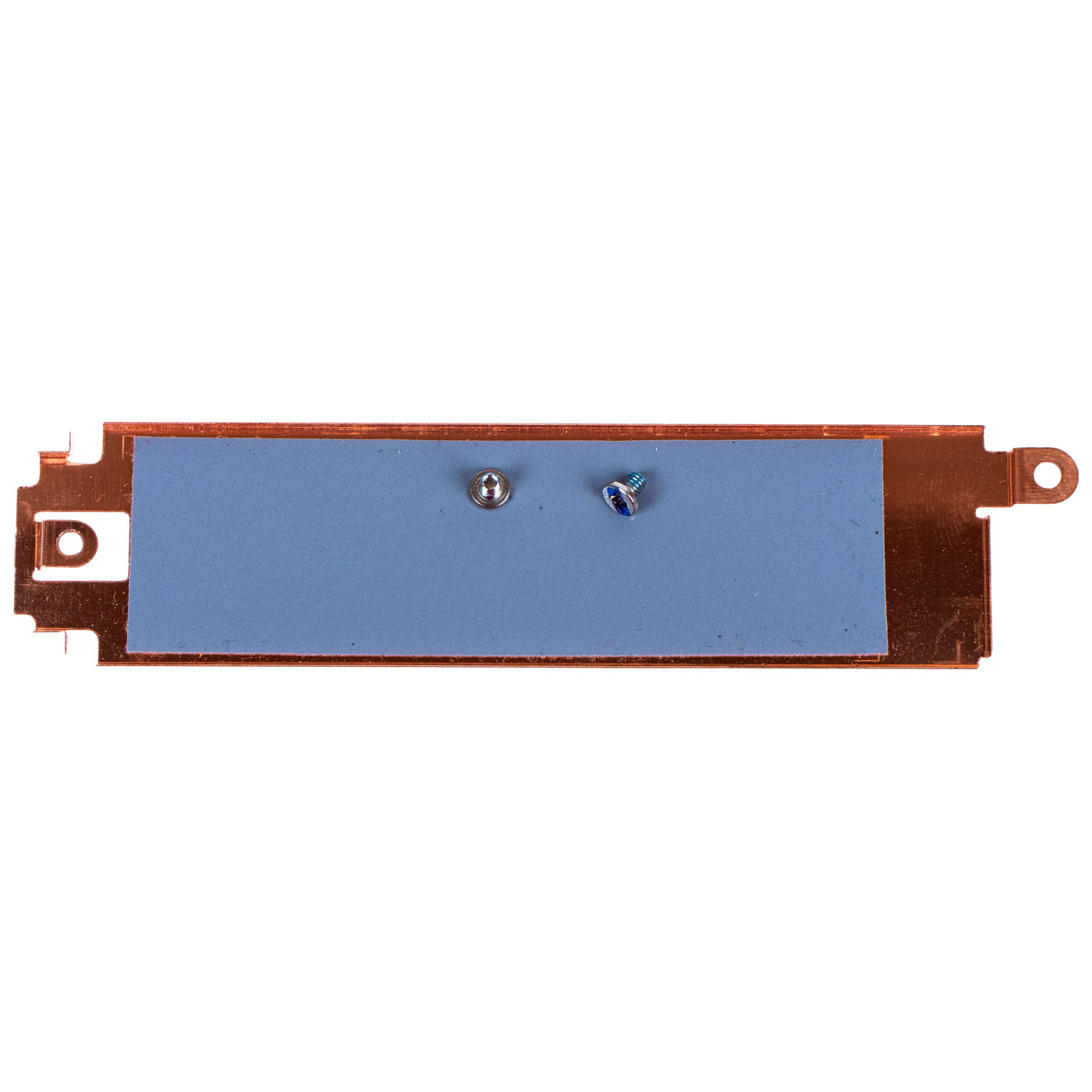
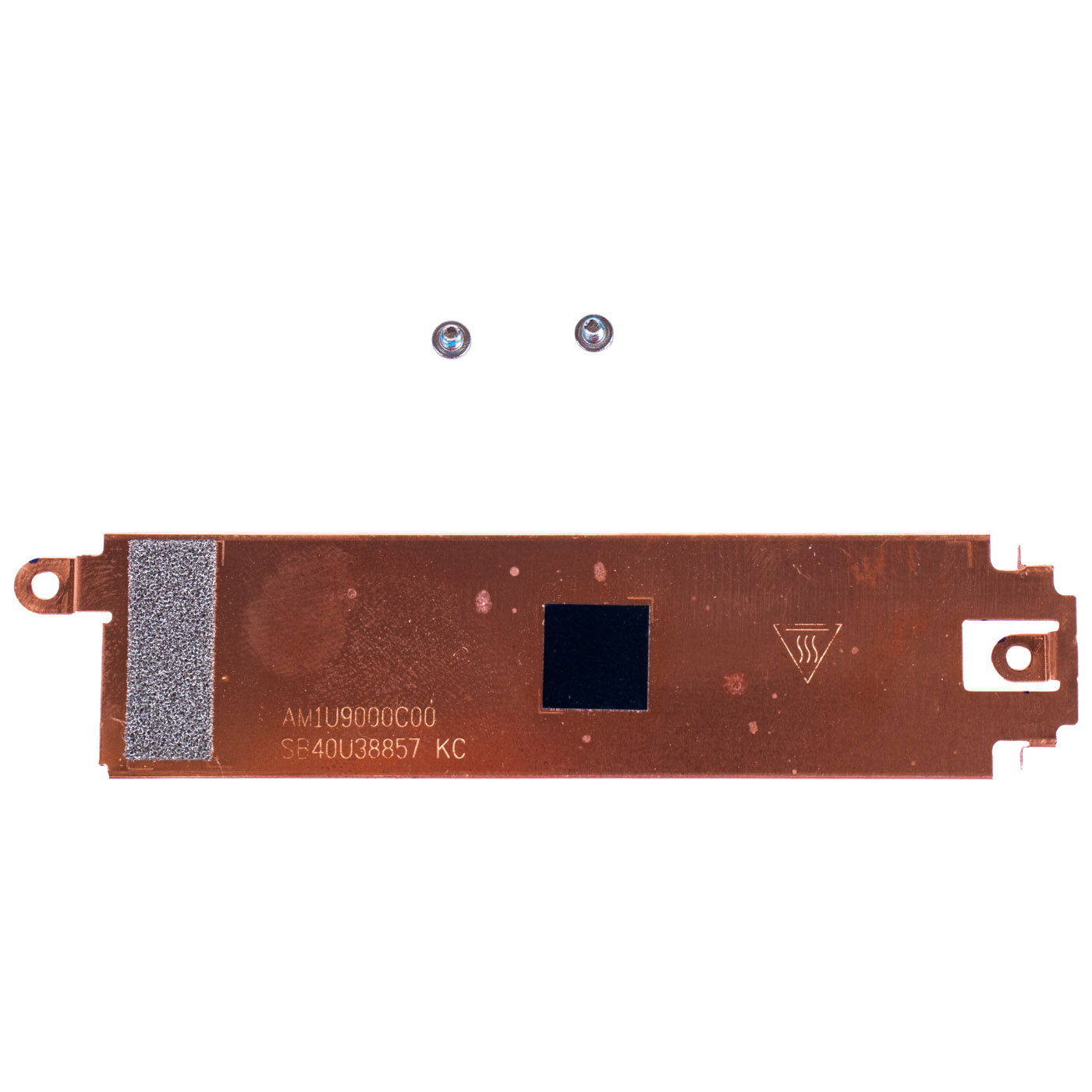
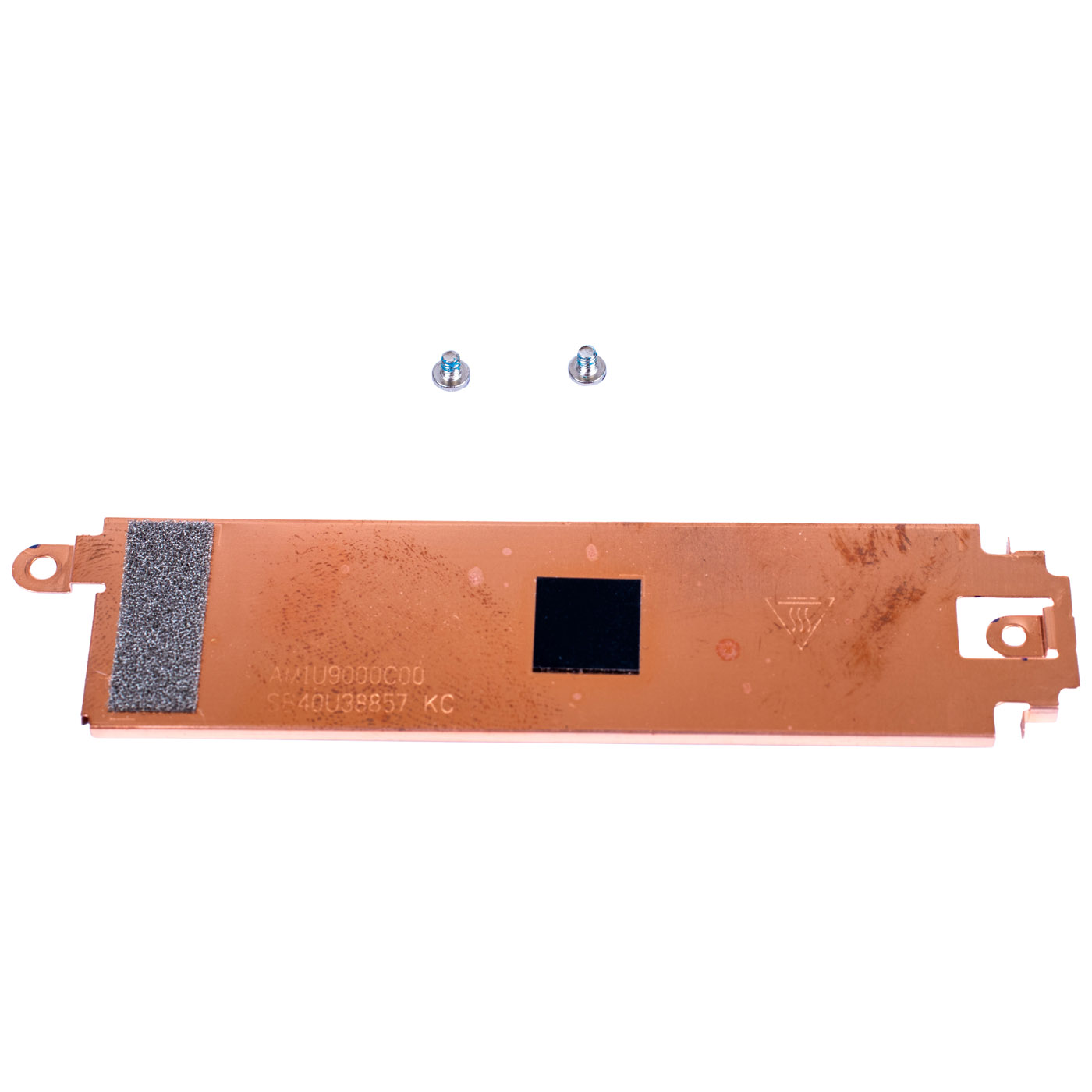
Genuine M.2 SSD thermal plate removed from a Lenovo ThinkPad X1 Carbon Gen 10 laptop. Made of copper with a bonded thermal pad, it efficiently draws heat away from the SSD and protects it from overheating. The part is in very good technical condition, with no deformation or mechanical damage. Includes 2 original mounting screws, shown in the listing photos.📋 TECHNICAL SPECIFICATIONS
Part name: M.2 SSD Thermal PlateBrand: Lenovo ThinkPad
Compatible model: X1 Carbon Gen 10
Material: Copper + thermal interface pad
Condition: Used (removed from a working device, tested)
FRU: 5B41C42038
Substitute part numbers: SB40U38857, AM1U9000C00
Set contents: thermal plate + 2 mounting screws
🌟 KEY ADVANTAGES
🔹 Efficient heat dissipation - the copper construction with thermal pad quickly draws heat away from the drive, keeping the SSD cooler under load.🔹 Protection against thermal throttling - stable SSD temperature means no drops in read/write speed during sustained heavy use.
🔹 Genuine Lenovo part - guaranteed exact mechanical fit inside the X1 Carbon Gen 10 chassis.
🔹 Complete mounting set - original screws included, ready to install without hunting for substitutes.
🔹 Verified technical condition - no deformation, cracks, or signs of overheating.
🔢 COMPATIBILITY WITH LENOVO LAPTOPS
According to official Lenovo documentation (FRU 5B41C42038), this thermal plate is compatible with the following ThinkPad models:• X1 Carbon 10th Gen (Type 21CB, 21CC)
• X1 Yoga 7th Gen (Type 21CD, 21CE)
• X1 Carbon 9th Gen (Type 20XW, 20XX)
• X1 Yoga 6th Gen (Type 20XY, 20Y0)
❓ WHEN SHOULD YOU REPLACE THE THERMAL PLATE?
• Missing or lost original thermal plate after an SSD replacement• Damaged or deformed plate that no longer sits flush against the drive
• High SSD temperature and thermal throttling visible in diagnostic tools (e.g. HWiNFO, CrystalDiskInfo)
• Dried-out or peeling thermal pad on the old plate
🔧 INSTALLATION
1. Turn off the laptop and disconnect the power supply and all external devices.2. Remove the screws securing the bottom cover and carefully take it off.
3. Locate the M.2 SSD slot along with the installed thermal plate.
4. Unscrew the mounting screws of the old plate and remove it from the drive.
5. Place the new thermal plate on the drive, making sure the thermal pad makes full contact with its surface.
6. Fasten the included mounting screws.
7. Close the cover and boot the laptop.
Installation by a qualified technician or an experienced user is recommended.
🎯 INTENDED USE
This thermal plate is intended for Lenovo ThinkPad X1 Carbon Gen 10 laptops and compatible X1 Yoga Gen 6/7 and X1 Carbon Gen 9 models equipped with an M.2 SSD. It is an integral part of the drive's cooling system, maintaining a stable operating temperature and protecting against overheating during intensive use. The exact appearance and condition of the offered item are shown in the listing photos.✅ COMPATIBILITY GUARANTEE
This thermal plate was removed from a working Lenovo ThinkPad X1 Carbon Gen 10 laptop and thoroughly checked before listing. We guarantee full compatibility under FRU number 5B41C42038 and 100% functionality of the item. In case of any compatibility issues, we offer a hassle-free return within 14 days.📞 NEED HELP? CONTACT OUR EXPERTS!
Do you have questions about the thermal plate for your Lenovo ThinkPad X1 Carbon Gen 10? Our specialists will be happy to help you choose the right part. Contact us!📱 Phone: +48-601-415357
📧 Email: sklep@abcdeal.pl
🦁 ABCDEAL - Your Trusted Lenovo Parts Specialist
We have been specializing in delivering genuine Lenovo laptop parts for years. Every used component in our offer goes through thorough quality checks before being listed for sale. Trust the experts and restore your ThinkPad's full performance.📦 Want to know more about shipping and return conditions? Click here
❓ Have additional questions? Check our FAQ
| Part Name | Thermal cover for SSD M.2 drive |
|---|---|
| Brand | Lenovo ThinkPad |
| Model | X1 Carbon 9/10 (2021/2022) |
| Size | 14" |
| Condition | Used |
| Material | Copper |
Szczegóły dotyczące zgodności produktu z przepisami
Osoba odpowiedzialna za produkt:ABCDEAL WOJCIECH ZAMARSKI
ul. Zawodzie 29 43-430 Ochaby Wielkie, Poland
email: biuro@abcdeal.pl
Producent:
Lenovo Group Limited
7th Floor, Building A, Lenovo Houhai
Center, No.3288 Houhaibin Road, Haizhu
Community, Yuehai Street, Nanshan district
Shenzhen 518000, China
email: lncontact@lenovonetapp.com
Information on the safety of product use.
ul. Zawodzie 29 43-430 Ochaby Wielkie, Poland
email: biuro@abcdeal.pl
Producent:
Lenovo Group Limited
7th Floor, Building A, Lenovo Houhai
Center, No.3288 Houhaibin Road, Haizhu
Community, Yuehai Street, Nanshan district
Shenzhen 518000, China
email: lncontact@lenovonetapp.com
Information on the safety of product use.
Ask for details