
Lenovo in Brief - TrackPoint goes portable, right to repair
The past week in the Lenovo world was exceptionally varied - from a portable version of the iconic TrackPoint, through ThinkPad enthusiasts expanding their collections, to the technical dilemmas of users struggling with screen and chassis faults. We have gathered the most interesting stories of recent days so that you don't miss anything. Welcome to our weekly roundup of news from the Lenovo world!
Portable TrackPoint - Ploopy takes inspiration from the ThinkPad
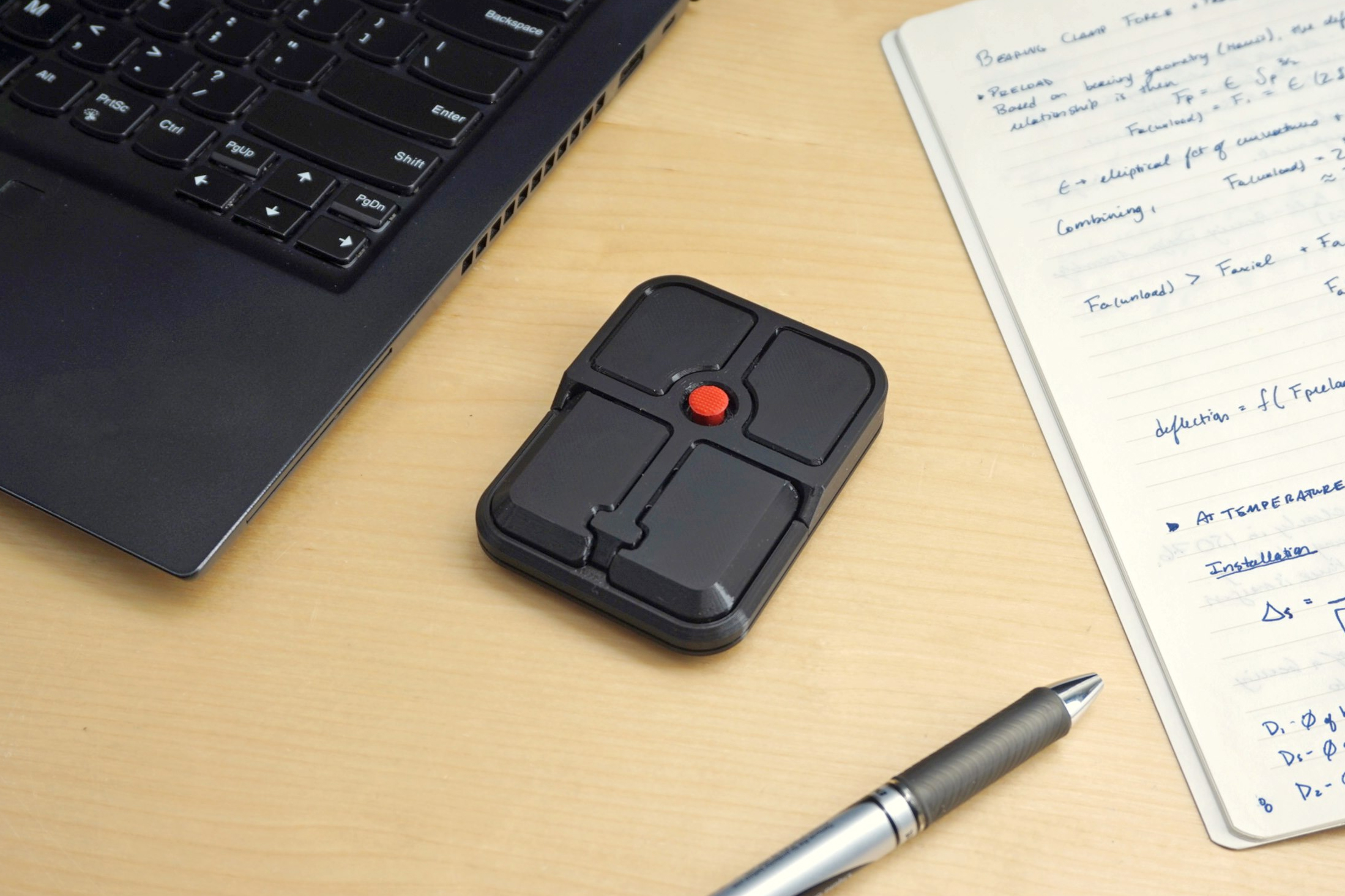
One of the most interesting pieces of news this week is the launch of the Bean mouse by Ploopy - a device that draws direct inspiration from the iconic red TrackPoint associated with every laptop in the ThinkPad series. The TrackPoint, a small joystick placed between the keys, is one of the most recognisable elements of ThinkPad identity - originally designed by IBM and continued by Lenovo after it took over the brand.
The Bean mouse is an attempt to take this experience beyond the laptop. Instead of a traditional optical sensor that slides across the desk, the device uses a pointing stick - identical in operation to the one ThinkPad users know. Four buttons are placed around the nub, so the whole device can be operated without taking your hands off it. The lack of wireless connectivity means you need to use a USB cable, but in return you get zero latency and no battery problems.
Particularly noteworthy is the open-source philosophy that Ploopy consistently applies to its products. The Bean mouse housing is 3D printed, and users can print and replace every element of the design themselves. It is an ideal solution for fans of the "right to repair" community and for those who like to personalise their hardware. The device costs 69.99 CAD (about 51 USD), and pre-orders are already open on the Ploopy website.
Source: The Verge
Louis Rossmann with a ThinkPad - a Right to Repair icon chooses Lenovo

The r/thinkpad community was electrified by the observation that Louis Rossmann - one of the world's best-known advocates of the "Right to Repair" movement and a popular YouTuber specialising in Apple hardware repairs - appeared in public with a ThinkPad laptop. For many observers it was the first time they had seen him with a Lenovo device in his hands.
For years Rossmann has been campaigning for consumers' right to repair electronics themselves - he fights against manufacturers who restrict access to schematics, parts and diagnostic software. His choice of a ThinkPad is no coincidence - this series has long been regarded as one of the most "repair-friendly" laptop lines on the market. Lenovo provides extensive service manuals (Hardware Maintenance Manuals), and many models allow users to replace the RAM, drives and even the keyboard themselves.
Users of the r/thinkpad subreddit received the news with enthusiasm, treating it as a kind of quality certificate for the brand. The fact that someone so deeply tied to the idea of repairability reaches for a ThinkPad confirms that Lenovo is heading in the right direction - at least with its flagship business series. It is an important signal to the whole industry that hardware repair and product longevity are coming back into favour.
Source: Reddit r/thinkpad
Welcome to the family - new ThinkPad users on Reddit
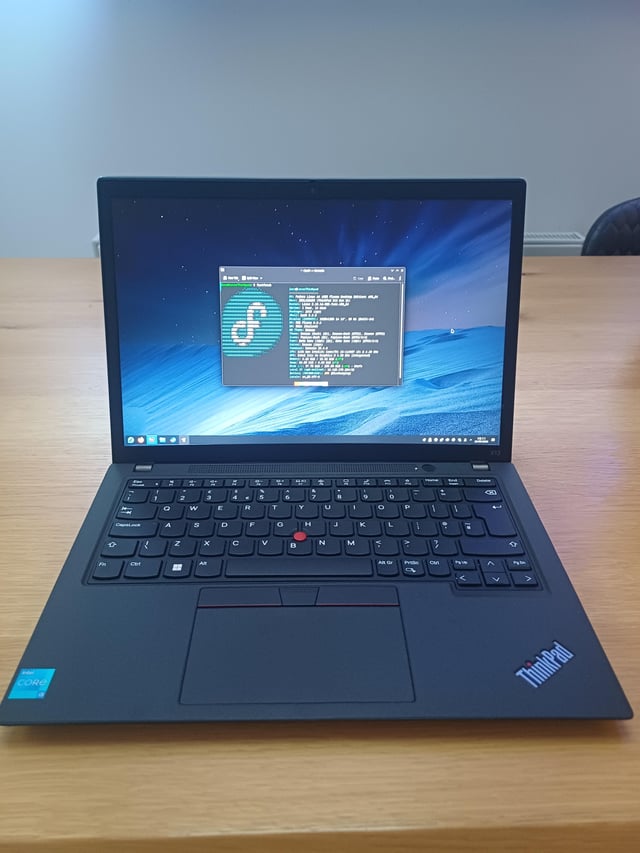
The past week brought a real wave of new users to the r/thinkpad subreddit, proudly showing off their first ThinkPad. This phenomenon illustrates how strong and lively the community around this laptop series is - new owners almost instinctively feel the need to share their joy right there.
One user boasted about buying a ThinkPad X13 Gen 2i - a compact 13-inch laptop from the business line, valued for combining mobility with performance. He asked the community for the most important things worth knowing about this model and quickly received a number of practical tips. Another user presented his first ThinkPad P14s Gen 6 - a mobile workstation from the P series, dedicated to professionals working with graphics and engineering. The third post, by user kernel-236, is simply an expression of pride at joining the "ThinkPad family".
What connects these posts is something more than the excitement of a new purchase. The r/thinkpad subreddit works like a real support community - experienced users happily share their knowledge about maintenance, hardware upgrades and best practices. For new ThinkPad owners it is an invaluable source of information, especially when you plan to replace the RAM, drive or keyboard yourself.
Source: Reddit r/thinkpad, Reddit r/thinkpad, Reddit r/thinkpad
A ThinkPad collector - five X series laptops under one roof

The r/thinkpad subreddit also featured a post by a user who, before picking up his fifth X series laptop, showed off his current collection - an impressive set of devices for various uses. It is an excellent overview of the possibilities offered by the ThinkPad X ecosystem.
The collection includes: the X1 Extreme Gen 2 with 64 GB of DDR4 2666 MHz RAM and 1.5 TB of storage - used mainly for gaming, although because of its size it doesn't travel in a bag; the X13 Gen 2a with an AMD Ryzen 7 processor (8 cores), 16 GB of RAM and a 512 GB NVMe Gen4x4 drive with a working touchscreen; and the X1 Tablet Gen 2 with a damaged keyboard, but still finding practical use.
The culmination was the pickup of an X1 Carbon Gen 11 with an Intel processor and over 32 GB of RAM - which was a key requirement for the owner when choosing. The post shows that ThinkPads can build real attachment: once convinced, a user rarely reaches for other brands. It is also worth noting that the X13 has a vinyl wrap applied, which the owner plans to replace - confirming how many users personalise their devices. To see how successive X1 Carbon versions differ and which parts fit them, check the overview of ThinkPad X1 Carbon generations.
Source: Reddit r/thinkpad
A strange ThinkPad with an iPad screen - a hybrid in kiosk mode
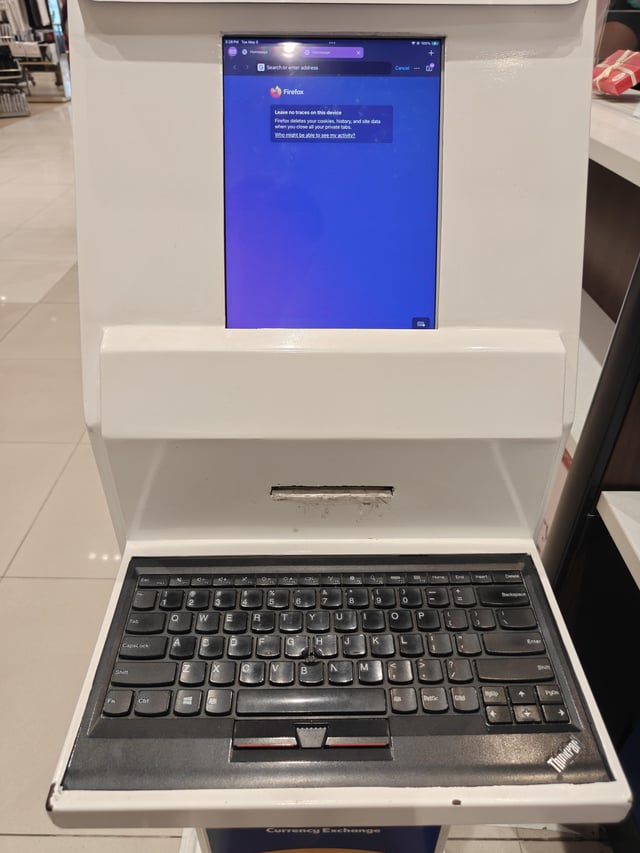
A somewhat different face of ThinkPad versatility was shown by a post titled "This is a weirdly looking Thinkpad". The user came across an unusual combination: a ThinkPad series keyboard connected to an iPad screen, configured in kiosk mode - most likely for commercial or installation purposes.
The r/thinkpad community immediately became interested in identifying the specific ThinkPad keyboard model used in this hybrid build. ThinkPad keyboards have for years been regarded as some of the best in the laptop industry - their layout, key travel and precision make many users look for ways to use them outside the original device. Combining them with an Apple tablet is a striking, though rarely seen, example of this approach.
The post opened an interesting discussion about alternative uses of ThinkPad accessories and the flexibility of these devices. Kiosk mode suggests use at a customer service point, in retail or in displays - where a durable ThinkPad keyboard can be a significant advantage over standard tablet-kiosk solutions.
Source: Reddit r/thinkpad
Users' technical problems - ghosting, flickering and missing screws
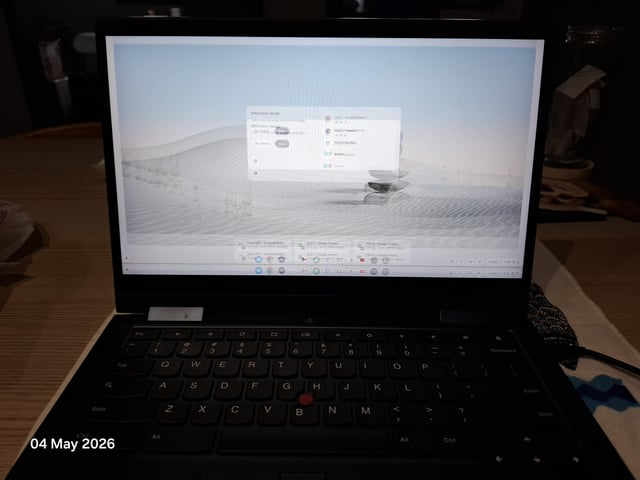
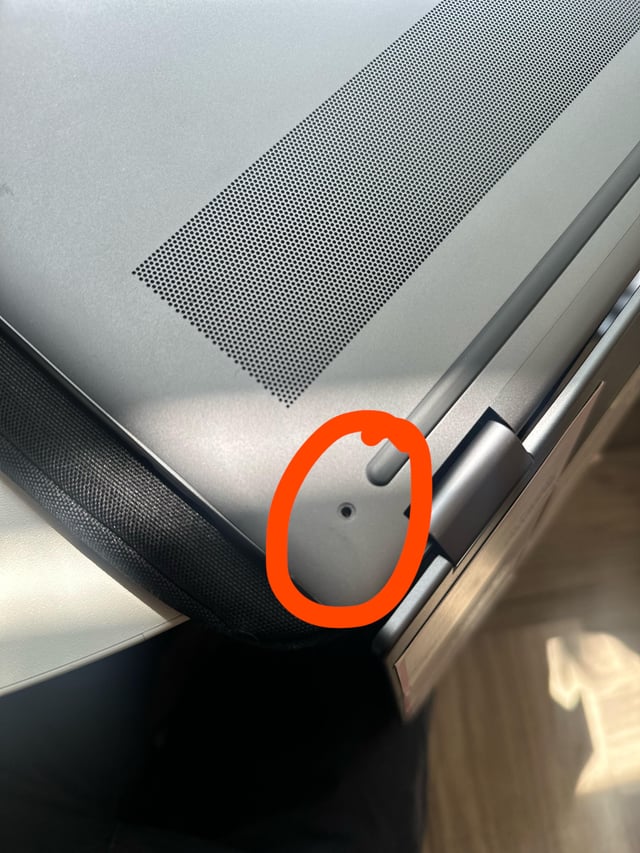
The week also brought several reports of technical problems that Lenovo laptop users are struggling with. Three posts drew particular attention: a case of screen ghosting in the ThinkPad Yoga Chromebook C13, blue light flickering in a Lenovo LOQ, and a question about the number of screws in the back cover of a Lenovo Yoga 2-in-1.
The user of a ThinkPad Yoga Chromebook C13 reported persistent ghosting artefacts - visual disturbances resembling the symptoms of a poorly connected DisplayPort cable. Importantly, the device shows no signs of mechanical damage, which suggests a problem inside the chassis - probably a loosened ribbon cable connecting the panel to the motherboard. The user, who has technical skills, is looking for electronic schematics and information about terminals, wanting to repair a beloved model that Lenovo has already discontinued.
The second problem concerns a Lenovo LOQ gaming laptop whose screen shows blue flickering. It may be a symptom of a panel backlight fault, a damaged display cable connector or a graphics driver error. In such a case it is worth starting with a driver update, and if the device is under warranty - contacting Lenovo service immediately. Meanwhile, the owner of a Lenovo Yoga 2-in-1 is worried that his laptop has only 5 screws in the back cover, which is starting to separate from the body. The number of screws depends on the specific model, but a cracking chassis is a sign that it is time for action - whether through service or by replacing the cover itself.
All three cases lead to one conclusion: regular technical checks, taking care of the chassis condition and reacting to the first signs of faults can significantly extend the life of your equipment. If your laptop shows similar symptoms, don't delay diagnostics.
Source: Reddit r/thinkpad, Reddit r/lenovo, Reddit r/lenovo
Weekly summary - Lenovo still on top
This week shows that the Lenovo ecosystem - with ThinkPads at the forefront - has a rich life of its own. On one hand, there are inspiring initiatives such as Ploopy's Bean mouse, which carries the spirit of the TrackPoint beyond the laptop, and the symbolic gesture of Louis Rossmann reaching for a ThinkPad as a work tool. On the other, there are the real, everyday challenges of users: screen faults, questions about chassis and repair dilemmas.
It is especially pleasing to see the growing community of new ThinkPad users who proudly join the "family" and actively look for knowledge on how to care for their equipment. It is proof that ThinkPads are not just a work tool - they represent a certain way of thinking about technology, in which durability, repair and community really matter.
If you already own a Lenovo laptop and are looking for original spare parts - chassis, covers, bezels, keyboards, touchpads, fans, ribbon cables and other parts - visit www.abcdeal.pl. In our shop you will find original components for models from the ThinkPad, IdeaPad, Legion and ThinkBook series, thanks to which your equipment will serve you for many more years.
Sources:
- Is my Lenovo yoga only supposed to have 5 screws on the cover? - r/lenovo
- Why this blue light flickering in lenovo loq - r/lenovo
- Ploopy's new mouse makes the ThinkPad's iconic TrackPoint portable - The Verge
- Right to repair advocate rocking a Thinkpad - r/thinkpad
- First thinkpad - r/thinkpad
- This is a weirdly looking Thinkpad - r/thinkpad
- First Thinkpad - r/thinkpad
- Just joined the Family. Proud of my first Thinkpad - r/thinkpad
- Swagging Out My Remaining ThinkPads before getting the 5th X series laptop later today - r/thinkpad
- Thinkpad Yoga - Permanent Ghosting on Screen - r/thinkpad
Parts for your Lenovo laptop - touchpad, keyboard
Message from: 16-05-2026