
Lenovo in Brief - Failures, Repairs and Unavailable Charger
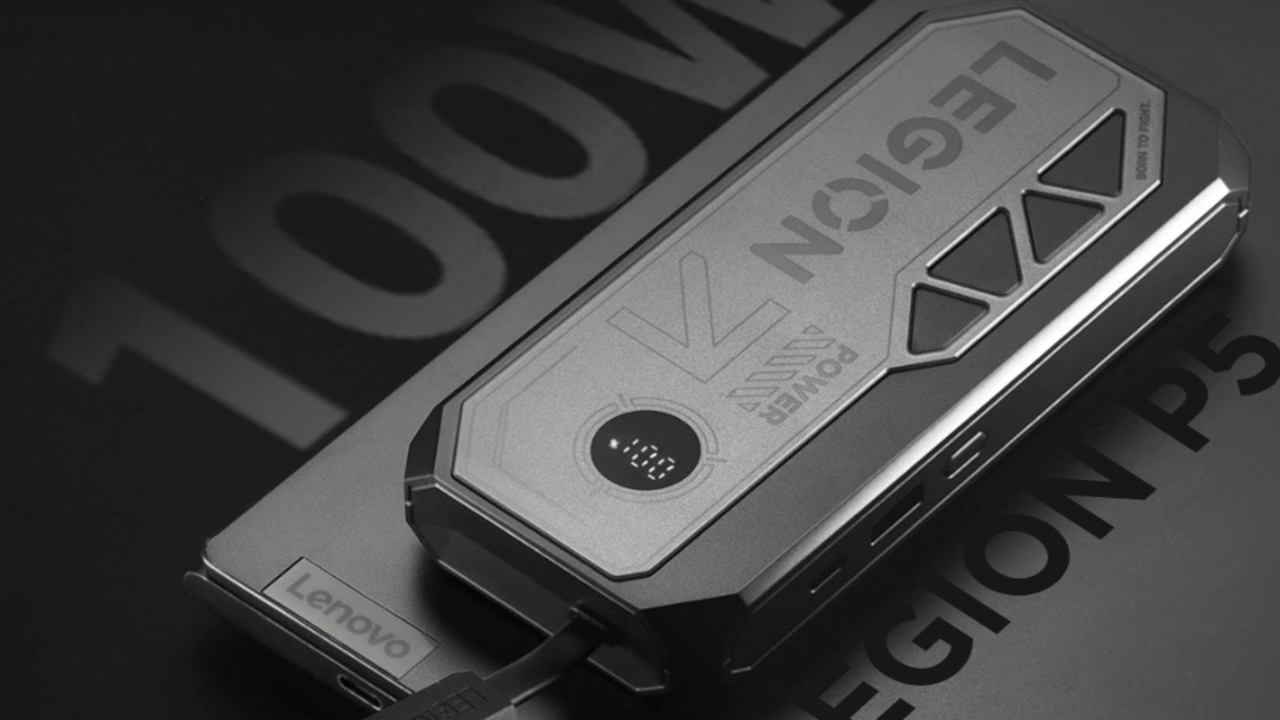
The past week in the Lenovo world brought a mix of exciting announcements and worrying service reports - from an innovative portable charger that most of us will never buy, to a series of hardware failures in popular Legion, IdeaPad and ThinkPad models. We look at what happened in the user community and what is worth knowing before your next purchase or visit to a service center.
Lenovo shows a portable charger of the future - but not for us
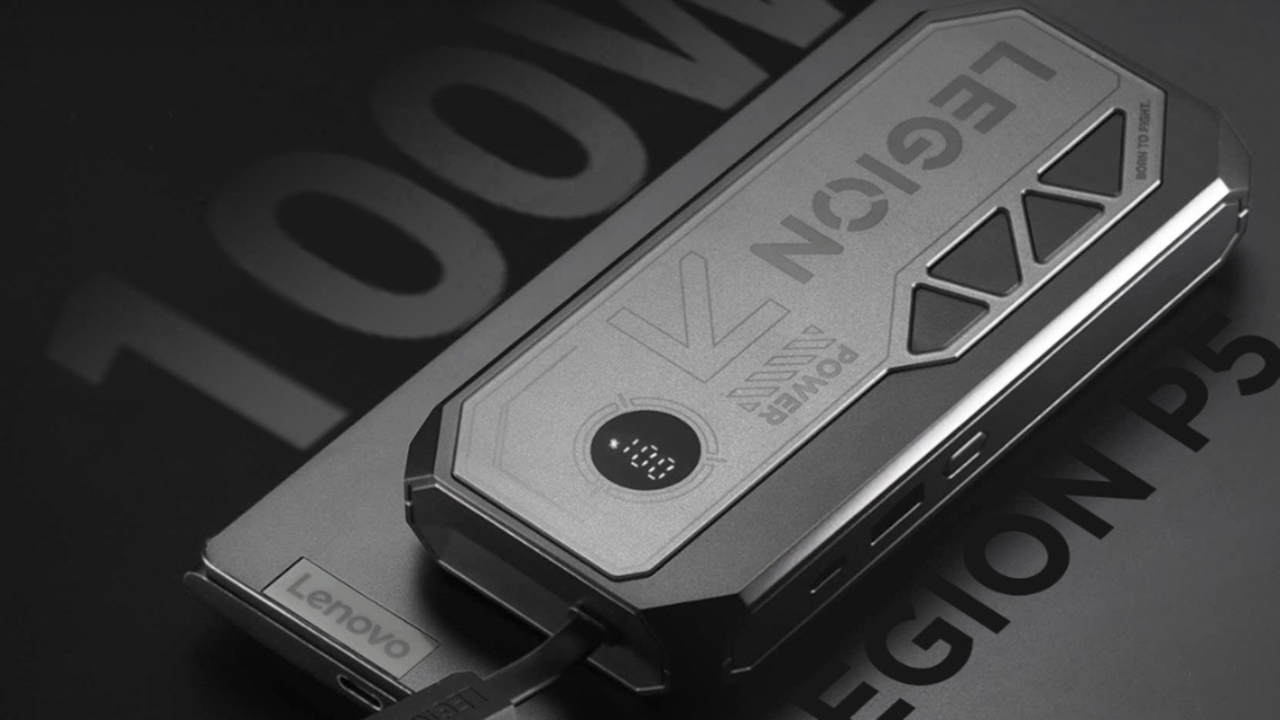
Lenovo has presented a new portable charger that immediately caught the attention of the industry media. The device stands out with a modern design and advanced fast-charging technology, which is meant to allow instant power top-ups for smartphones and other electronic gadgets. Reviewers at TechRadar rated the product very highly, praising both its impressive technical specifications and its well-thought-out construction.
Unfortunately, the enthusiasm was quickly dampened by news of limited distribution. The charger will not reach most markets around the world - which means that the average consumer, no matter how interested in buying it, will probably not have the opportunity. It is a classic example of a concept or limited-edition product that serves mainly to build the brand image rather than to meet real market needs.
This situation illustrates a recurring pattern in the technology industry: manufacturers present innovative solutions at trade shows or in press materials, yet they ultimately reach only a narrow group of buyers or remain at the prototype stage. In the case of Lenovo, a global company with a huge customer base, such a distribution decision seems particularly frustrating for fans of the brand outside the selected markets.
It is worth noting, however, that Lenovo is investing in the development of accessories and a companion device ecosystem. Even if this particular charger does not reach European shops, the technologies used in it may find their way into widely available products in the future. In the meantime, all we can do is watch and wait for a more democratic approach to distribution.
Source: TechRadar
Legion 5 dead after 3 months - a failure or a factory defect?
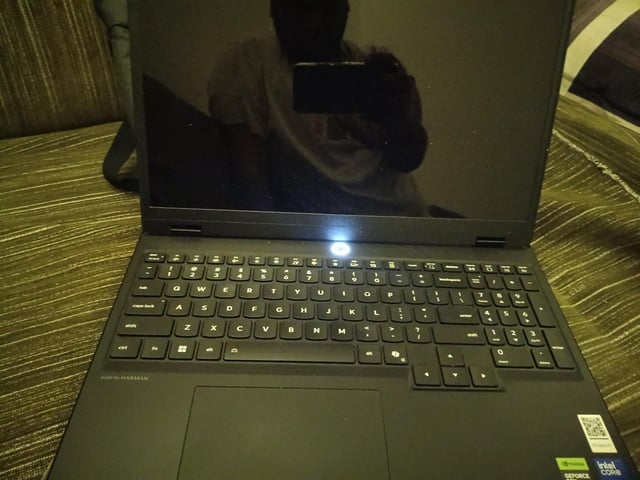
A worrying post appeared on the r/Lenovo subreddit from a user who reports the complete breakdown of his Legion 5 laptop (model 15IAX10) just three months after purchase. The device stopped turning on and does not respond to any commands - no POST signals, no image on the screen, no signs of life. The author of the post included a photo taken with a flash drive documenting the condition of the device.
Such an early and complete failure is a serious warning sign. Three months of use is a period in which a laptop should work absolutely flawlessly - both mechanically and electronically. A total system death in such a short time suggests a possible factory defect in the components, in particular the motherboard, the power circuit or the RAM.
The Legion 5 15IAX10 is a laptop positioned as a mid-range device for gaming and more demanding multimedia use. Users of this series have the right to expect solidity and durability - especially considering the price of the device. The case described on Reddit is not isolated in terms of electronics problems, but such a rapid total failure certainly casts a shadow on quality control for this particular model.
For a user in a similar situation, the first step should be to contact the manufacturer's warranty or an authorized Lenovo service center. In the EU, devices are covered by a standard warranty, which in the case of a factory defect should cover the cost of repair or replacement of the device. It is worth keeping the proof of purchase and documenting all attempts to contact the service center.
The situation reminds us how important it is to have reliable sources of spare parts in case a repair requires replacing components after the warranty has expired. Motherboards, power modules and other key components for the Legion series are available as original spare parts.
Source: r/Lenovo (Reddit)
Replacing the motherboard in an IdeaPad - how to approach it?
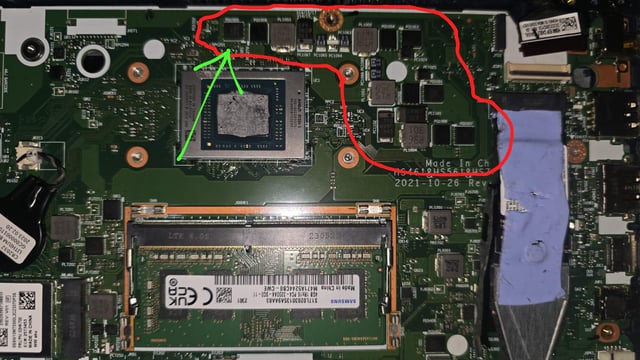
Another member of the r/Lenovo community turned to forum users with a question about replacing the motherboard in the IdeaPad 3 15ALC6. The post is a typical service inquiry - the laptop owner is looking for recommendations on where to buy a compatible motherboard and how to carry out the replacement so as not to run into further problems.
The IdeaPad 3 15ALC6 is a popular budget to mid-range laptop, often chosen by students and office workers. Because of its popularity, the availability of spare parts for the IdeaPad 3 15 is relatively good - which is positive news for all owners of this device who are struggling with hardware failures after the warranty has expired.
Replacing a motherboard in a laptop is an operation that requires both the right tools and technical experience. It is crucial that the new board is fully compatible with the model - this means compatibility not only in terms of physical dimensions and connector layout, but also in terms of BIOS, the supported processor and memory interfaces. Buying an original motherboard from a trusted supplier significantly reduces the risk of incompatibility.
This post is an excellent example of how the Lenovo user community actively shares knowledge and supports each other in service matters. Discussions of this kind have real value - they can save other users time and money by pointing to proven solutions and warning about potential pitfalls when choosing replacements.
It is worth emphasizing that when repairing laptops, using the manufacturer's original spare parts is strongly recommended. Non-original components, even if cheaper, may not work properly with the other parts, may shorten the life of the device or - in extreme cases - lead to further damage.
Source: r/Lenovo (Reddit)
ThinkPad T490 with no display after overheating - diagnosis and possible causes
Another worrying case appeared on Reddit, involving a ThinkPad T490 that refuses to show any image on the screen after overheating overnight. The laptop owner describes the situation as follows: the device was running at night and overheated, and after closing the lid and trying to start it in the morning, it displays only a black screen. What is more, for about a minute a strange noise resembling music came from the speakers - which is a particularly worrying symptom.
Overheating a laptop can lead to a number of serious hardware failures. The components most exposed to high temperatures are the graphics processor (GPU), the integrated circuits on the motherboard and the LCD panel. In the case of the ThinkPad T490, which is equipped with both integrated and dedicated graphics, overheating may have damaged the display controller or the panel connector itself.
Strange sounds coming from the speakers right after trying to start the device may be a symptom of a damaged sound card, but it is more likely that the device is starting only partially - without initializing the screen - and playing some system startup sounds or diagnostic messages. This suggests that the laptop is not completely dead, but has a problem with the video output or the panel itself.
The first diagnostic step in such a situation should be connecting an external monitor via HDMI or DisplayPort. If an image appears on the external screen, the problem lies with the panel or the cable connecting it to the motherboard. If the external monitor does not show an image either, the damage may concern the graphics card or the motherboard itself - which is a more serious and more expensive fault.
This case is a warning against leaving a laptop switched on in places with poor air circulation, especially when performing demanding tasks. Regular cleaning of the fans and ventilation channels and, if necessary, replacing the thermal paste on the processor are basic preventive measures that significantly reduce the risk of overheating.
Source: r/Lenovo (Reddit)
A recurring problem - overheating and electronics failures in Lenovo laptops
Analyzing the reports of recent days, it is hard not to notice a certain pattern: several independent hardware failures in different Lenovo product series - Legion, IdeaPad and ThinkPad. Each of these series is aimed at a different segment of users, which suggests that the problems are not limited to one product line, but may result from broader issues related to usage habits, operating conditions or the quality of components.
Overheating is one of the most common causes of serious laptop failures. In the case of the ThinkPad T490, the user explicitly named overheating as the direct cause of the screen problems. It is worth knowing that Lenovo laptops - like devices from other manufacturers - require regular maintenance of the cooling system. If you are looking for original components to repair your own ThinkPad T490 (a fan or a display cable), see our complete set of spare parts for the T490. A dusty fan or drying thermal paste can raise CPU and GPU operating temperatures by more than ten, or even several dozen, degrees Celsius.
The case of the Legion 5 15IAX10, which stopped working completely after only three months, points to a different kind of problem - a potential factory defect. Statistically speaking, most electronic equipment shows problems either very early (manufacturing defects) or after a long period of use (normal wear). A failure in the third month of use is a signal that should definitely be handled under the warranty.
When the warranty no longer applies and the laptop needs replacement of casing elements or the display, you will find original casings, bezels and display cables for this generation in the parts for Legion 5 15IAX10 / 15IRX10.
Owners of Lenovo laptops - regardless of the series - should remember a few key rules: cleaning the fans regularly (every 12-18 months), using hard, flat surfaces that ensure free airflow, and monitoring operating temperatures with free diagnostic tools. These are simple actions that can significantly extend the life of the device.
Source: r/Lenovo (Reddit), r/Lenovo (Reddit)
Original spare parts - the key to a laptop's longevity
The cases described by Reddit users show very well that even solid laptops from renowned manufacturers sometimes need repair. The key to an effective and lasting repair is using original spare parts - this applies to motherboards in the IdeaPad series as well as to panels, fans and cables in ThinkPad and Legion models.
The secondary market does offer cheaper replacements, but their quality can be unpredictable. A non-original panel may show poorer color reproduction, different brightness or driver problems. A non-original motherboard may not be fully compatible with the software that manages power and cooling, which in turn leads to new temperature problems - and as we saw in the case of the T490, overheating is a straight path to a serious failure.
This is particularly important for users who carry out repairs themselves. Before buying a part, it is worth carefully verifying the laptop model number (the FRU part number, which can be found in the BIOS or on the sticker under the device), and then looking for components with confirmed original status. A good spare parts shop should allow searching by model number and provide photos of the actual products.
If you already own a Lenovo laptop and are looking for original spare parts - casings, covers, bezels, keyboards, touchpads, fans, cables and other parts - visit www.abcdeal.pl. In our shop you will find original components for models from the ThinkPad, IdeaPad, Legion and ThinkBook series, thanks to which your device will serve you for many more years.
Sources:
- Lenovo unveils a fantastic portable charger to revive your smartphone and more - but bad luck, you'll probably never be able to buy it - TechRadar
- Legion 5 (15IAX10) completely dead after 3 months - r/Lenovo
- Ideapad Motherboard - r/Lenovo
- Lenovo T490 no display - r/Lenovo
Parts for your Lenovo laptop - touchpad, keyboard
Message from: 18-05-2026