
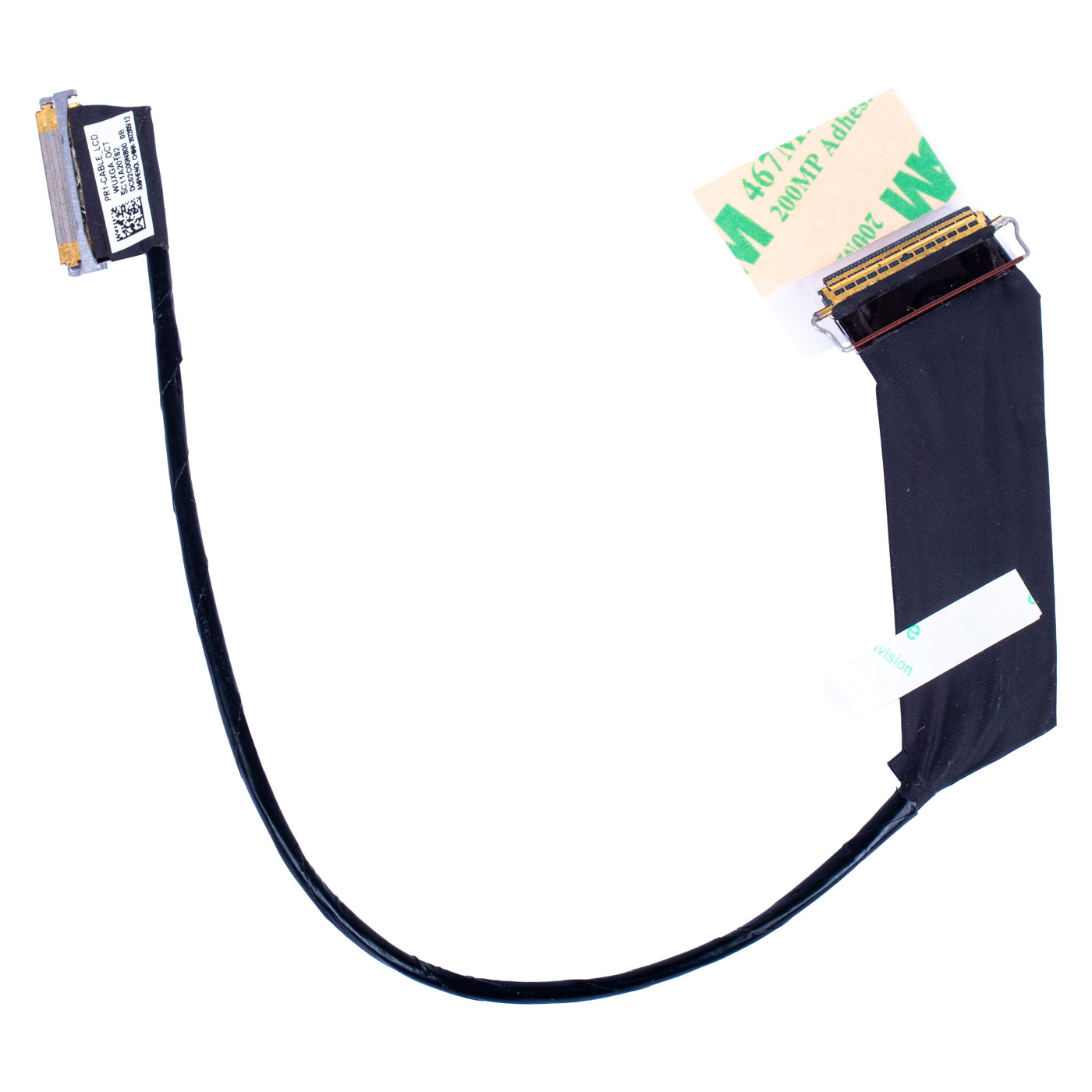
LCD cable Lenovo ThinkPad X1 Carbon Gen 9 WUXGA Touch 40 pin | SC11A20182
32,50 € with TAX26,42 € netto
✓ Compatible with Lenovo laptop models:
ThinkPad X1 Carbon Gen 9
ThinkPad X1 Carbon Gen 9
Lowest price in the last 30 days: 32,50 €
The original product, new one.
🔧 LCD Cable for Lenovo ThinkPad X1 Carbon Gen 9 (WUXGA Touch, 40-pin) 🔧
🖥️ ThinkPad X1 Carbon Gen 9 | eDP Cable WUXGA 1920x1200 Touch (On-Cell) | 40-pin | FRU SC11A20182
Genuine eDP display cable for the touch version designed for the Lenovo ThinkPad X1 Carbon 9th Gen laptop with a WUXGA (1920 x 1200 px) On-Cell Touch panel and a 40-pin connector. Brand new part marked with FRU number SC11A20182. The FRU number guarantees full compatibility with the ThinkPad X1 Carbon Gen 9.⚙️ PRODUCT DESCRIPTION
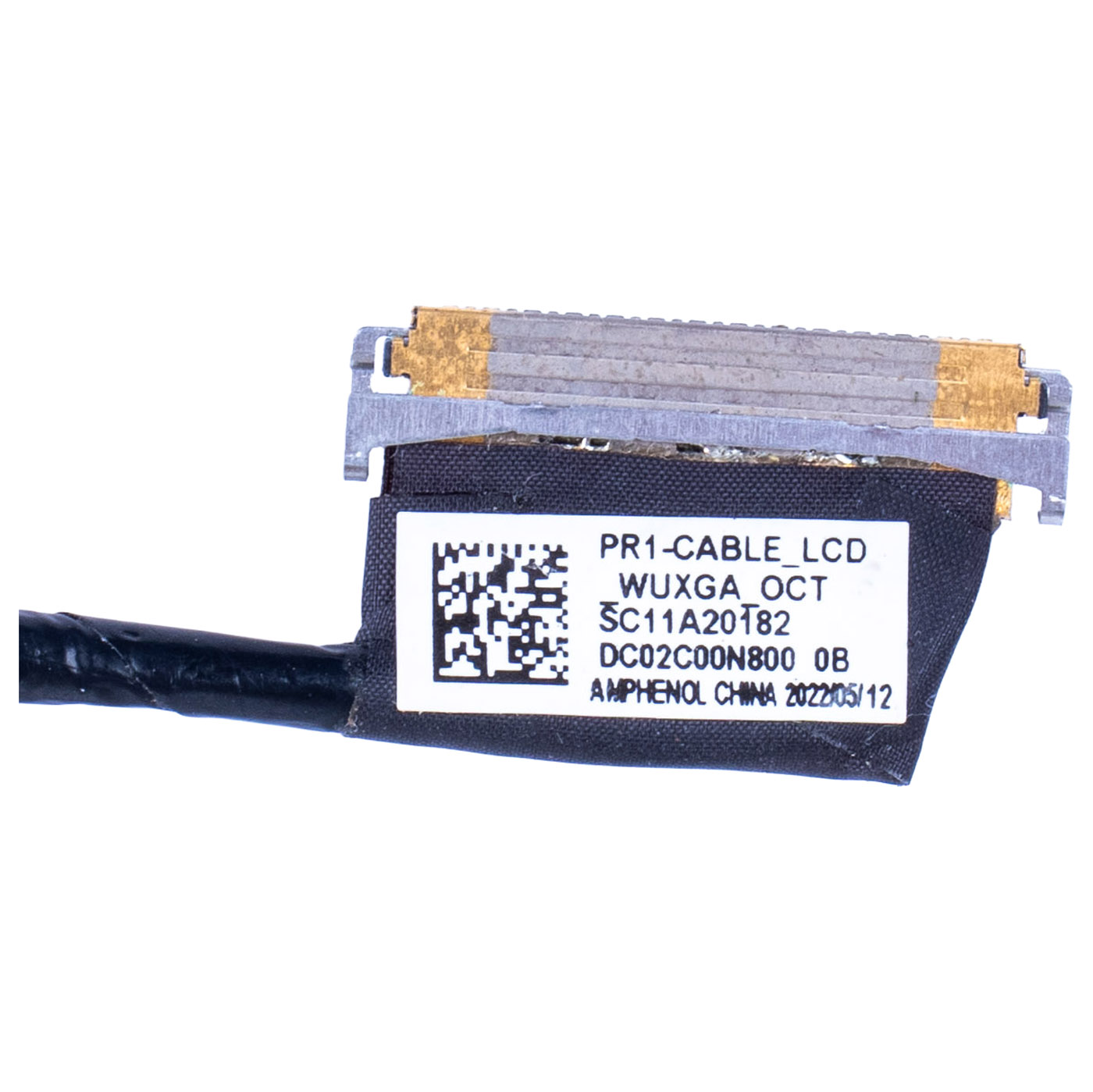
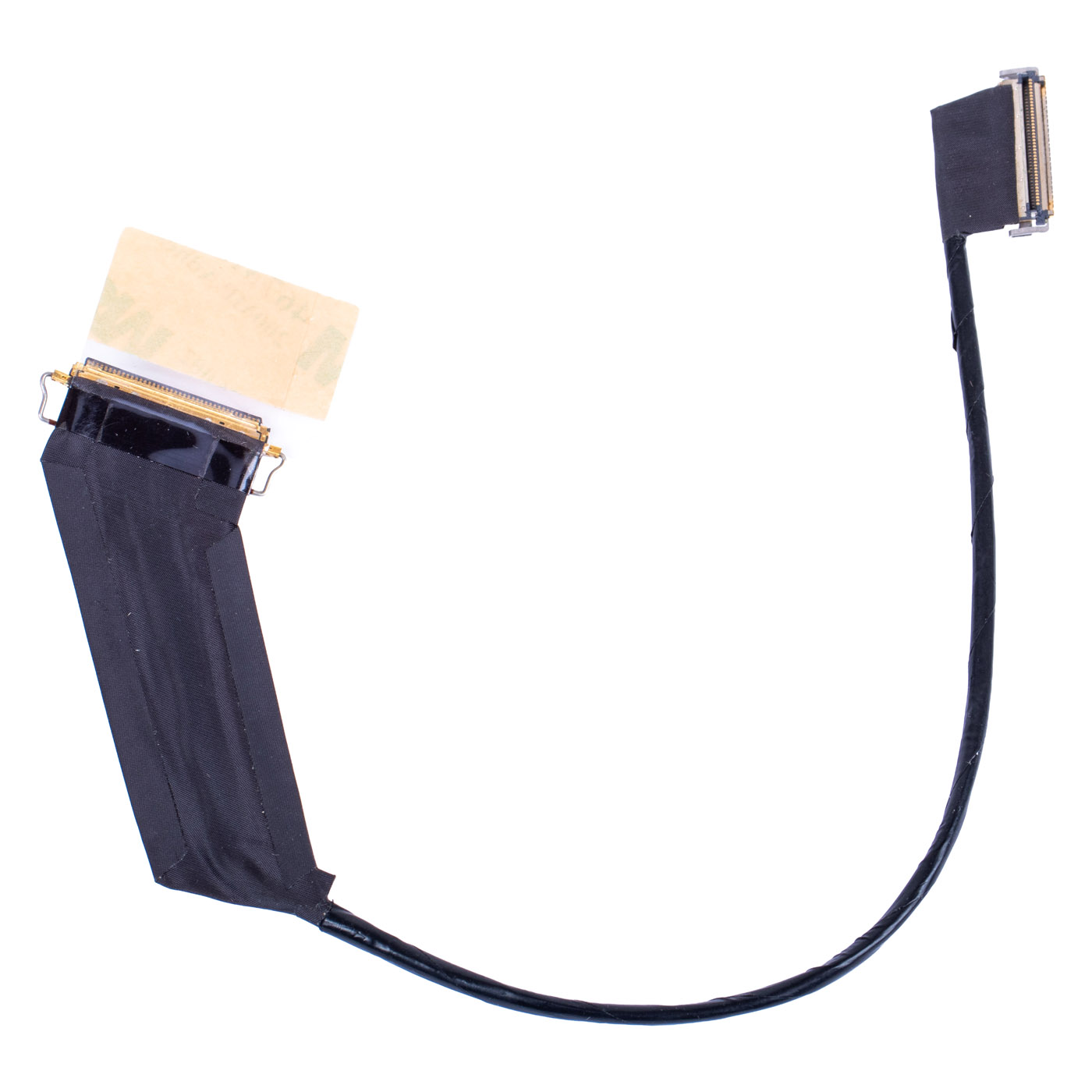
Complete eDP cable (label marking "PR1-CABLE_LCD_WUXGA_OCT", manufactured by Amphenol) connecting the WUXGA (1920 x 1200 px) touch panel to the motherboard, terminated with a 40-pin connector. OCT stands for On-Cell Touch, the touchscreen technology Lenovo uses in the X1 Carbon Gen 9. The cable carries both the video signal and the touch panel signal. The cable manufacturer part number is DC02C00N800 (revision 0B). It comes with factory-applied 3M mounting tape for precise routing along the display housing and a metal spring latch on the connector.⚠️ Important: this cable is intended for the WUXGA touch panel only. The X1 Carbon Gen 9 with a non-touch WUXGA panel uses a different 30-pin cable (SC11A20178), and the version with a WQUXGA 3840x2400 panel uses a separate cable (SC11A20180).
📋 TECHNICAL SPECIFICATIONS
Part name: eDP LCD cableBrand: Lenovo ThinkPad
Compatible model: ThinkPad X1 Carbon Gen 9
Panel resolution: WUXGA, 1920 x 1200 px
Panel type: touch, On-Cell Touch (OCT)
Connector: 40-pin
Condition: New
Warranty: 12 months
FRU: SC11A20182
Substitute numbers: DC02C00N800
Part markings: PR1-CABLE_LCD_WUXGA_OCT, SC11A20182, DC02C00N800 0B, Amphenol
🌟 KEY BENEFITS
🔹 Genuine Lenovo part - perfect fit and reliability🔹 Touchscreen support - one cable restores both the picture and touch, so the screen responds to your fingers again with no extra wiring
🔹 Factory 3M mounting tape - the cable lays exactly along the display housing right away, no improvised fixing needed
🔹 Spring latch on the connector - the plug sits firmly in the socket, with no play and no sudden loss of picture
🔹 Full compatibility - matched to the ThinkPad X1 Carbon Gen 9 with a WUXGA 1920x1200 touch panel under FRU SC11A20182
🔢 PART NUMBERS
FRU: SC11A20182Substitute numbers: DC02C00N800
Part markings: PR1-CABLE_LCD_WUXGA_OCT, DC02C00N800 0B
Laptop model: Lenovo ThinkPad X1 Carbon Gen 9 (WUXGA touch panel version)
❓ WHEN SHOULD YOU REPLACE THE LCD CABLE?
• The screen stays black although the laptop boots and an external monitor shows the picture• The picture flickers, goes dark or changes colours when you open the lid or adjust the screen angle
• Vertical lines, stripes or "snow" appear on the screen
• The screen stopped responding to touch or touch works only intermittently
• The cable is worn or torn where it passes through the hinge
• The cable or connector got damaged during a previous repair
🔧 INSTALLATION PROCESS
1. Turn off the laptop and disconnect the power supply and all external devices2. Remove the screws securing the bottom cover and carefully take it off
3. Disconnect the battery from the motherboard
4. Disconnect the eDP cable from the motherboard
5. Remove the LCD bezel sheet and disconnect the old cable from the LCD panel
6. Install the new cable, route it along the original path, fix it with the 3M tape and connect both connectors
7. Reassemble the laptop in reverse order, power it on, check the picture and the touch function
Replacement by a technical service or a person experienced in laptop repairs is recommended.
🎯 PURPOSE
This cable is intended for service repairs of the ThinkPad X1 Carbon Gen 9 with a WUXGA touch panel when the picture is missing, flickering or distorted, or touch has stopped working, and for replacement while installing a new touch panel. It restores a stable connection between the panel and the motherboard and full display and touchscreen functionality. The exact appearance and condition of the offered item are shown in the photos.✅ COMPATIBILITY GUARANTEE
The offered LCD cable has been carefully checked and matched to the Lenovo ThinkPad X1 Carbon Gen 9 with a WUXGA touch panel. We guarantee full compatibility under FRU number SC11A20182 and 100% functionality of the part. The product comes with a 12-month warranty. In case of any compatibility issues, we offer a hassle-free return within 14 days.📞 NEED HELP? CONTACT OUR EXPERTS!
Do you have questions about the compatibility of the LCD cable with your ThinkPad X1 Carbon Gen 9? Not sure whether your unit has a touch panel? Our specialists will be happy to assist you. Contact us!📱 Phone: +48-601-415357
📧 Email: sklep@abcdeal.pl
🦁 ABCDEAL - Your Trusted Lenovo Parts Specialist
We have been specialising in delivering genuine Lenovo laptop parts for years. Our experience allows us to offer top-quality products that meet the expectations of even the most demanding customers. Trust the experts and restore your ThinkPad X1 Carbon Gen 9 to full working order.🎯 Choose professionals - invest in quality!
By choosing a genuine LCD cable for the Lenovo ThinkPad X1 Carbon Gen 9 from our offer, you invest in reliability, a stable picture without flickering and a fully working touchscreen. Benefit from the experience of ABCDEAL specialists and restore your laptop to full working order.📦 Want to know more about shipping and return conditions? Click here
❓ Have additional questions? Check our FAQ
🔗 All parts for this model: ThinkPad X1 Carbon generations and parts
📘 Guide: Display (eDP) and camera cable - how to choose
| General information | |
|---|---|
| Part name | eDP LCD cable |
| Brand | Lenovo ThinkPad |
| Compatible model | ThinkPad X1 Carbon Gen 9 |
| Technical specifications | |
| Panel resolution | WUXGA, 1920 x 1200 px |
| Panel type | Touch, On-Cell Touch (OCT) |
| Connector | 40-pin |
| Cable manufacturer | Amphenol |
| Mounting tape | Factory-applied 3M |
| Spring latch | Metal, on the connector |
| Part numbers | |
| FRU | SC11A20182 |
| Substitute numbers | DC02C00N800 |
| Part markings | PR1-CABLE_LCD_WUXGA_OCT, SC11A20182, DC02C00N800 0B, Amphenol |
| Condition and warranty | |
| Condition | New |
| Warranty | 12 months |
Product compliance details
Osoba odpowiedzialna za produkt:ABCDEAL WOJCIECH ZAMARSKI
ul. Zawodzie 29 43-430 Ochaby Wielkie, Poland
email: biuro@abcdeal.pl
Manufacturer:
Lenovo Group Limited
7th Floor, Building A, Lenovo Houhai
Center, No.3288 Houhaibin Road, Haizhu
Community, Yuehai Street, Nanshan district
Shenzhen 518000, China
email: lncontact@lenovonetapp.com
Information on the safety of product use.
ul. Zawodzie 29 43-430 Ochaby Wielkie, Poland
email: biuro@abcdeal.pl
Manufacturer:
Lenovo Group Limited
7th Floor, Building A, Lenovo Houhai
Center, No.3288 Houhaibin Road, Haizhu
Community, Yuehai Street, Nanshan district
Shenzhen 518000, China
email: lncontact@lenovonetapp.com
Information on the safety of product use.
Ask for details