
USB port SD card reader sub card for Lenovo ThinkPad P15 1st
30,00 € with TAX24,39 € netto
✓ Compatible with Lenovo laptop models:
ThinkPad P15 Gen 1
ThinkPad P15 Gen 1
Lowest price in the last 30 days: 25,00 €
The original product, used one.
🔧 USB Board with SD Card Reader for Lenovo ThinkPad P15 Gen 1 🔧
🖥️ ThinkPad P15 Gen 1 | I/O Board (USB 3.2 Gen 1 + SD Reader) | 5C50Z44696
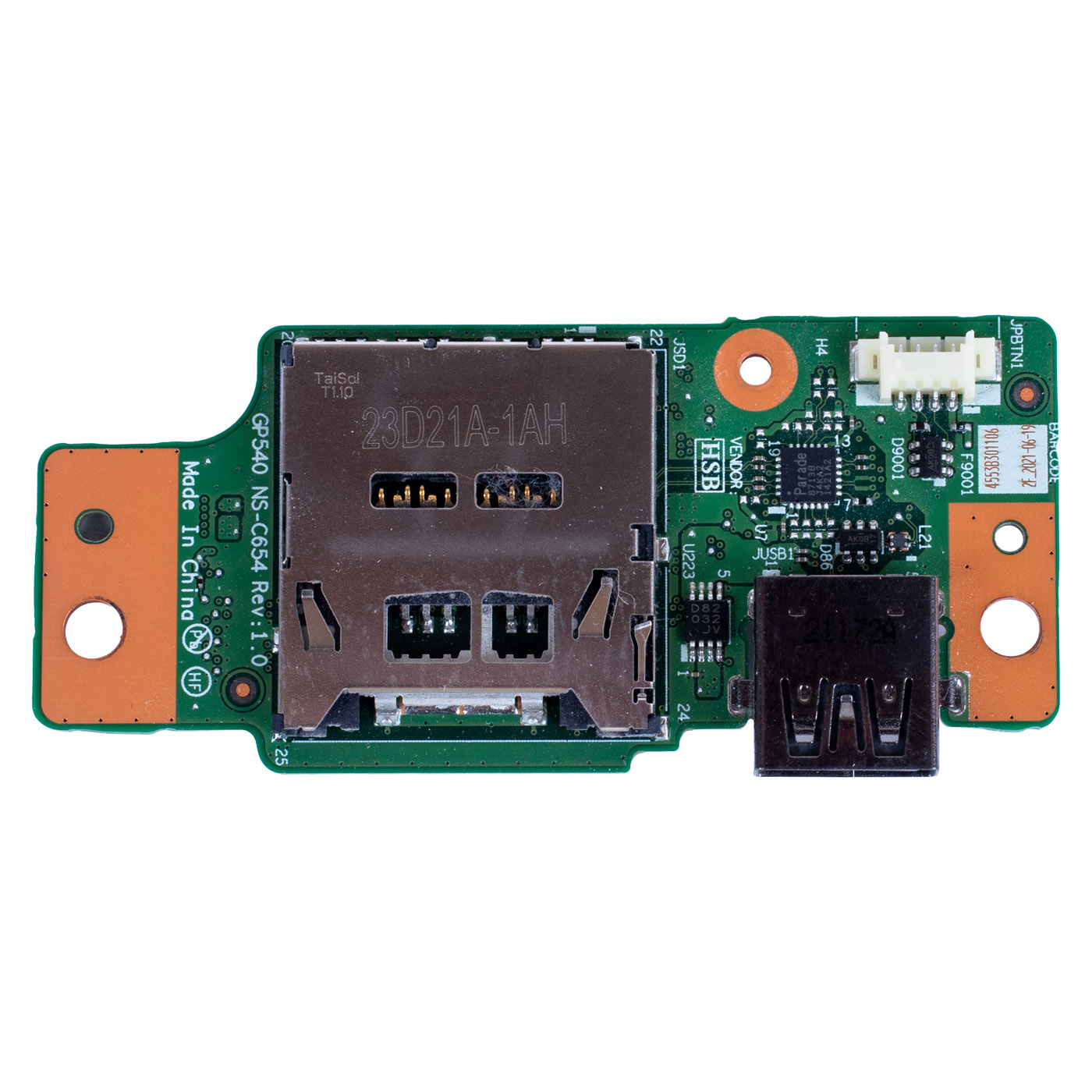
Genuine I/O board with USB-A 3.2 Gen 1 port and SD card reader designed for the Lenovo ThinkPad P15 Gen 1. Part sourced from a working device and tested - we guarantee 100% functionality. FRU number 5C50Z44696 ensures full compatibility with the ThinkPad P15 Gen 1.⚙️ PRODUCT OVERVIEW
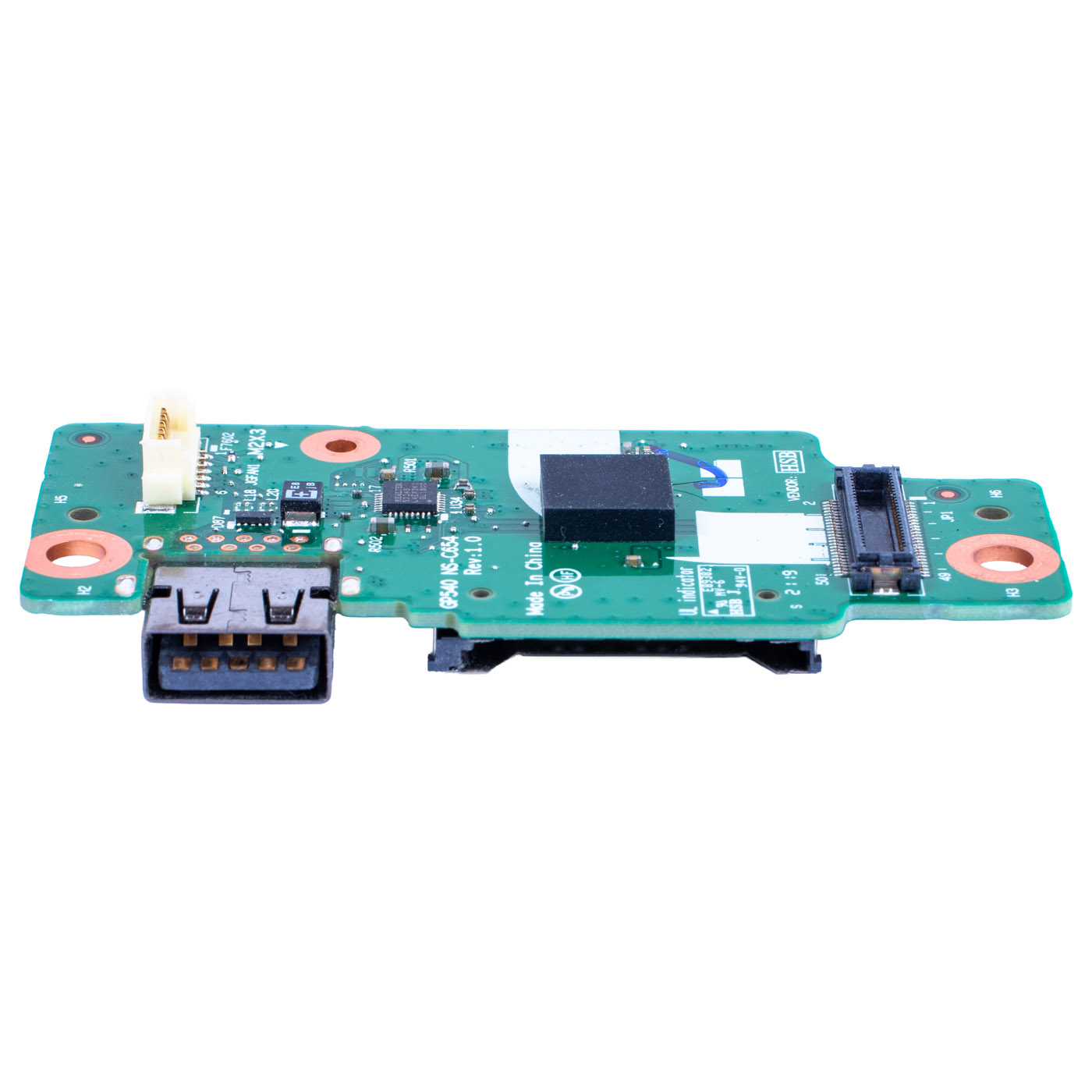
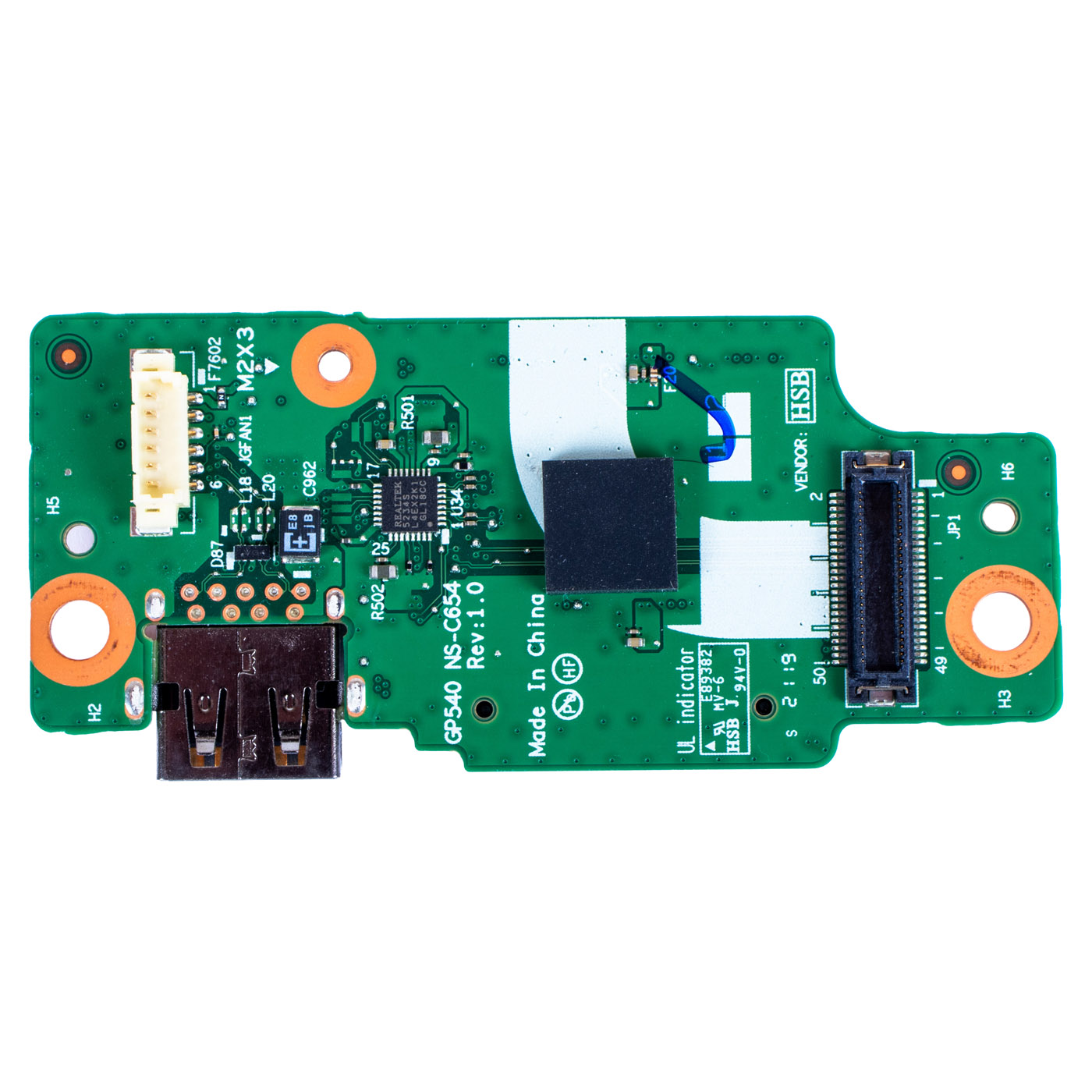
This board sits on the right side of the laptop and provides the USB 3.2 Gen 1 (USB-A) port and the SD card slot on the right-hand side of the chassis. It connects to the system board through the JP1 connector on its underside, and on top it has two cable connectors marked JPBTN1 and JGFAN1. The PCB is marked GP540 NS-C654 Rev:1.0.📋 TECHNICAL SPECIFICATIONS
Part name: I/O board with USB port and SD card reader (CARDPOP P15 IO/B)Brand: Lenovo ThinkPad
Compatible model: ThinkPad P15 Gen 1 (20ST, 20SU)
Ports on the board: USB 3.2 Gen 1 (USB-A), SD card slot
Condition: Used (pulled from a working unit, tested)
FRU: 5C50Z44696
Substitute numbers: NS-C654
Label markings: GP540 NS-C654 Rev:1.0
🌟 KEY ADVANTAGES
🔹 Genuine Lenovo part - perfect fit and reliability🔹 Two ports on one board - after replacement both the USB port and the card reader on the right side work again
🔹 USB 3.2 Gen 1 - flash drives and external disks copy files at full speed, not in USB 2.0 mode
🔹 SD card reader - copy photos from your camera or drone without an adapter or external reader
🔹 Full compatibility - matched to the ThinkPad P15 Gen 1 under FRU 5C50Z44696
🔢 PART NUMBERS
FRU: 5C50Z44696Substitute numbers: NS-C654
Label markings: GP540 NS-C654 Rev:1.0
Laptop model: Lenovo ThinkPad P15 Gen 1 (20ST, 20SU)
❓ WHEN SHOULD YOU REPLACE THE USB BOARD?
• The right-hand USB port doesn't detect a flash drive or mouse• The USB socket is damaged or loose, so the plug wobbles or the device disconnects
• The card reader doesn't see the SD card or interrupts copying
• The socket broke after a protruding flash drive was knocked
🔧 INSTALLATION PROCESS
Sequence according to the Lenovo Hardware Maintenance Manual (HMM) for the ThinkPad P15 Gen 1.1. Turn off the laptop and disconnect power and all external devices
2. Disable the built-in battery in BIOS (Disable built-in battery option)
3. Remove the bottom door, then the bottom cover
4. Disconnect the cables from the board connectors and unplug the board from the system board
5. Remove the screw securing the board (M2 × 3 mm, black) and lift out the board
6. Fit the new board, tighten the screw to 0.181 Nm and reconnect the connectors
7. Refit the bottom cover and bottom door
8. Power on and check the USB port and the SD card reader
Replacement by a technical service or a person experienced in laptop repair is recommended.
🎯 PURPOSE
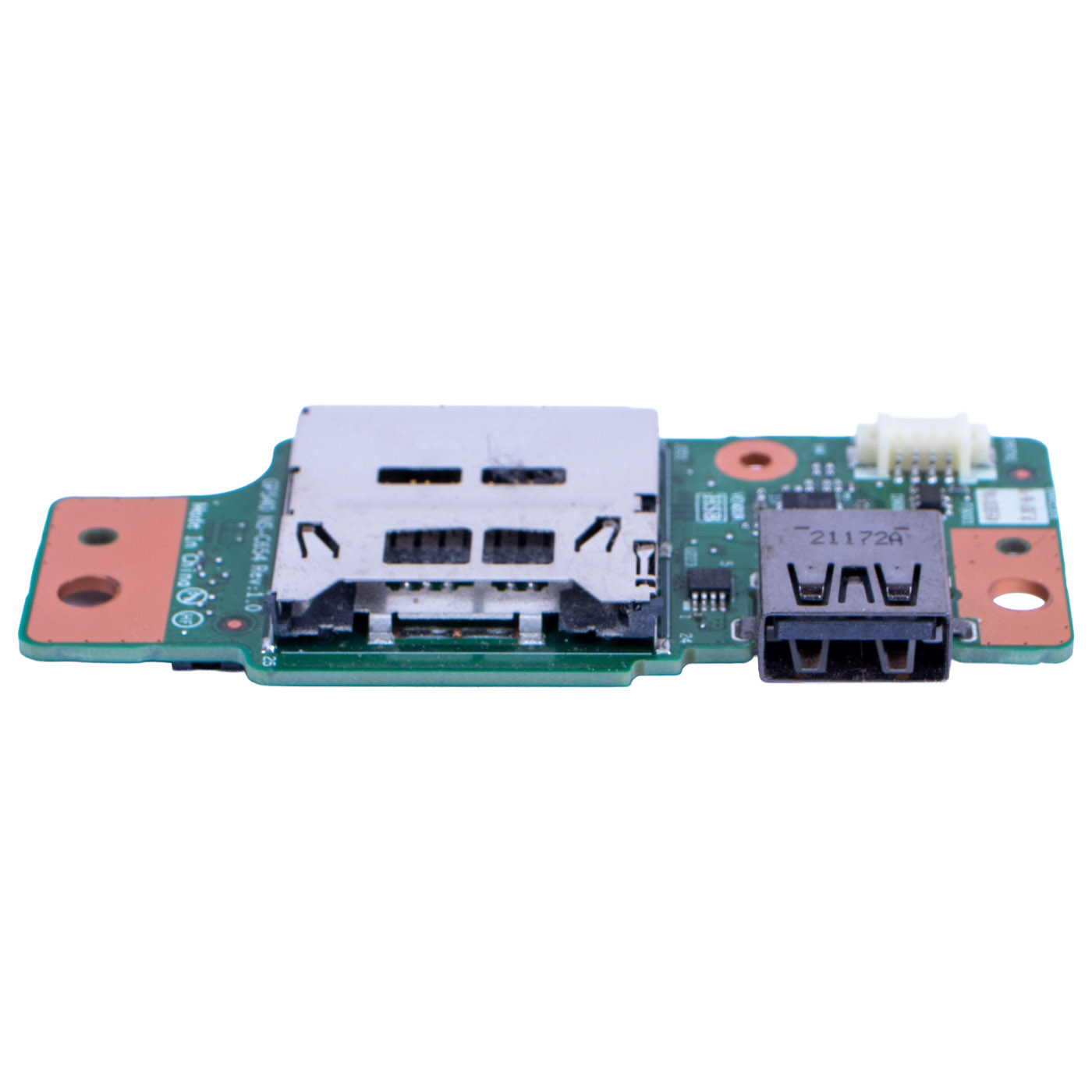
This board is intended for repairing a ThinkPad P15 Gen 1 whose right-hand USB port or SD card reader has stopped working. It restores full functionality on the right side of the laptop without replacing the system board. The exact appearance and condition of the item are shown in the photos.✅ COMPATIBILITY GUARANTEE
This board has been carefully tested and matched to the Lenovo ThinkPad P15 Gen 1. We guarantee full compatibility within FRU 5C50Z44696 and 100% functionality of the part. If you experience any compatibility issues, we offer a hassle-free return within 14 days.📞 NEED HELP? CONTACT OUR EXPERTS!
Do you have questions about the compatibility of this board with your ThinkPad P15 Gen 1? Our specialists will be happy to assist you. Contact us!📱 Phone: +48-601-415357
📧 Email: sklep@abcdeal.pl
🦁 ABCDEAL - Your Trusted Lenovo Parts Specialist
We have been specialising in delivering genuine Lenovo laptop parts for years. Our experience allows us to offer top-quality products that meet the expectations of even the most demanding customers. Trust the experts and restore your ThinkPad P15 Gen 1 to full working order.🎯 Choose professionals - invest in quality!
By choosing a genuine USB board with SD reader for the Lenovo ThinkPad P15 Gen 1 from our offer, you invest in reliability and fully working ports. Benefit from ABCDEAL's expertise and bring your laptop back to full functionality.📦 Want to know more about shipping and return conditions? Click here
❓ Have additional questions? Check our FAQ
🔗 All parts for this model: Lenovo ThinkPad P15 spare parts
📘 Guide: How to read and check a Lenovo FRU number
| Part Name | USB SD Socket Module |
|---|---|
| Brand | Lenovo ThinkPad |
| Model | P15 1st gen |
| Size | 15.6" |
| Condition | Used |
Szczegóły dotyczące zgodności produktu z przepisami
Osoba odpowiedzialna za produkt:ABCDEAL WOJCIECH ZAMARSKI
ul. Zawodzie 29 43-430 Ochaby Wielkie, Poland
email: biuro@abcdeal.pl
Producent:
Lenovo Group Limited
7th Floor, Building A, Lenovo Houhai
Center, No.3288 Houhaibin Road, Haizhu
Community, Yuehai Street, Nanshan district
Shenzhen 518000, China
email: lncontact@lenovonetapp.com
Information on the safety of product use.
ul. Zawodzie 29 43-430 Ochaby Wielkie, Poland
email: biuro@abcdeal.pl
Producent:
Lenovo Group Limited
7th Floor, Building A, Lenovo Houhai
Center, No.3288 Houhaibin Road, Haizhu
Community, Yuehai Street, Nanshan district
Shenzhen 518000, China
email: lncontact@lenovonetapp.com
Information on the safety of product use.
Ask for details