
RTC/BIOS Battery Lenovo ThinkPad X1 Carbon 9/10/11, X1 Yoga
6,25 € with TAX5,08 € netto
✓ Compatible with Lenovo laptop models:
ThinkPad X1 Carbon Gen 9ThinkPad X1 Carbon Gen 10ThinkPad X1 Carbon Gen 11ThinkPad X1 Yoga Gen 7ThinkPad X1 Yoga Gen 8
ThinkPad X1 Carbon Gen 9ThinkPad X1 Carbon Gen 10ThinkPad X1 Carbon Gen 11ThinkPad X1 Yoga Gen 7ThinkPad X1 Yoga Gen 8
Lowest price in the last 30 days: 6,25 €
The original product, used one.
🔧 BIOS (CMOS) Battery for Lenovo ThinkPad X1 Carbon, X1 Yoga, T14, T14s, P14s 🔧
🖥️ X1 Carbon Gen 2-11 / X1 Yoga Gen 1-8 / T490s / T14 / T14s / P14s | RTC battery CR2016 | 2-pin connector | FRU 5B11C73716
Genuine CR2016 BIOS backup battery (RTC/CMOS) designed for the Lenovo ThinkPad X1 Carbon Gen 9 (Type 20XW, 20XX) and X1 Yoga Gen 6 (Type 20XY, 20Y0), also fitting many other ThinkPads that use the same 2-pin battery. Part sourced from a working device and tested - we guarantee 100% functionality. FRU number 5B11C73716 ensures full compatibility with the X1 Carbon Gen 9 and X1 Yoga Gen 6.⚙️ PRODUCT DESCRIPTION
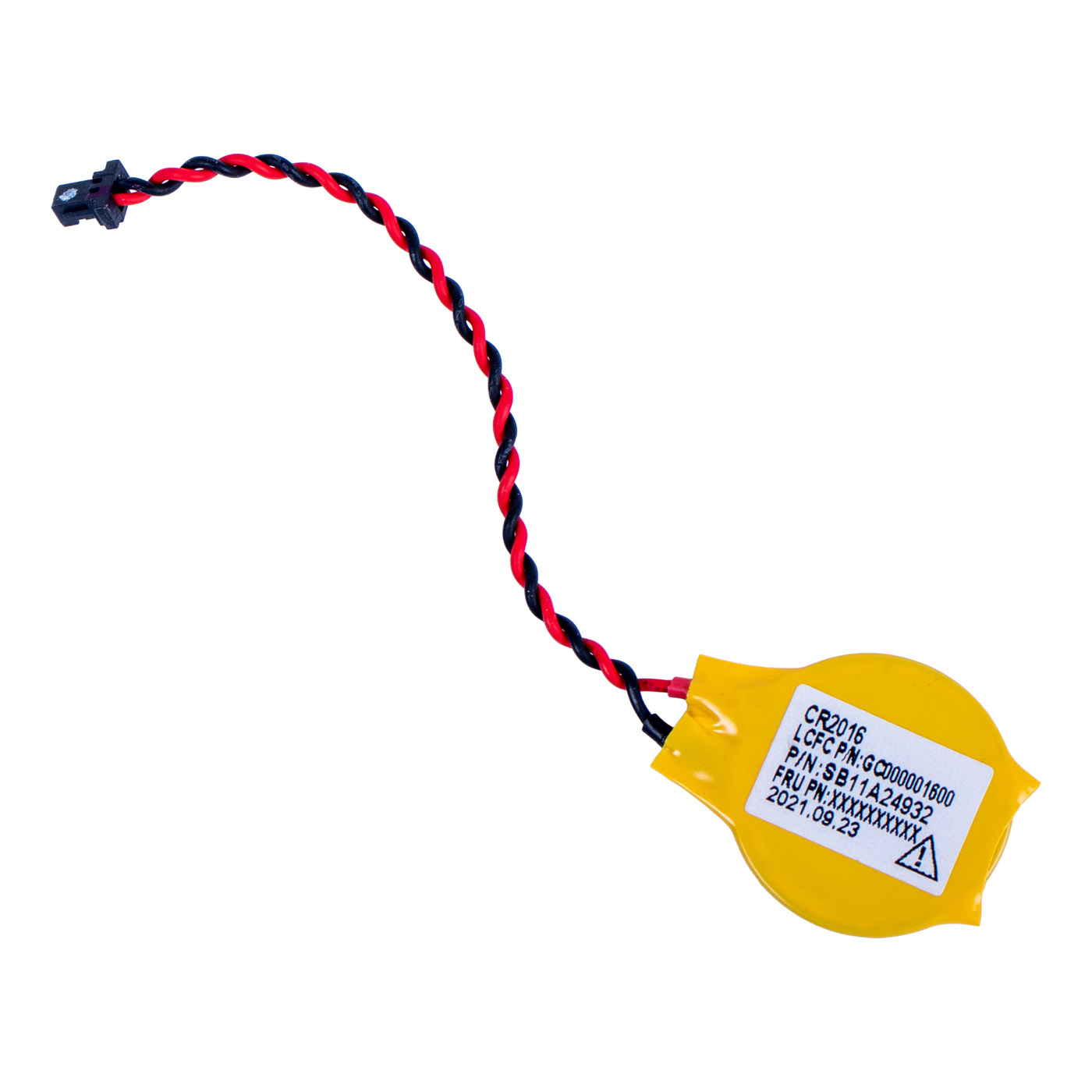
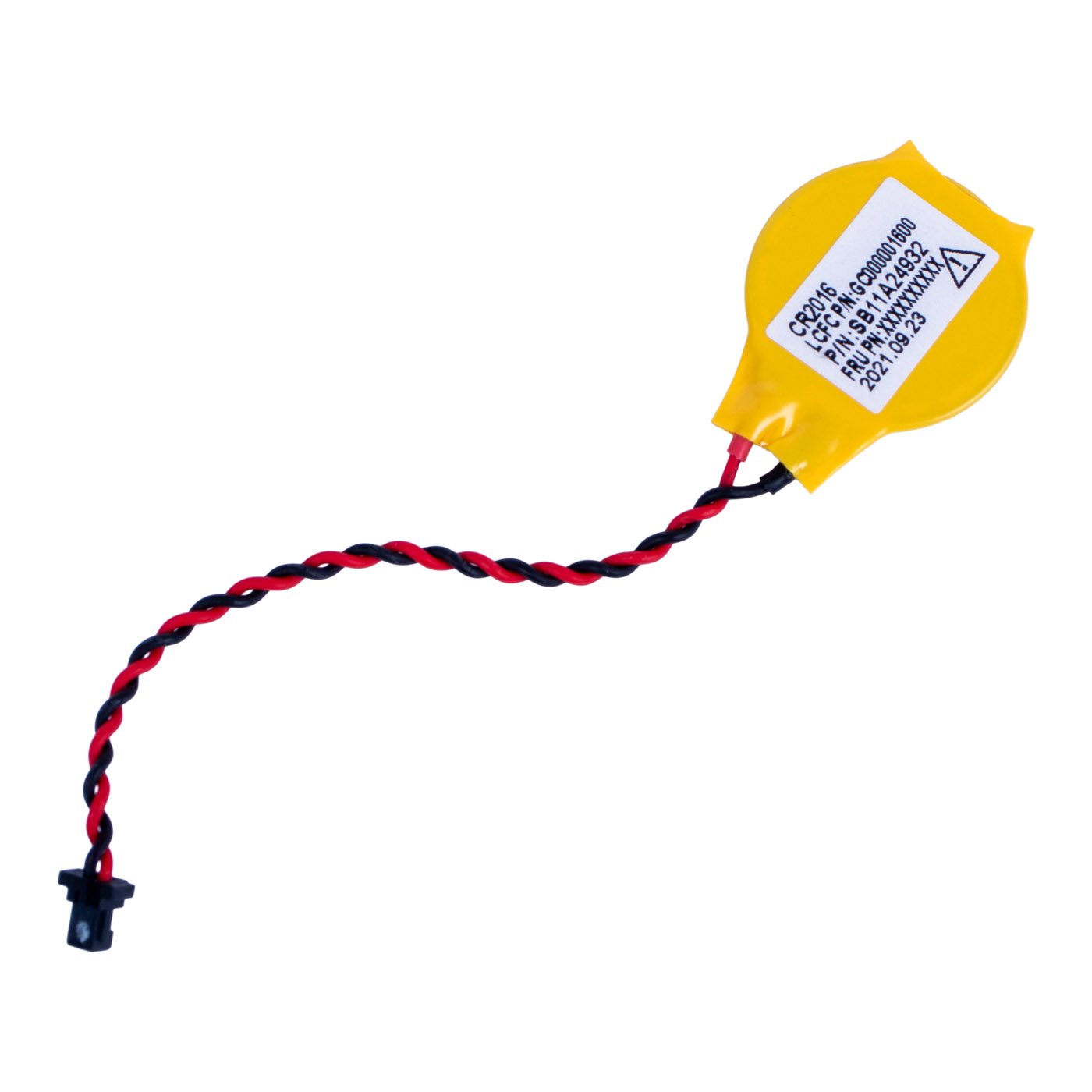
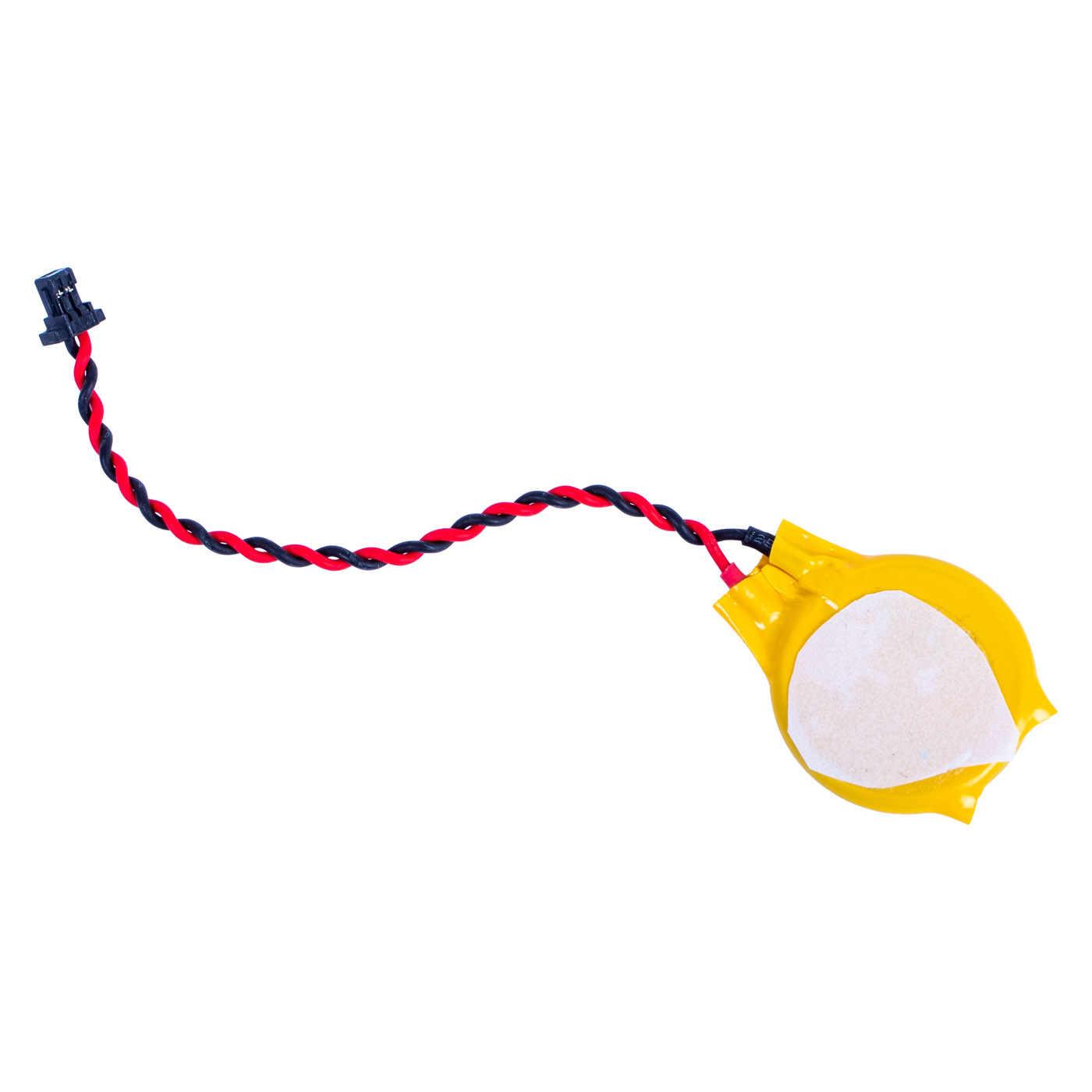
CR2016 lithium cell (3 V) sealed in a yellow wrap, with a red and black twisted-pair lead ending in a 2-pin plug that connects directly to the system board. The underside has an adhesive layer for securing the battery inside the chassis. The battery powers the real-time clock (RTC) and BIOS settings memory while the laptop is disconnected from mains power and the main battery. Fully functional.📋 TECHNICAL SPECIFICATIONS
Part name: BIOS / RTC battery (CMOS battery)Brand: Lenovo ThinkPad
Compatible models: ThinkPad X1 Carbon Gen 2-11, X1 Yoga Gen 1-8, T490s, T495s, T14, T14s, P14s, P16s, L13, L14, L15, E14
Cell type: CR2016, lithium, 3 V
Connector: 2-pin plug
Condition: Used (removed from a working unit, fully functional, tested)
FRU: 5B11C73716
Substitute numbers: 5B11C73717
Compatible numbers (same battery in other models): 01HY008, 00HN933, 5B11M05349, 5B11J37984, 02DC036, 04X0443, 00HN615, 5B11M36868, 5B11J02394, 5B11J02395, 01AY996, 01AY997, 5B10W13978
Lenovo description: RTC Battery, CR2016, DBV
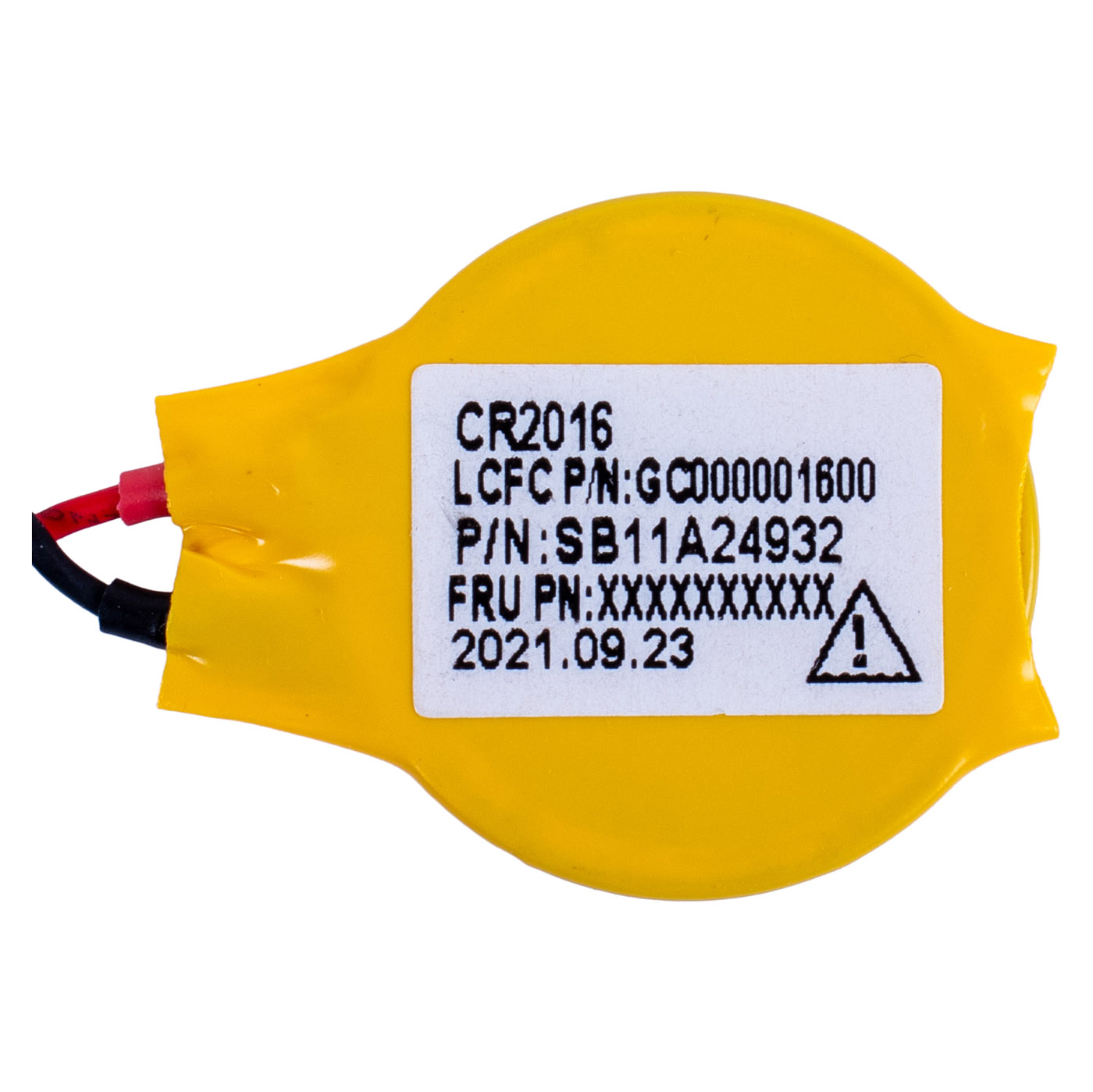
Part markings: CR2016, LCFC P/N GC000001600, P/N SB11A24932
🌟 KEY ADVANTAGES
🔹 Genuine Lenovo part - perfect fit and reliability🔹 2-pin plug - plugs straight into the system board socket, no soldering
🔹 Adhesive layer - the battery stays in place instead of rattling around the chassis
🔹 No more resetting the date - the laptop keeps the time and BIOS settings even when the main battery is drained
🔹 Many ThinkPad models - the same battery fits the X1 Carbon, X1 Yoga and newer T, P, L and E series
🔢 PART NUMBERS
FRU: 5B11C73716Substitute numbers: 5B11C73717
Compatible numbers: 01HY008, 00HN933, 5B11M05349, 5B11J37984, 02DC036, 04X0443, 00HN615, 5B11M36868, 5B11J02394, 5B11J02395, 01AY996, 01AY997, 5B10W13978
Part markings: GC000001600, SB11A24932
Laptop models: Lenovo ThinkPad X1 Carbon Gen 2-11, X1 Yoga Gen 1-8, T490s, T495s, T14, T14s, P14s, P16s, L13, L14, L15, E14
❓ WHEN SHOULD THE BIOS BATTERY BE REPLACED?
• Every time you power on, the laptop shows the wrong date and time, e.g. from the year 2000• Error 0251 or 0271 (date, time or CMOS checksum) appears at startup
• The laptop forgets BIOS settings and boot order after losing power
• Windows reports website certificate errors due to an incorrect system date
• A damaged battery or a broken lead after a previous repair
🔧 INSTALLATION PROCESS
1. Power off the laptop and disconnect the power supply and all external devices2. Remove the screws securing the bottom cover and carefully take it off
3. Disconnect the main battery from the system board
4. Unplug the old BIOS battery from the system board and peel it off its base
5. Stick the new battery in the same place and plug the 2-pin connector into the socket
6. Reconnect the main battery and refit the bottom cover
7. Start the laptop, set the date and time in BIOS and check that the settings are retained
Installation by a technician or a person experienced in laptop repairs is recommended.
🎯 INTENDED USE
For users and repair shops who want to fix lost date, time and BIOS settings in ThinkPad X1 Carbon, X1 Yoga and newer T, P, L and E series models. The replacement takes a few minutes and does not require removing the system board. The exact appearance and condition of the item are shown in the photos.✅ COMPATIBILITY GUARANTEE
The BIOS battery on offer has been carefully checked and matched to the Lenovo ThinkPad models listed in the description. We guarantee full compatibility for FRU 5B11C73716 and 100% functionality. If any compatibility issue occurs, we offer a hassle-free return within 14 days.📞 NEED HELP? CONTACT OUR EXPERTS!
Do you have questions about the compatibility of this BIOS battery with your ThinkPad? Our specialists will be happy to assist you. Contact us!📱 Phone: +48-601-415357
📧 Email: sklep@abcdeal.pl
🦁 ABCDEAL - Your Trusted Lenovo Parts Specialist
We have been specialising in delivering genuine Lenovo laptop parts for years. Our experience allows us to offer top-quality products that meet the expectations of even the most demanding customers. Trust the experts and restore your ThinkPad to full working order.🎯 Choose professionals - invest in high quality!
By choosing a genuine BIOS battery for your Lenovo ThinkPad from our offer, you invest in reliability and a laptop that always remembers the date and its settings. Benefit from the experience of ABCDEAL specialists and bring your laptop back to full functionality.Useful information:
📦 Want to know more about shipping and return conditions? Click here
❓ Have additional questions? Check our FAQ
🔗 All parts for this model: ThinkPad X1 Carbon spare parts
🔗 All parts for this model: ThinkPad X series and X1 Carbon parts - all models
📘 Guide: CMOS / BIOS battery for ThinkPad - how to choose
| Part Name | BIOS CMOS battery |
|---|---|
| Brand | Lenovo ThinkPad |
| Model | X1 Carbon 9/10/11 |
| Size | 14" |
| Capacity | 78 mAh |
| Voltage | 3.0 V |
| Type battery | Li |
| Condition | Used |
Product compliance details
Osoba odpowiedzialna za produkt:ABCDEAL WOJCIECH ZAMARSKI
ul. Zawodzie 29 43-430 Ochaby Wielkie, Poland
email: biuro@abcdeal.pl
Manufacturer:
Lenovo Group Limited
7th Floor, Building A, Lenovo Houhai
Center, No.3288 Houhaibin Road, Haizhu
Community, Yuehai Street, Nanshan district
Shenzhen 518000, China
email: lncontact@lenovonetapp.com
Information on the safety of product use.
ul. Zawodzie 29 43-430 Ochaby Wielkie, Poland
email: biuro@abcdeal.pl
Manufacturer:
Lenovo Group Limited
7th Floor, Building A, Lenovo Houhai
Center, No.3288 Houhaibin Road, Haizhu
Community, Yuehai Street, Nanshan district
Shenzhen 518000, China
email: lncontact@lenovonetapp.com
Information on the safety of product use.
Ask for details