
Touchpad clickpad Lenovo ThinkPad X1 Carbon 9 10 11 NFC | 5M11A17774
62,50 € with TAX50,81 € netto
✓ Compatible with Lenovo laptop models:
ThinkPad X1 Carbon Gen 9ThinkPad X1 Carbon Gen 10ThinkPad X1 Carbon Gen 11
ThinkPad X1 Carbon Gen 9ThinkPad X1 Carbon Gen 10ThinkPad X1 Carbon Gen 11
Lowest price in the last 30 days: 105,00 €
Original product, used, tested.
🖱️ NFC Touchpad Clickpad for Lenovo ThinkPad X1 Carbon Gen 9, 10, 11 🖱️
🖥️ X1 Carbon Gen 9 / 10 / 11 | CS21 glass clickpad | black | NFC version | FRU 5M11A17774
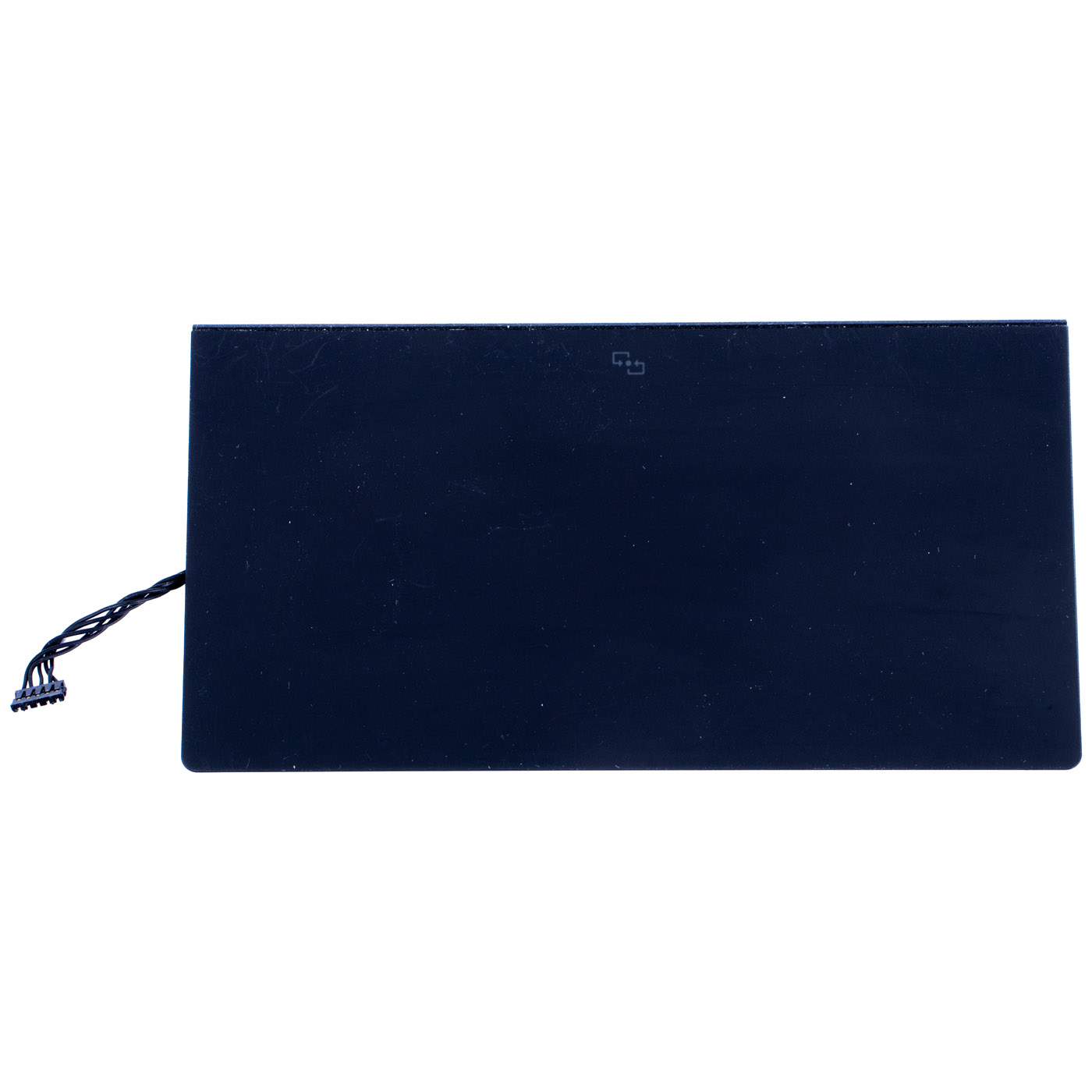
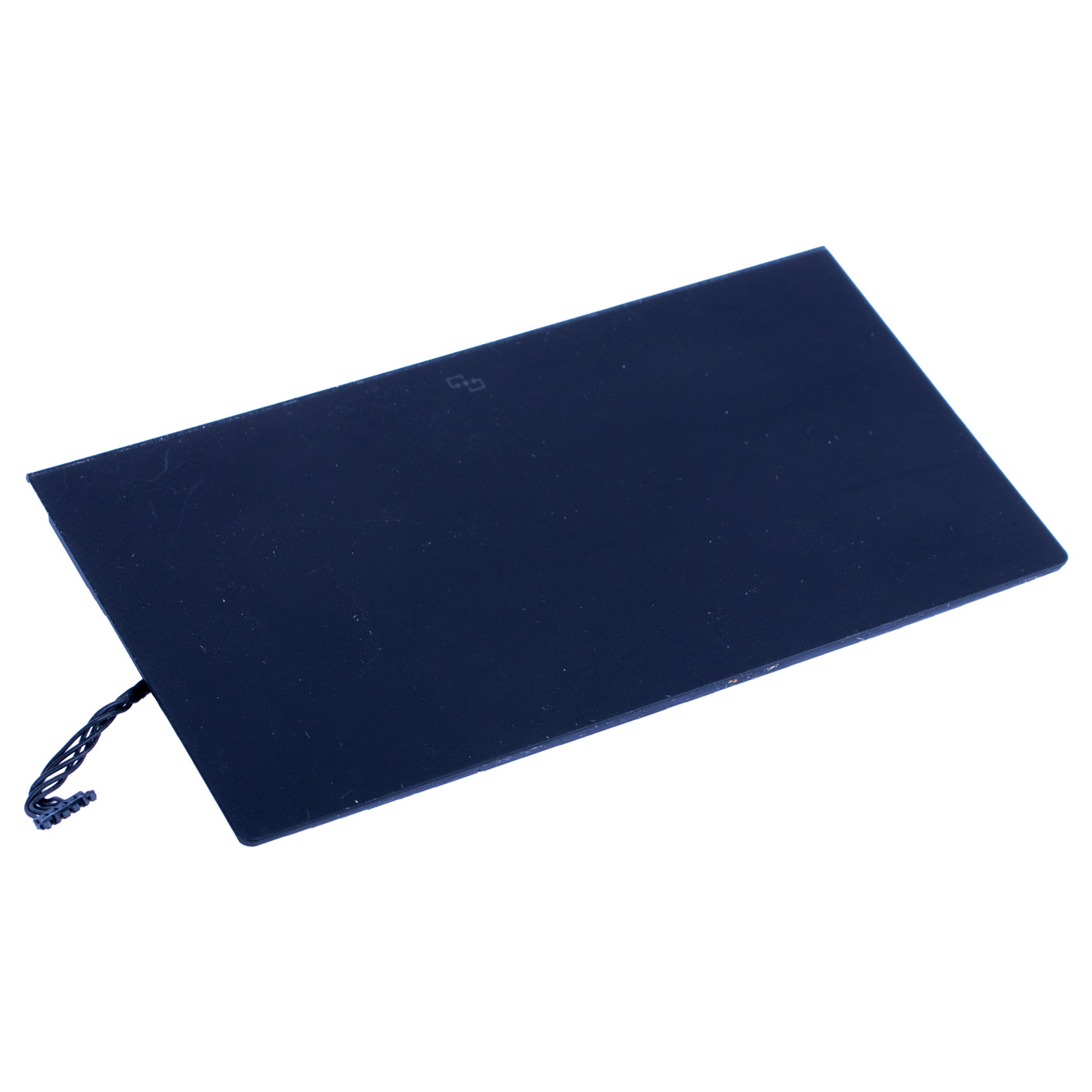
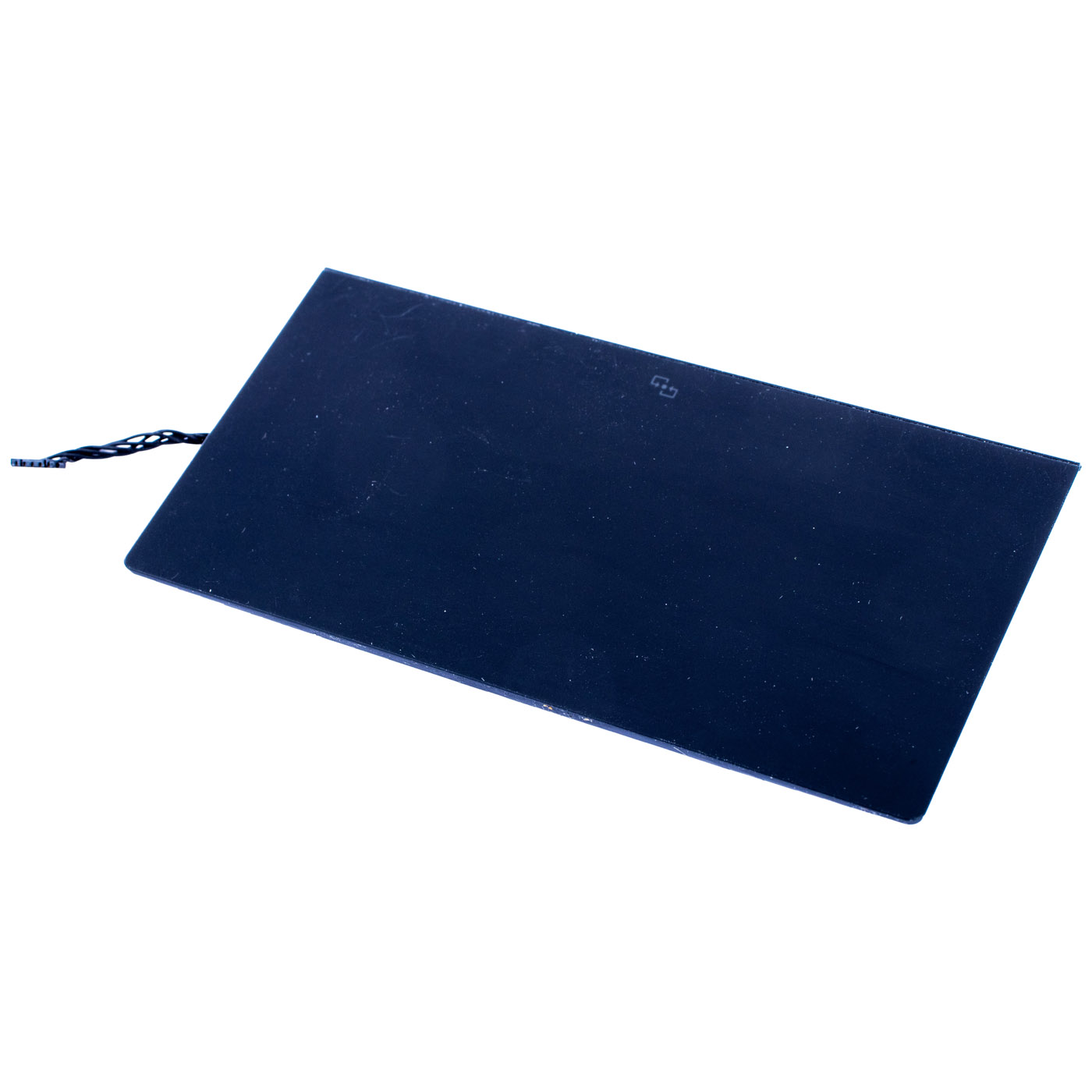
Genuine Lenovo glass touchpad (clickpad) in the NFC version, black, with the Lenovo SM11A13186 label corresponding to FRU 5M11A17774. This unit comes from a ThinkPad X1 Carbon Gen 9 and is in perfect cosmetic condition. It fits the X1 Carbon Gen 9, 10 and 11. Part sourced from a working device and tested - we guarantee 100% functionality. In the Lenovo parts catalogue FRU 5M11A17774 is listed as “CS21_2BCP,GLASS,BLACK,NFC,SUN”.⚙️ PRODUCT CHARACTERISTICS
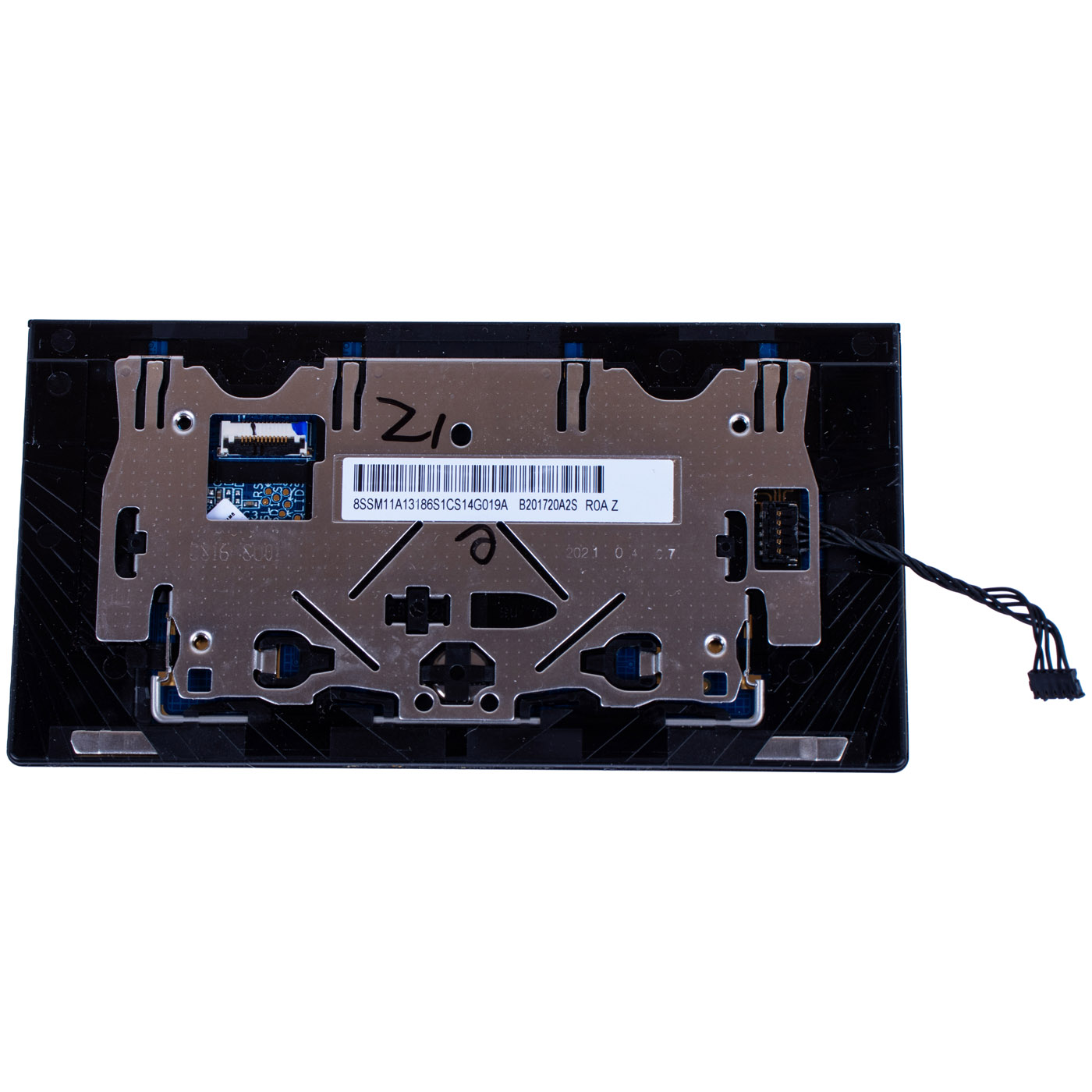
This is a CS21 family clickpad with two physical TrackPoint buttons (2BCP) above a glass touch surface. The glass surface is smooth and wear-resistant, and the whole pad acts as the click button. The NFC version (marked “NFC” by Lenovo and with the NFC symbol on the touchpad surface) is intended for laptops fitted with an NFC module; in NFC models this is the touchpad installed at the factory. Label on the underside: 8S SM11A13186, B201720A2S, revision R0A.📋 TECHNICAL SPECIFICATIONS
Part name: Touchpad (clickpad) with TrackPoint buttonsBrand: Lenovo ThinkPad
Compatible model: ThinkPad X1 Carbon Gen 9 (Type 20XW, 20XX), X1 Carbon Gen 10 (Type 21CB, 21CC), X1 Carbon Gen 11 (Type 21HM, 21HN)
Type: CS21, 2 buttons (2BCP), glass surface
Colour: black
Version: with NFC
Laptop size: 14"
Condition: Used (removed from a working device, tested), perfect cosmetic condition
Warranty: 6 months
FRU: 5M11A17774
Replacement numbers (Lenovo, Equivalent): 5M11A17772, 5M11A17773, 5M11A17775
Label markings: SM11A13186, B201720A2S, R0A
🌟 KEY ADVANTAGES
🔹 Genuine Lenovo part - the same glass clickpad fitted at the factory in X1 Carbon models with NFC🔹 Glass surface - your finger glides smoothly and evenly, so the cursor lands where you want without jumping
🔹 TrackPoint buttons - two physical buttons above the pad with a clear click, as on every ThinkPad
🔹 NFC version - the right variant for laptops with an NFC module, no improvising with another touchpad
🔹 Perfect cosmetic condition - glass with no visible scratches, looks like in a new laptop
🔢 PART NUMBERS
FRU: 5M11A17774Replacement numbers (Lenovo, Equivalent): 5M11A17772, 5M11A17773, 5M11A17775
Lenovo label marking: SM11A13186
Compatibility:
According to Lenovo for FRU 5M11A17774 and equivalents:
• ThinkPad X1 Carbon Gen 9 (Type 20XW, 20XX)
Also fits:
• ThinkPad X1 Carbon Gen 10 (Type 21CB, 21CC)
• ThinkPad X1 Carbon Gen 11 (Type 21HM, 21HN)
For the X1 Carbon Gen 10 and 11 Lenovo lists an NFC touchpad of the same type (CS21, 2 buttons, glass, black, NFC) under 5M11G56142, 5M11G56143, 5M11G56144, 5M11G56145.
❓ WHEN SHOULD YOU REPLACE THE TOUCHPAD?
• Problem with a cursor that jumps or moves on its own• Problem with clicking - the pad does not click, clicks “heavily” or clicks by itself
• Problem with TrackPoint buttons above the touchpad that do not work
• Problem with cracked or scratched touchpad glass after a drop
• Problem with the touchpad after a liquid spill - gestures and scrolling stopped working
🔧 INSTALLATION PROCESS (per X1 Carbon Gen 9 HMM)
1. Turn off the laptop, disconnect the power adapter and disable the built-in battery in ThinkPad Setup (Disable built-in battery)2. Remove the base cover assembly
3. Disconnect the touchpad cable and the NFC cable from the touchpad (section “Trackpad, P sensor and NFC cable” in the HMM)
4. Remove the 4 screws securing the touchpad (M2 × 1.8 mm, nylon-coated) and take out the touchpad
5. Fit the new touchpad, tighten the 4 screws to 0.181 Nm and connect the cable and NFC cable
6. Refit the cover, connect the power adapter and check the cursor, click, buttons and gestures
Replacement by a technical service or a person experienced in laptop repairs is recommended.
🎯 INTENDED USE
The touchpad is intended for users of the ThinkPad X1 Carbon Gen 9, 10 and 11 with an NFC module whose touchpad stopped working, has cracked glass or faulty buttons. After the replacement the laptop regains precise control and a like-new look. The exact appearance and condition of the item are shown in the photos.✅ COMPATIBILITY GUARANTEE
The touchpad has been tested and matched to the ThinkPad X1 Carbon Gen 9, 10 and 11 in the NFC version. We guarantee compatibility within FRU 5M11A17774 and 100% functionality, covered by a 6-month warranty. In case of any compatibility problems, we offer a hassle-free return within 14 days.📞 NEED HELP? CONTACT OUR EXPERTS!
Do you have questions about the compatibility of this touchpad with your ThinkPad? Our specialists will be happy to assist you. Contact us!📱 Phone: +48-601-415357
📧 Email: sklep@abcdeal.pl
🦁 ABCDEAL - Your Trusted Lenovo Parts Specialist
We have been specialising in delivering genuine Lenovo laptop parts for years. Our experience allows us to offer top-quality products that meet the expectations of even the most demanding customers. Trust the experts and restore your X1 Carbon to full functionality.🎯 Choose professionals - invest in high quality!
By choosing a genuine Lenovo touchpad from our offer, you invest in the precision and comfort your X1 Carbon got you used to. Take advantage of ABCDEAL experience and restore your laptop to full functionality.Useful information:
📦 Want to know more about shipping and return conditions? Click here
❓ Have additional questions? Check our FAQ
🔗 All parts for this model: ThinkPad X1 Carbon spare parts
📘 Guide: Touchpad and TrackPoint in a ThinkPad
| Basic information | |
|---|---|
| Part name | Touchpad (clickpad) with TrackPoint buttons |
| Brand | Lenovo ThinkPad |
| Compatibility | ThinkPad X1 Carbon Gen 9 (Type 20XW, 20XX), X1 Carbon Gen 10 (Type 21CB, 21CC), X1 Carbon Gen 11 (Type 21HM, 21HN) |
| Technical parameters | |
| Type | CS21, 2 buttons (2BCP) |
| Surface | glass |
| Colour | black |
| Version | with NFC |
| Laptop size | 14" |
| Part numbers | |
| FRU | 5M11A17774 |
| Replacement numbers | 5M11A17772, 5M11A17773, 5M11A17775 (Equivalent) |
| Label markings | SM11A13186, B201720A2S, R0A |
| Gen 10/11 per Lenovo | 5M11G56142, 5M11G56143, 5M11G56144, 5M11G56145 |
| Condition | |
| Condition | Used (removed from a working device, tested) |
| Appearance | perfect cosmetic condition |
| Origin | ThinkPad X1 Carbon Gen 9 |
| Warranty | 6 months |
Product compliance details
Osoba odpowiedzialna za produkt:ABCDEAL WOJCIECH ZAMARSKI
ul. Zawodzie 29 43-430 Ochaby Wielkie, Poland
email: biuro@abcdeal.pl
Manufacturer:
Lenovo Group Limited
7th Floor, Building A, Lenovo Houhai
Center, No.3288 Houhaibin Road, Haizhu
Community, Yuehai Street, Nanshan district
Shenzhen 518000, China
email: lncontact@lenovonetapp.com
Information on the safety of product use.
ul. Zawodzie 29 43-430 Ochaby Wielkie, Poland
email: biuro@abcdeal.pl
Manufacturer:
Lenovo Group Limited
7th Floor, Building A, Lenovo Houhai
Center, No.3288 Houhaibin Road, Haizhu
Community, Yuehai Street, Nanshan district
Shenzhen 518000, China
email: lncontact@lenovonetapp.com
Information on the safety of product use.
Ask for details