
Power Button with Fingerprint Reader Lenovo X1 Yoga 6 7 8
30,00 € with TAX24,39 € netto
✓ Compatible with Lenovo laptop models:
ThinkPad X1 Yoga Gen 6ThinkPad X1 Yoga Gen 7ThinkPad X1 Yoga Gen 8
ThinkPad X1 Yoga Gen 6ThinkPad X1 Yoga Gen 7ThinkPad X1 Yoga Gen 8
Lowest price in the last 30 days: 30,00 €
Original product, used, tested.
🔐 Power Button with Fingerprint Reader for Lenovo ThinkPad X1 Yoga Gen 6, 7, 8 🔐
🖥️ X1 Yoga Gen 6 / Gen 7 / Gen 8 | Power button + fingerprint reader (Match-on-Chip) | FRU 5F30V25945
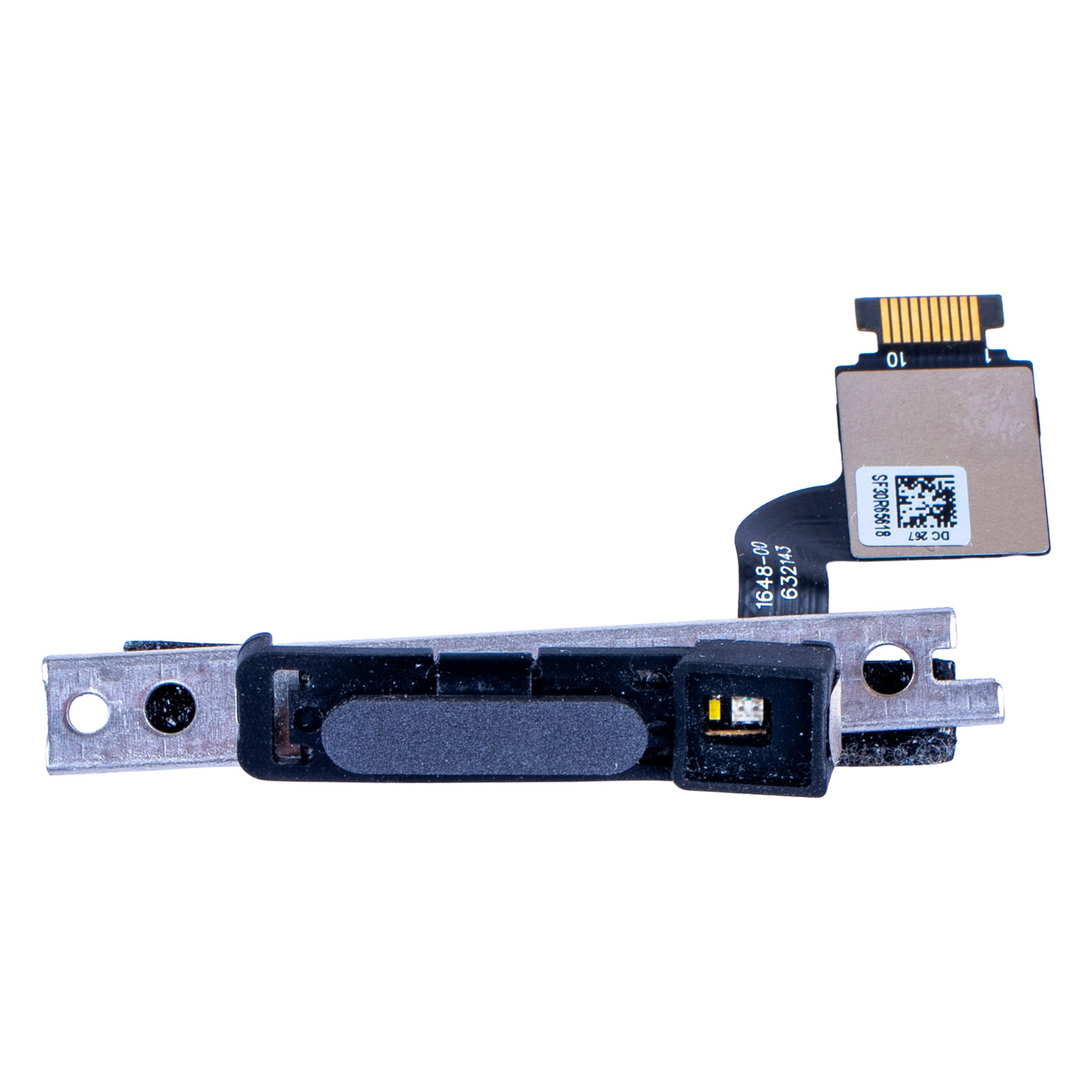
Genuine Lenovo power button with an integrated fingerprint reader for ThinkPad X1 Yoga Gen 6 (Type 20XY, 20Y0), X1 Yoga Gen 7 (Type 21CD, 21CE), X1 Yoga Gen 8 (Type 21HQ, 21HR) laptops. Part sourced from a working device and tested - we guarantee 100% functionality: the button turns the laptop on and the reader recognises fingerprints correctly. FRU number 5F30V25945 ensures full compatibility with three generations of the X1 Yoga.⚙️ PRODUCT CHARACTERISTICS
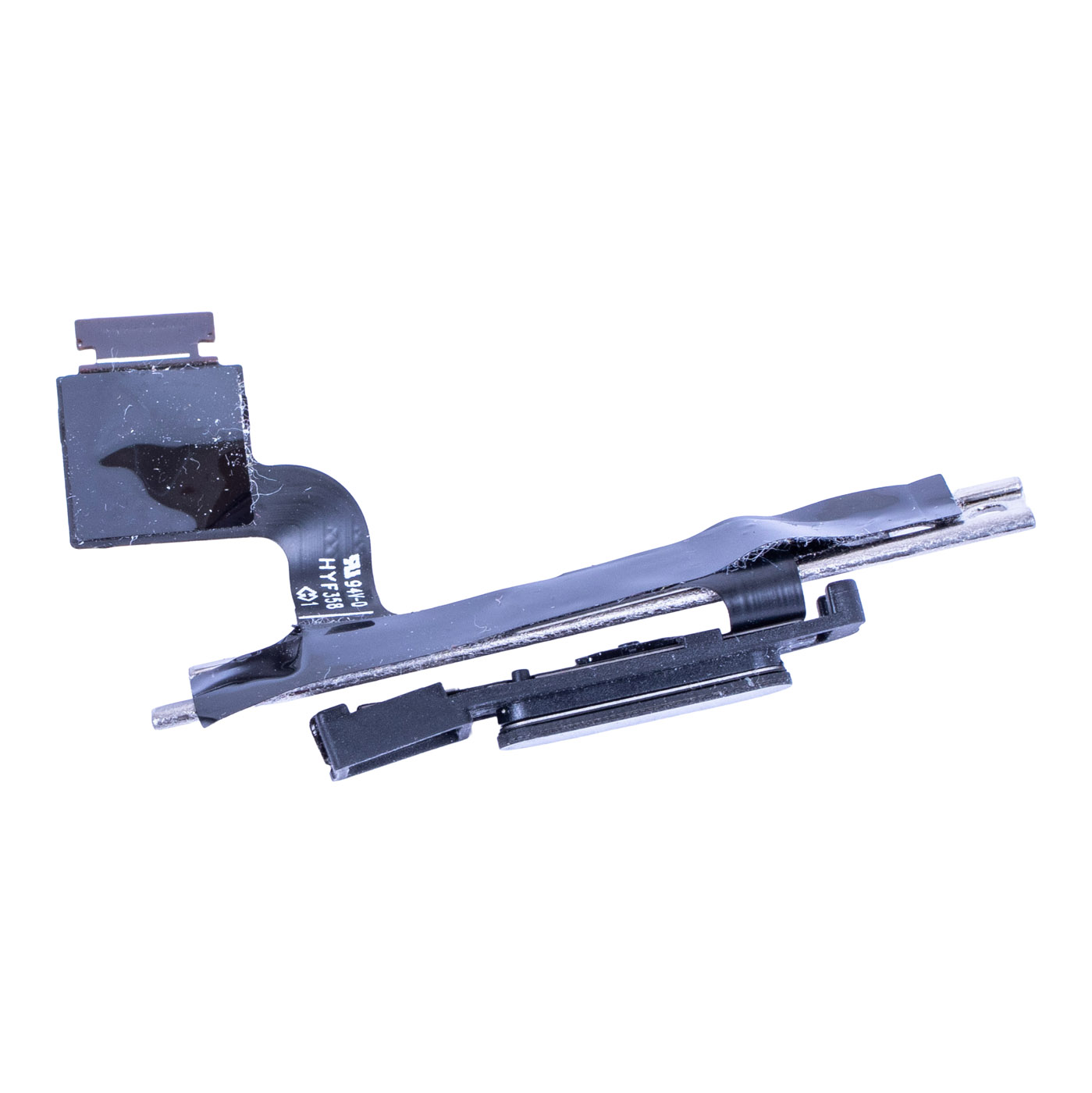
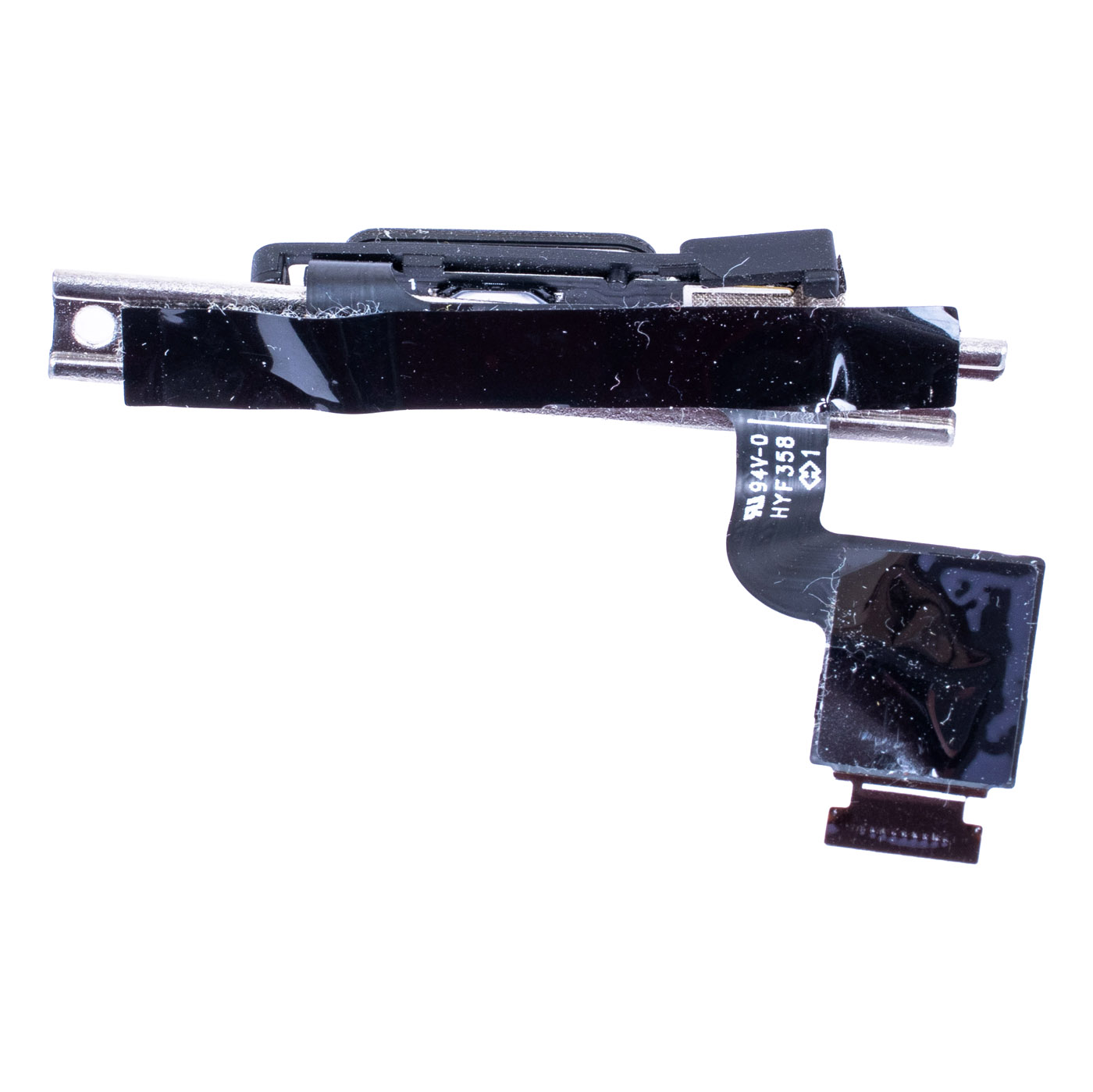
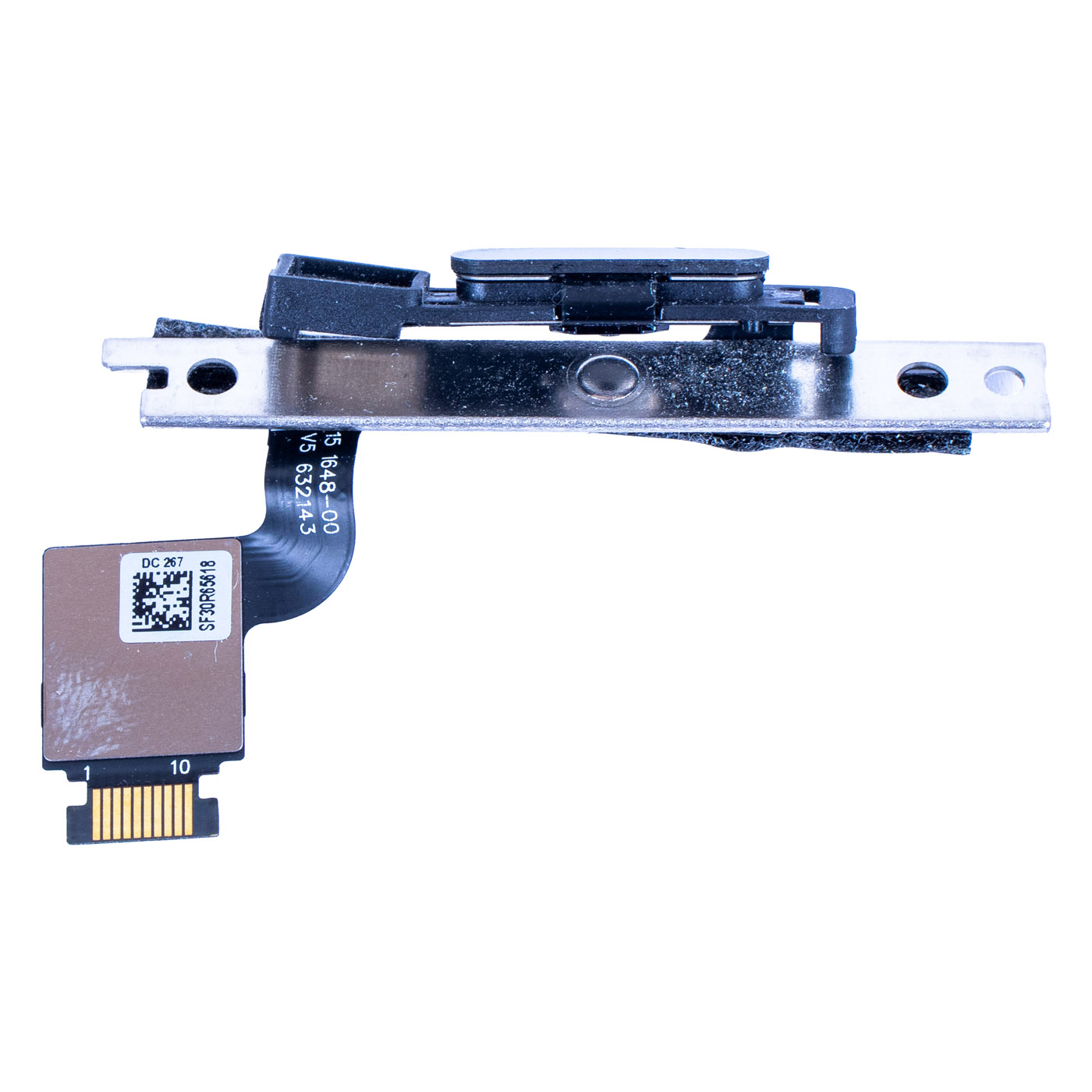
The module combines the power button and the fingerprint reader in one part: just rest your finger on the button when you power on, and Windows Hello signs you in without typing a password. The Match-on-Chip (MoC) reader compares the fingerprint inside the reader chip itself. The assembly consists of an oval button with the sensor in a black frame, a small housing with LEDs next to it, a metal bracket with mounting holes and a flexible FPC cable ending in a 10-pin connector. In the Lenovo parts catalogue FRU 5F30V25945 is listed as “FRU FPR CS21 3.79 MoC SG Slim”, and 5F30V25947 is marked as Equivalent. Label on this unit: SF30R65618 (corresponds to FRU 5F30V25947), DC 267, 1648-00 632143.📋 TECHNICAL SPECIFICATIONS
Part name: Power button with fingerprint readerBrand: Lenovo ThinkPad
Compatible models: ThinkPad X1 Yoga Gen 6 (Type 20XY, 20Y0), X1 Yoga Gen 7 (Type 21CD, 21CE), X1 Yoga Gen 8 (Type 21HQ, 21HR)
Reader technology: Match-on-Chip (MoC), Windows Hello support
Connector: FPC cable, 10 pins
Included: button with sensor, LED housing, metal bracket, FPC cable
Laptop size: 14"
Condition: Used (removed from a working device, tested), 100% functional
Warranty: 6 months
FRU: 5F30V25945
Replacement number (Lenovo, Equivalent): 5F30V25947
Part markings: SF30R65618 (corresponds to FRU 5F30V25947), DC 267, 1648-00 632143
🌟 KEY ADVANTAGES
🔹 Genuine Lenovo part - the same module fitted at the factory in the X1 Yoga Gen 6, 7 and 8🔹 One-touch sign-in - power on the laptop and log in with your fingerprint straight away, without typing a password or PIN
🔹 Match-on-Chip - the fingerprint template is matched inside the reader chip itself, not in the operating system
🔹 Complete with bracket and cable - you replace the whole module without moving small parts over from the old button
🔹 Three generations, one part - fits the X1 Yoga Gen 6, Gen 7 and Gen 8
🔢 PART NUMBERS
FRU: 5F30V25945Replacement number (Lenovo, Equivalent): 5F30V25947
Part markings: SF30R65618 (corresponds to FRU 5F30V25947), DC 267, 1648-00 632143
Laptop models:
• ThinkPad X1 Yoga Gen 6 (Type 20XY, 20Y0)
• ThinkPad X1 Yoga Gen 7 (Type 21CD, 21CE)
• ThinkPad X1 Yoga Gen 8 (Type 21HQ, 21HR)
Note: for the X1 Carbon Gen 9, 10, 11 Lenovo uses a different module (FRU 5F30V25942).
❓ WHEN SHOULD YOU REPLACE THE BUTTON WITH READER?
• Problem with a reader that no longer recognises your finger or keeps asking you to try again• Problem with Windows Hello not detecting the fingerprint reader in the sign-in options
• Problem with a power button that needs several presses or does not turn the laptop on
• Problem with a dented or scratched button after the laptop was dropped
• Problem with the reader after a liquid spill, when fingerprints are no longer read
🔧 INSTALLATION PROCESS
1. Turn off the laptop, disconnect the power adapter and disable the built-in battery in ThinkPad Setup (Disable built-in battery)2. Remove the bottom cover
3. Disconnect the module cable from the motherboard connector
4. Remove the bracket screws and carefully take the old module out of its seat in the chassis
5. Insert the new module so that the button lines up with the opening in the chassis, screw in the bracket and connect the cable
6. Refit the cover, power on the laptop with the button and enrol your fingerprint again in Windows Hello settings
Replacement by a technical service or a person experienced in laptop repairs is recommended.
🎯 PURPOSE
This module is intended for users and service centres repairing ThinkPad X1 Yoga Gen 6, 7 and 8 laptops whose fingerprint reader has stopped working or whose power button does not respond. The replacement restores quick fingerprint sign-in and reliable power-on. The exact appearance and condition of the item are shown in the photos.✅ COMPATIBILITY GUARANTEE
The offered module has been tested and matched to ThinkPad X1 Yoga Gen 6, 7 and 8 laptops. We guarantee full compatibility under FRU number 5F30V25945 and 100% functionality, covered by a 6-month warranty. In case of any compatibility issues we provide a hassle-free return within 14 days.📞 NEED HELP? CONTACT OUR EXPERTS!
Do you have questions about the compatibility of this module with your ThinkPad, or are you not sure whether you have an X1 Yoga or an X1 Carbon? Our specialists will be happy to assist you. Contact us!📱 Phone: +48-601-415357
📧 Email: sklep@abcdeal.pl
🦁 ABCDEAL - Your Trusted Lenovo Parts Specialist
We have been specialising in delivering genuine Lenovo laptop parts for years. Our experience allows us to offer top-quality products that meet the expectations of even the most demanding customers. Trust the experts and restore your X1 Yoga to full working order.🎯 Choose professionals - invest in high quality!
By choosing a genuine Lenovo power button with fingerprint reader from our offer, you invest in secure and convenient sign-in. Benefit from the experience of ABCDEAL specialists and restore your laptop to full working order.Useful information:
📦 Want to know more about shipping and return conditions? Click here
❓ Have additional questions? Check our FAQ
🔗 All parts for this model: Lenovo ThinkPad Yoga (convertible) spare parts
📘 Guide: How to read and check a Lenovo FRU number
| Basic information | |
|---|---|
| Part name | Power button with fingerprint reader |
| Brand | Lenovo ThinkPad |
| Compatibility | ThinkPad X1 Yoga Gen 6 (Type 20XY, 20Y0), X1 Yoga Gen 7 (Type 21CD, 21CE), X1 Yoga Gen 8 (Type 21HQ, 21HR) |
| Laptop size | 14" |
| Technical parameters | |
| Reader technology | Match-on-Chip (MoC), Windows Hello |
| Connector | FPC cable, 10 pins |
| Included | button with sensor, LED housing, metal bracket, FPC cable |
| Part numbers | |
| FRU | 5F30V25945 |
| Replacement number | 5F30V25947 (Equivalent) |
| Lenovo description | FRU FPR CS21 3.79 MoC SG Slim |
| Part markings | SF30R65618 (corresponds to FRU 5F30V25947), DC 267, 1648-00 632143 |
| X1 Carbon Gen 9-11 | different module: 5F30V25942 |
| Condition | |
| Condition | Used (removed from a working device, tested) |
| Functionality | 100% functional: button and reader |
| Warranty | 6 months |
Product compliance details
Osoba odpowiedzialna za produkt:ABCDEAL WOJCIECH ZAMARSKI
ul. Zawodzie 29 43-430 Ochaby Wielkie, Poland
email: biuro@abcdeal.pl
Manufacturer:
Lenovo Group Limited
7th Floor, Building A, Lenovo Houhai
Center, No.3288 Houhaibin Road, Haizhu
Community, Yuehai Street, Nanshan district
Shenzhen 518000, China
email: lncontact@lenovonetapp.com
Information on the safety of product use.
ul. Zawodzie 29 43-430 Ochaby Wielkie, Poland
email: biuro@abcdeal.pl
Manufacturer:
Lenovo Group Limited
7th Floor, Building A, Lenovo Houhai
Center, No.3288 Houhaibin Road, Haizhu
Community, Yuehai Street, Nanshan district
Shenzhen 518000, China
email: lncontact@lenovonetapp.com
Information on the safety of product use.
Ask for details