
Lenovo ThinkPad P1 X1 Extreme DC-in Power Jack | 01YU754
20,00 € with TAX16,26 € netto
✓ Compatible with Lenovo laptop models:
ThinkPad X1 Extreme Gen 1ThinkPad P1 Gen 1ThinkPad P1 Gen 2ThinkPad X1 Extreme Gen 2ThinkPad X1 Extreme Gen 3ThinkPad P1 Gen 3ThinkPad P1 Gen 4ThinkPad P1 Gen 5ThinkPad P1 Gen 6
ThinkPad X1 Extreme Gen 1ThinkPad P1 Gen 1ThinkPad P1 Gen 2ThinkPad X1 Extreme Gen 2ThinkPad X1 Extreme Gen 3ThinkPad P1 Gen 3ThinkPad P1 Gen 4ThinkPad P1 Gen 5ThinkPad P1 Gen 6
Lowest price in the last 30 days: 20,00 €
Genuine product, used.
🔌 DC-in Power Jack with Cable for Lenovo ThinkPad X1 Extreme / P1 🔌
🖥️ X1 Extreme Gen 1-3 / P1 Gen 1-6 | DC-in power jack with cable | 01YU754
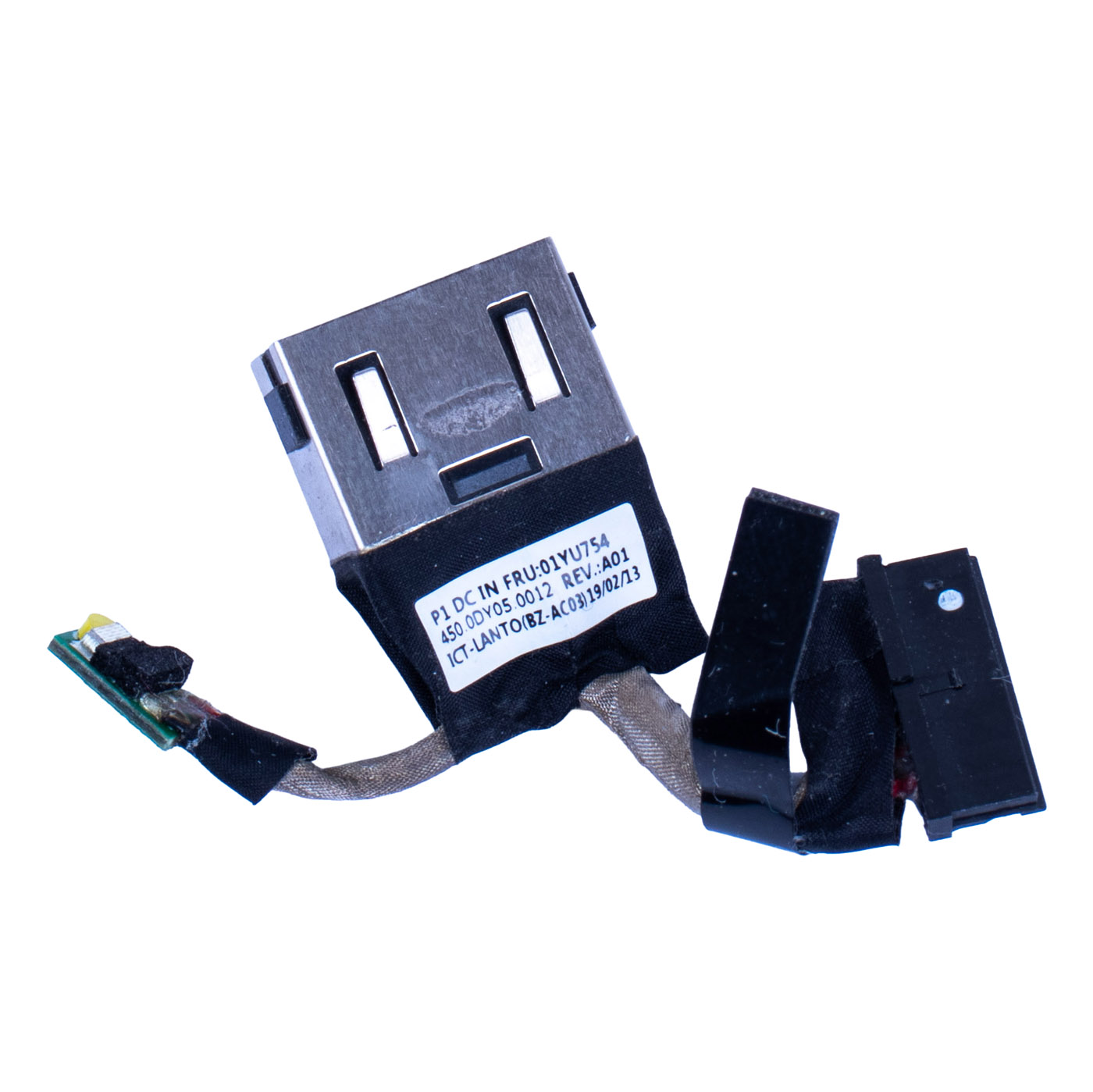
Genuine Lenovo power jack with cable and system board connector for Lenovo ThinkPad X1 Extreme (1st, 2nd and 3rd generation) and ThinkPad P1 (1st to 6th generation) laptops. Used part, removed from a ThinkPad X1 Extreme Gen 1 (type 20MF). FRU 01YU754 is printed on the jack label.⚙️ PRODUCT CHARACTERISTICS
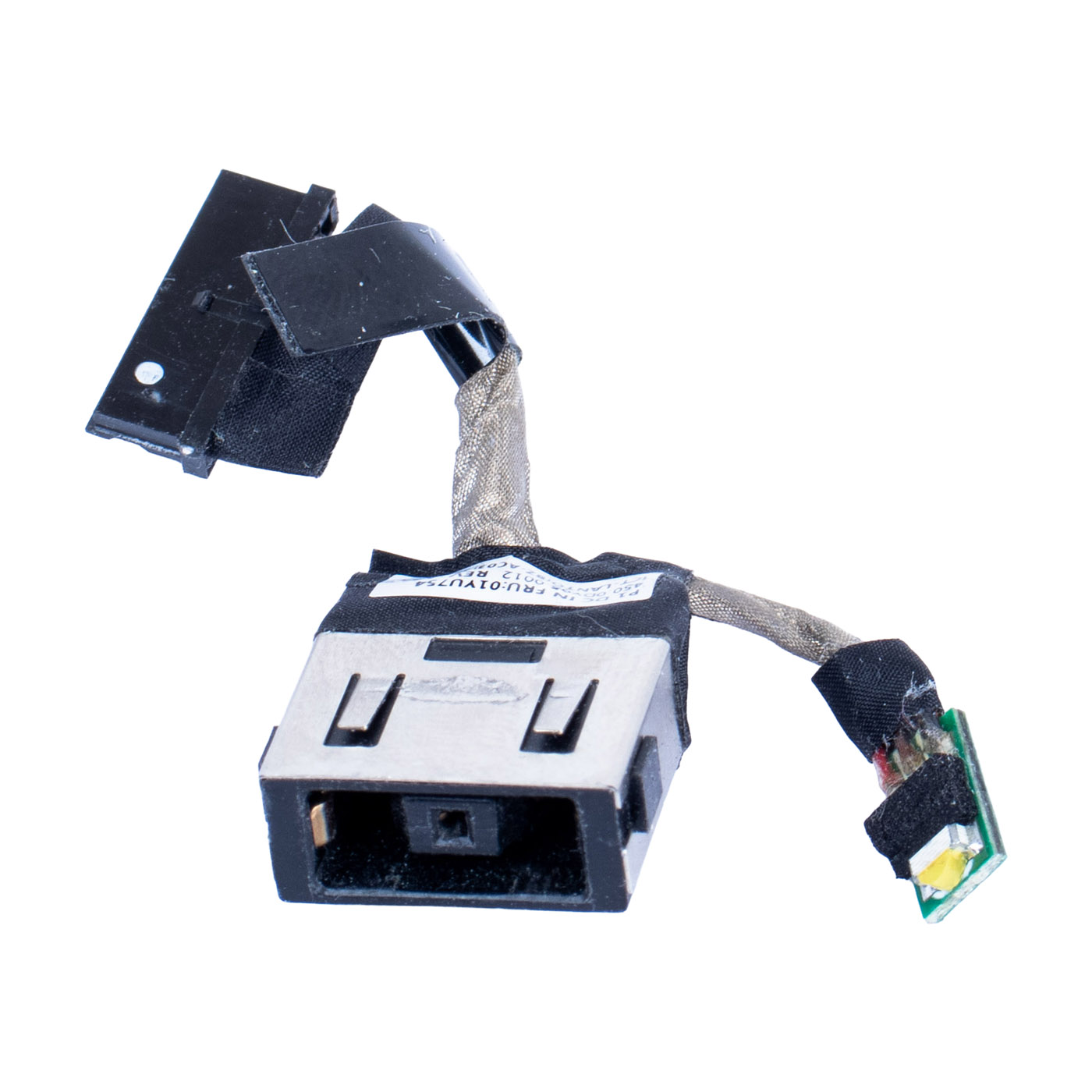
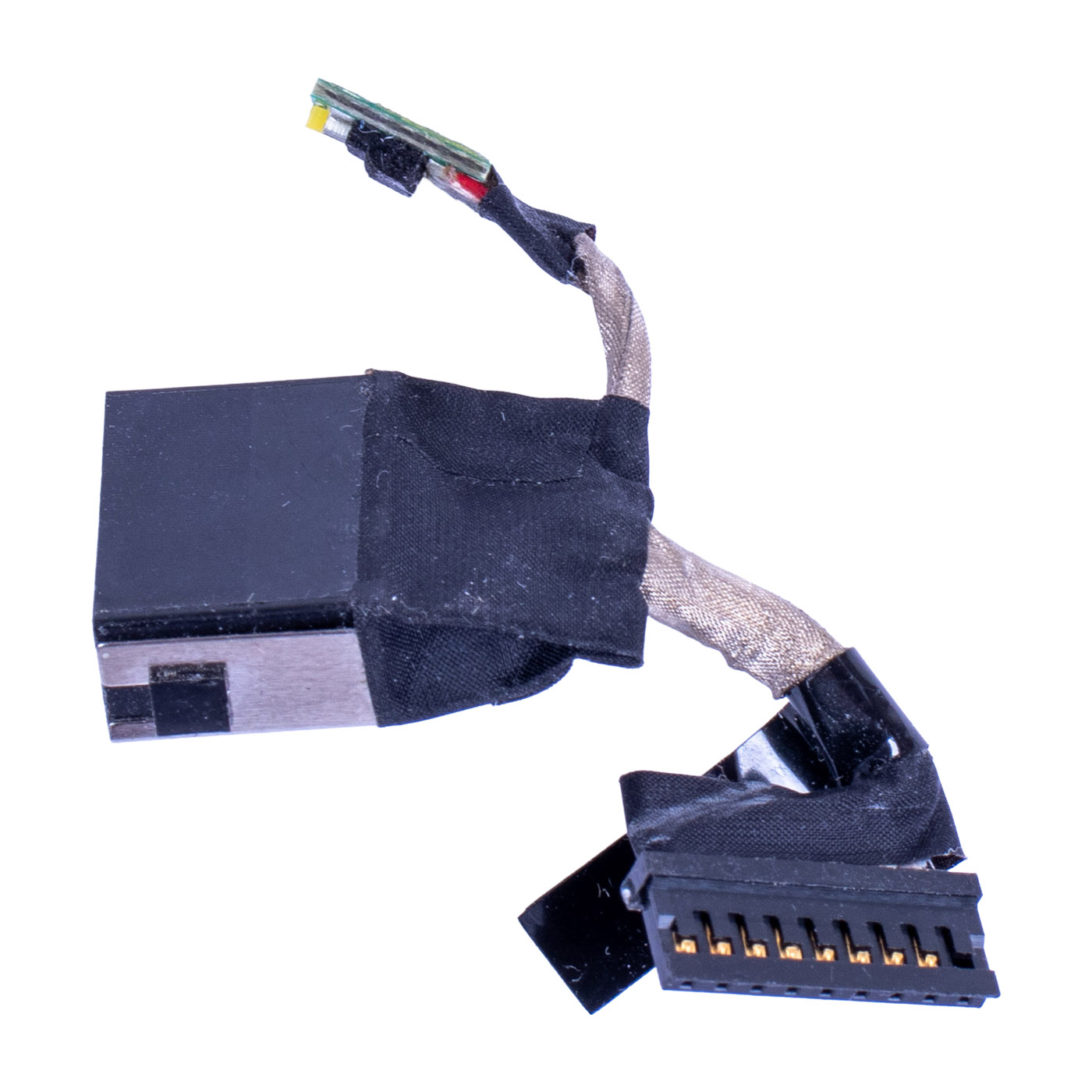
DC-IN Cable with FRU 01YU754: rectangular Lenovo slim tip charger socket in a metal shell, a short shielded cable ending in a connector for the dc-in connector on the system board, and a thinner lead with a small LED board. The label shows P1 DC IN, FRU 01YU754, 450.0DY05.0012 REV A01 and ICT-LANTO (BZ-AC03). Lenovo lists SC10R47139 as the alternate number for this part.📋 TECHNICAL DATA
Part name: DC-in power jack with cable (DC-IN Cable)Brand: Lenovo ThinkPad
Compatible models: ThinkPad X1 Extreme Gen 1 (type 20MF, 20MG), Gen 2 (20QV, 20QW), Gen 3 (20TK, 20TL); ThinkPad P1 Gen 1 (type 20MD, 20ME), Gen 2 (20QT, 20QU), Gen 3 (20TH, 20TJ), Gen 4 (20Y3, 20Y4), Gen 5 (21DC, 21DD), Gen 6 (21FV, 21FW)
Socket type: rectangular Lenovo charger socket (slim tip)
Package contents: jack with cable and system board connector, LED board on the cable
Markings: P1 DC IN, 450.0DY05.0012 REV A01, ICT-LANTO (BZ-AC03)
Condition: Used (removed from a laptop)
Warranty: 6 months
FRU: 01YU754
Alternate part numbers: SC10R47139, 450.0DY05.0012
🌟 KEY ADVANTAGES
🔹 Genuine Lenovo part - the charger plug sits firmly in the socket as it did from the factory, no hunting for the angle where the laptop starts charging🔹 Jack and cable in one - you replace the whole assembly, no soldering on the system board
🔹 One part for several generations - Lenovo assigns the same FRU 01YU754 to X1 Extreme Gen 1-3 and P1 Gen 1-6
🔹 Full compatibility - FRU 01YU754 and alternate number SC10R47139 in the Lenovo parts list
🔢 PART NUMBERS
FRU: 01YU754Alternate part numbers: SC10R47139, 450.0DY05.0012
Laptop models: Lenovo ThinkPad X1 Extreme Gen 1 (type 20MF, 20MG), Gen 2 (20QV, 20QW), Gen 3 (20TK, 20TL); ThinkPad P1 Gen 1 (type 20MD, 20ME), Gen 2 (20QT, 20QU), Gen 3 (20TH, 20TJ), Gen 4 (20Y3, 20Y4), Gen 5 (21DC, 21DD), Gen 6 (21FV, 21FW)
❓ WHEN SHOULD THE POWER JACK BE REPLACED?
• Problem with a laptop that stops charging as soon as you move the charger plug• Problem with a loose socket where the plug wobbles or falls out
• Problem with charging that keeps switching on and off
• Problem with a burnt or worn socket after the charger cable was yanked
• Problem with a laptop that does not detect a working, genuine charger
🔧 INSTALLATION PROCESS
Order according to the Lenovo Hardware Maintenance Manual (HMM) for the P1 / X1 Extreme Gen 1:1. Turn off Fast Startup in Windows, then in ThinkPad Setup (F1 at boot) go to Config, Power and select Disable built-in battery
2. Loosen the 7 captive screws of the base cover and remove the cover
3. Remove the M.2 drive, the Wi-Fi card and the built-in battery
4. Remove the 2 black M2.5 × 5 mm screws of the jack bracket and take off the bracket
5. Disconnect the jack cable from the dc-in connector on the system board and lift the jack out of the chassis
6. Fit the new jack, connect the cable to the system board, refit the bracket and tighten the screws to 0.181 Nm (1.85 kgf-cm)
7. Reinstall the battery, Wi-Fi card, drive and base cover, connect the charger and check charging
Installation by a technical service or someone experienced with laptop repairs is recommended.
🎯 APPLICATION
Power jack intended for Lenovo ThinkPad X1 Extreme Gen 1-3 and ThinkPad P1 Gen 1-6 laptops. It restores stable charging when the old socket is loose, burnt or loses contact when the plug moves. The exact appearance and condition of the offered item are shown in the listing photos.✅ COMPATIBILITY GUARANTEE
The offered jack carries FRU 01YU754 on the label, which Lenovo assigns to the ThinkPad X1 Extreme and P1 generations listed above. The part comes with a 6-month warranty. If any compatibility issues arise, we offer a hassle-free return within 14 days.📞 NEED HELP? CONTACT OUR EXPERTS!
Do you have questions about the compatibility of this power jack with your ThinkPad X1 Extreme or P1? Our specialists will be happy to assist you. Contact us!📱 Phone: +48-601-415357
📧 Email: sklep@abcdeal.pl
🦁 ABCDEAL - Your Trusted Lenovo Parts Specialist
We have been specialising in delivering genuine Lenovo laptop parts for years, both new and pulled from disassembled units. We describe every part accurately. Trust the experts and restore your X1 Extreme or P1 to full working order.🎯 Choose professionals - invest in quality!
By choosing a genuine power jack for your Lenovo ThinkPad X1 Extreme or P1, you invest in reliable charging without fiddling with the plug. Rely on ABCDEAL's experience.Useful information:
📦 Want to know more about shipping and return conditions? Click here
❓ Have additional questions? Check our FAQ
🔗 All parts for this model: Lenovo ThinkPad P1 / X1 Extreme spare parts
📘 Guide: DC and USB-C charging port in Lenovo laptops
| General information | |
|---|---|
| Part name | DC-in power jack with cable (DC-IN Cable) |
| Brand | Lenovo ThinkPad |
| Compatible models | ThinkPad X1 Extreme Gen 1 (type 20MF, 20MG), Gen 2 (20QV, 20QW), Gen 3 (20TK, 20TL); ThinkPad P1 Gen 1 (type 20MD, 20ME), Gen 2 (20QT, 20QU), Gen 3 (20TH, 20TJ), Gen 4 (20Y3, 20Y4), Gen 5 (21DC, 21DD), Gen 6 (21FV, 21FW) |
| Technical specifications | |
| Socket type | rectangular Lenovo charger socket (slim tip) |
| Package contents | jack with cable and system board connector, LED board on the cable |
| Markings | P1 DC IN, 450.0DY05.0012 REV A01, ICT-LANTO (BZ-AC03) |
| Part numbers | |
| FRU | 01YU754 |
| Alternate part numbers | SC10R47139, 450.0DY05.0012 |
| Condition and warranty | |
| Condition | Used (removed from a laptop) |
| Warranty | 6 months |
Product compliance details
Osoba odpowiedzialna za produkt:ABCDEAL WOJCIECH ZAMARSKI
ul. Zawodzie 29 43-430 Ochaby Wielkie, Poland
email: biuro@abcdeal.pl
Manufacturer:
Lenovo Group Limited
7th Floor, Building A, Lenovo Houhai
Center, No.3288 Houhaibin Road, Haizhu
Community, Yuehai Street, Nanshan district
Shenzhen 518000, China
email: lncontact@lenovonetapp.com
Information on the safety of product use.
ul. Zawodzie 29 43-430 Ochaby Wielkie, Poland
email: biuro@abcdeal.pl
Manufacturer:
Lenovo Group Limited
7th Floor, Building A, Lenovo Houhai
Center, No.3288 Houhaibin Road, Haizhu
Community, Yuehai Street, Nanshan district
Shenzhen 518000, China
email: lncontact@lenovonetapp.com
Information on the safety of product use.
Ask for details