
Intel 9560 vPro WiFi Card Lenovo ThinkPad X1 Extreme P1 P52 L390 | 01AX770
25,00 € with TAX20,33 € netto
🔧 All spare parts for this model: ThinkPad P52 → · ThinkPad Yoga →
✓ Compatible with Lenovo laptop models:
ThinkPad P52ThinkPad P72ThinkPad L390ThinkPad X1 Extreme Gen 1ThinkPad L13 Gen 1ThinkPad P1 Gen 1ThinkPad L390 YogaThinkStation P330ThinkPad L13 Yoga Gen 1
ThinkPad P52ThinkPad P72ThinkPad L390ThinkPad X1 Extreme Gen 1ThinkPad L13 Gen 1ThinkPad P1 Gen 1ThinkPad L390 YogaThinkStation P330ThinkPad L13 Yoga Gen 1
Lowest price in the last 30 days: 25,00 €
Genuine product, used.
📶 Intel Wireless-AC 9560 vPro WiFi Card with Bluetooth 5.0 for Lenovo ThinkPad X1 Extreme / P1 / P52 📶
🖥️ X1 Extreme Gen 1 / P1 Gen 1 / P52 / P72 / L390 / L13 | Intel 9560NGW vPro | M.2 2230 CNVi | 01AX770
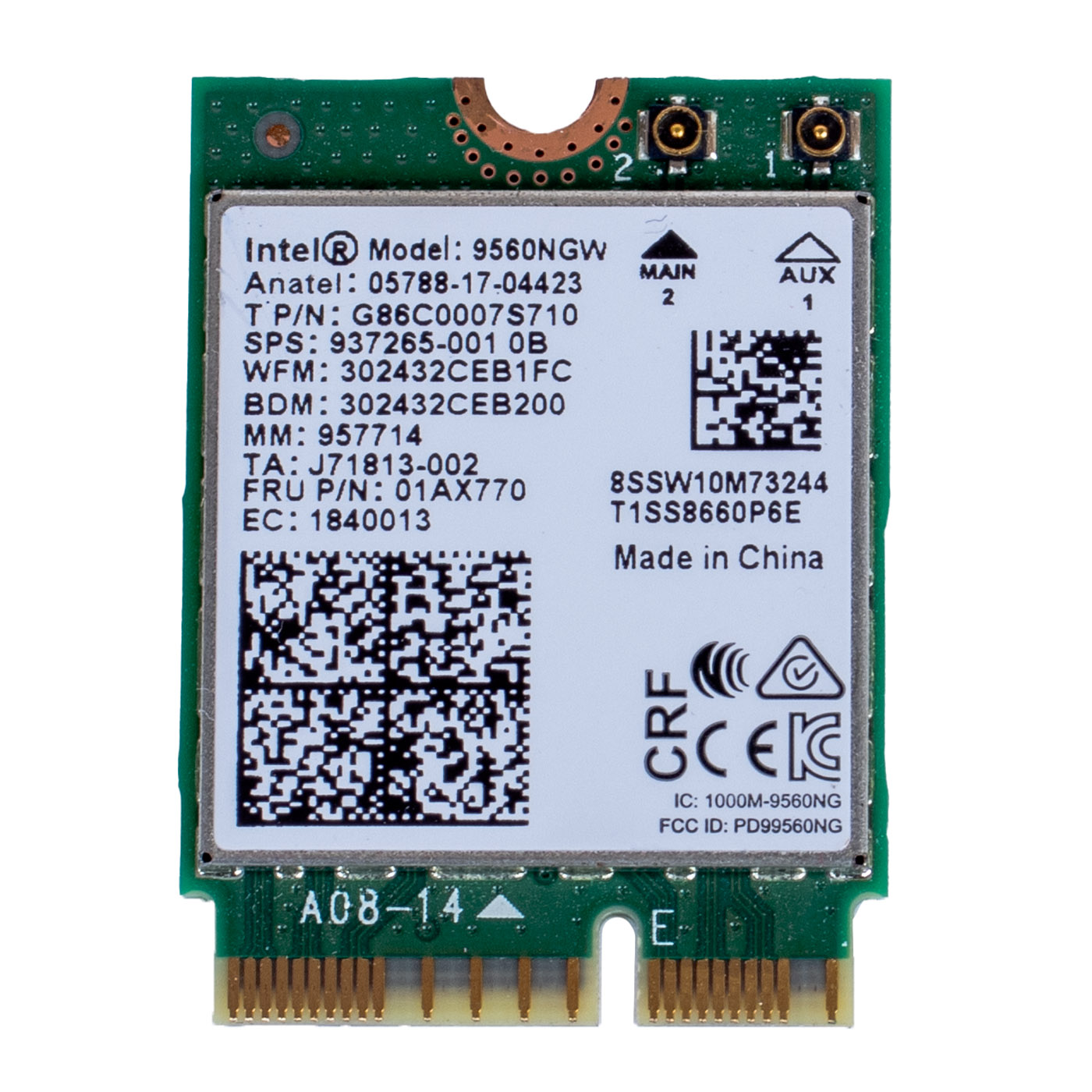
Genuine Lenovo WiFi card with Bluetooth 5.0, based on the Intel Wireless-AC 9560 chip with vPro support, for ThinkPad X1 Extreme Gen 1, P1 Gen 1, P52, P72, L390, L390 Yoga, L13, L13 Yoga and ThinkStation P330 computers. The card is used. FRU 01AX770 is printed on the card label, and Lenovo describes it as Wireless, CMB, IN, 9560 vPro M2.⚙️ PRODUCT CHARACTERISTICS
The Intel 9560NGW is a dual-band WiFi 5 (802.11ac) 2x2 card working on 2.4 GHz and 5 GHz, with a maximum link rate of up to 1.73 Gbps on a 160 MHz channel, combined with a Bluetooth 5.0 module. It uses the M.2 2230 form factor with an E-key connector and two antenna connectors (MAIN and AUX). The card works over the Intel CNVi interface, which means part of the radio sits in the system board chipset. It therefore fits only computers with CNVi support, such as the Lenovo models listed, and not every M.2 slot. The vPro version works with Intel vPro technology (AMT remote management) in computers with a vPro processor and chipset.📋 TECHNICAL DATA
Part name: WiFi card with Bluetooth (Wireless, CMB, IN, 9560 vPro M2)Brand: Lenovo ThinkPad / Intel
Compatible models: ThinkPad X1 Extreme Gen 1 (type 20MF, 20MG), ThinkPad P1 Gen 1 (20MD, 20ME), ThinkPad P52 (20M9, 20MA), ThinkPad P72 (20MB, 20MC), ThinkPad L390 (20NR, 20NS), ThinkPad L390 Yoga (20NT, 20NU), ThinkPad L13 Gen 1 (20R3, 20R4), ThinkPad L13 Yoga Gen 1 (20R5, 20R6), ThinkStation P330, P330 Tiny, P330 2nd Gen
Chip: Intel Wireless-AC 9560 vPro (9560NGW)
WiFi standard: WiFi 5, 802.11ac, 2x2, 2.4 GHz and 5 GHz bands, up to 1.73 Gbps
Bluetooth: 5.0
Form factor: M.2 2230, E key, CNVi interface
Antenna connectors: 2 (MAIN, AUX)
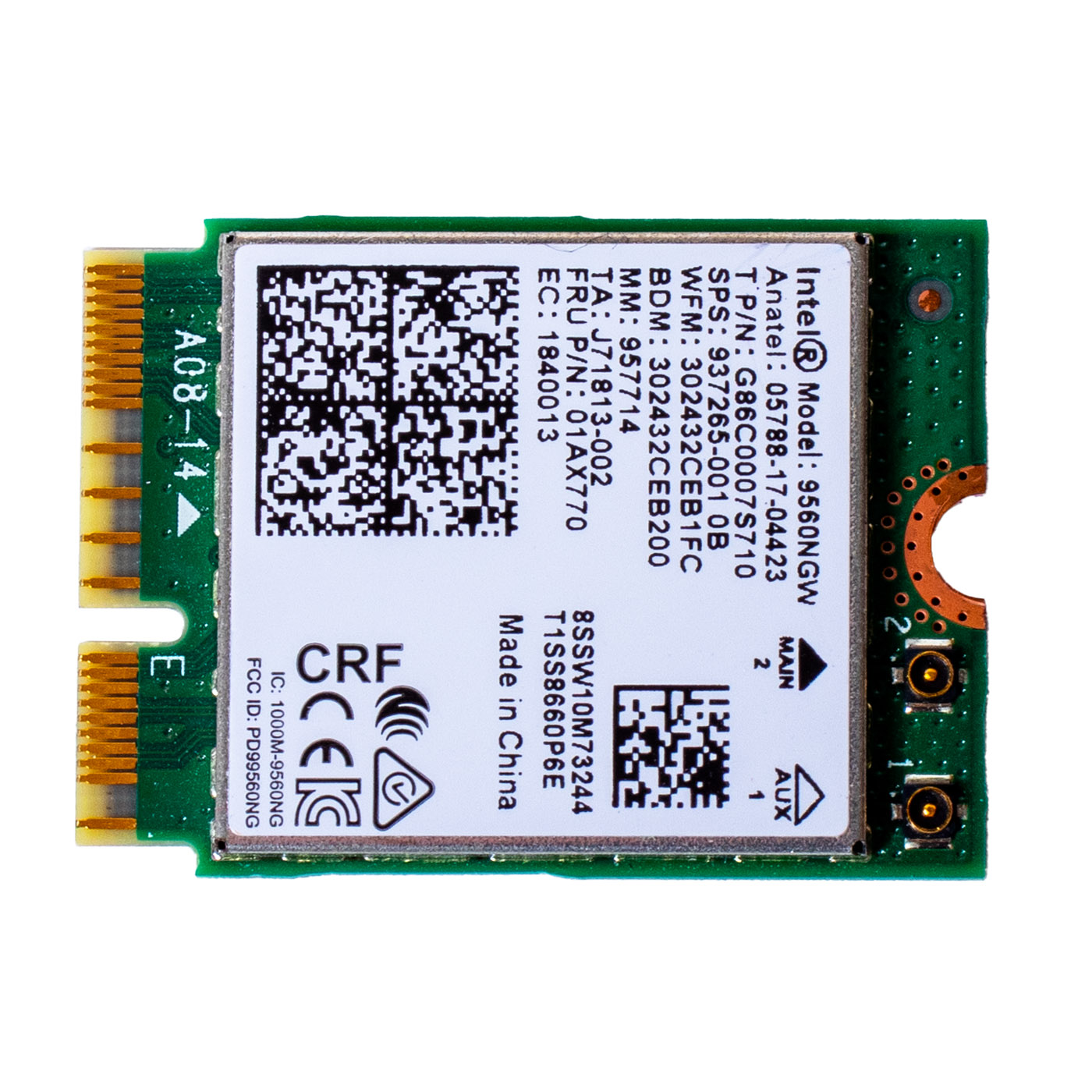
Markings: Intel 9560NGW, FRU P/N 01AX770, 8SSW10M73244, MM 957714, TA J71813-002, FCC ID PD99560NG, IC 1000M-9560NG
Condition: Used
Warranty: 6 months
FRU: 01AX770
Alternate part numbers: 01AX793, 01AX768, 5W10V25772, SW10M73244
🌟 KEY ADVANTAGES
🔹 Genuine Lenovo part - the same card Lenovo fitted at the factory, so the system and Lenovo drivers recognise it without workarounds🔹 2x2 WiFi up to 1.73 Gbps - fast downloads and smooth video calls over a 5 GHz router, without the picture freezing
🔹 Bluetooth 5.0 on the same card - mouse, headphones and wireless keyboard connect without an extra USB adapter
🔹 vPro version - in business laptops with vPro the IT department can manage the computer remotely over WiFi as well
🔹 Full compatibility - FRU 01AX770 according to the Lenovo parts list, alternates 01AX793, 01AX768 and 5W10V25772
🔢 PART NUMBERS
FRU: 01AX770Alternate part numbers: 01AX793, 01AX768, 5W10V25772, SW10M73244
Computer models: Lenovo ThinkPad X1 Extreme Gen 1 (type 20MF, 20MG), ThinkPad P1 Gen 1 (20MD, 20ME), ThinkPad P52 (20M9, 20MA), ThinkPad P72 (20MB, 20MC), ThinkPad L390 (20NR, 20NS), ThinkPad L390 Yoga (20NT, 20NU), ThinkPad L13 Gen 1 (20R3, 20R4), ThinkPad L13 Yoga Gen 1 (20R5, 20R6), ThinkStation P330, P330 Tiny, P330 2nd Gen
❓ WHEN SHOULD THE WIFI CARD BE REPLACED?
• Problem with a laptop that does not see any WiFi network and the network adapter is missing from Device Manager• Problem with a WiFi connection that keeps dropping while other devices at home work normally
• Problem with Bluetooth that disappeared from Windows settings together with WiFi
• Problem with very slow internet only on this laptop despite good signal
• Problem with a damaged antenna connector or card after an earlier repair
🔧 INSTALLATION PROCESS
Order according to the Lenovo Hardware Maintenance Manual (HMM) for the P1 / X1 Extreme Gen 1 (access is similar in the other models, after removing the base cover):1. Turn off Fast Startup in Windows, then in ThinkPad Setup (F1 at boot) go to Config, Power and select Disable built-in battery
2. Loosen the 7 captive screws of the base cover and remove the cover
3. Disconnect both antenna cables from the card, lifting the plugs straight up from the card
4. Remove the 1 black M2 × 2.5 mm screw and slide the card out of the M.2 slot
5. Insert the new card into the slot at an angle, press it down and tighten the screw to 0.181 Nm (1.85 kgf-cm)
6. Connect the grey cable to the MAIN connector and the black cable to the AUX connector
7. Refit the base cover, start the laptop and check WiFi and Bluetooth (Intel drivers from Lenovo Vantage or the Lenovo website)
Installation by a technical service or someone experienced with laptop repairs is recommended.
🎯 APPLICATION
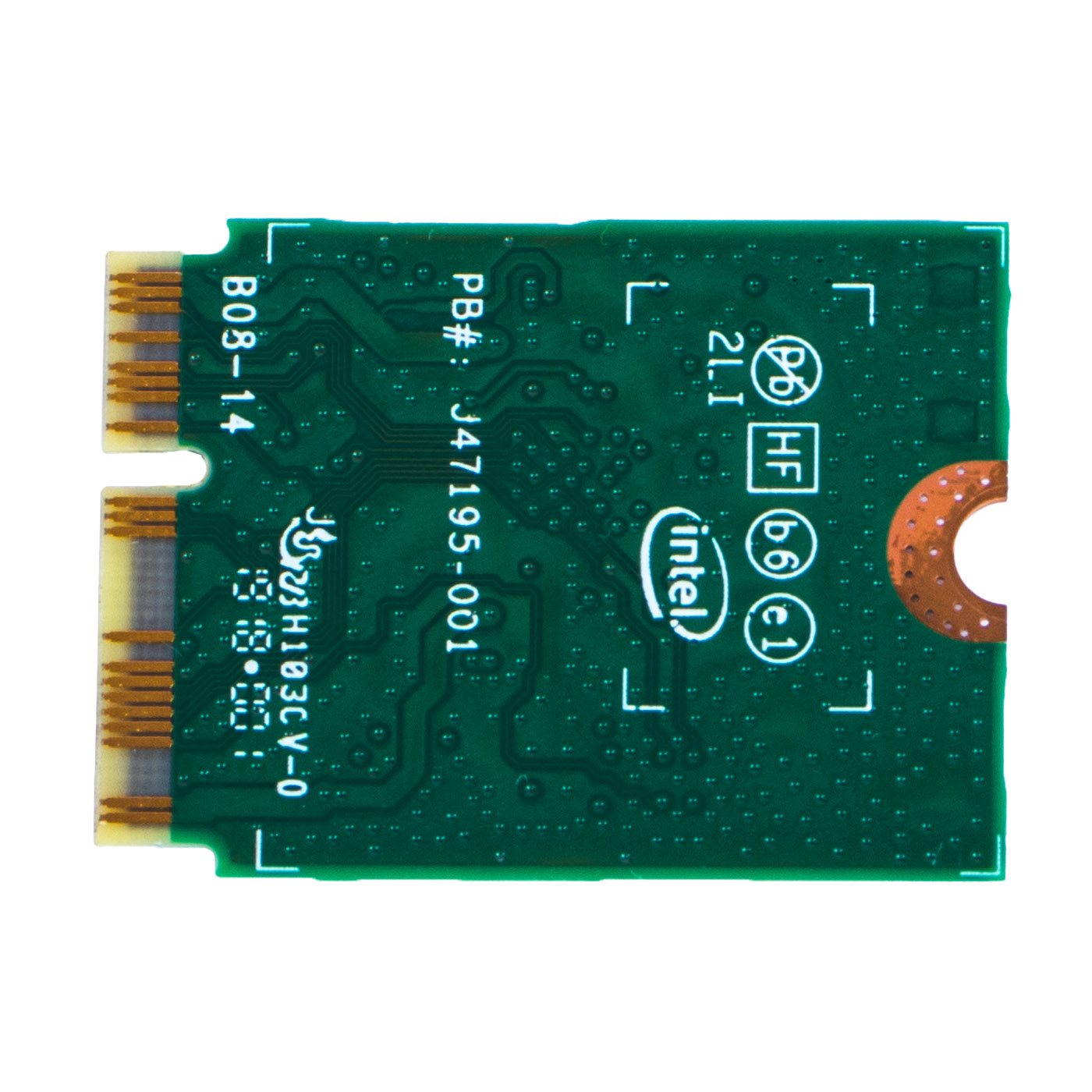
WiFi card with Bluetooth 5.0 intended for Lenovo ThinkPad X1 Extreme Gen 1, P1 Gen 1, P52, P72, L390, L390 Yoga, L13, L13 Yoga and ThinkStation P330 computers. It restores a stable network and Bluetooth connection when the factory card has stopped working or was damaged. The exact appearance and condition of the offered item are shown in the listing photos.✅ COMPATIBILITY GUARANTEE
The offered card carries FRU 01AX770 on the label, which Lenovo assigns to the ThinkPad and ThinkStation models listed. The part comes with a 6-month warranty. If any compatibility issues arise, we offer a hassle-free return within 14 days.📞 NEED HELP? CONTACT OUR EXPERTS!
Do you have questions about the compatibility of this WiFi card with your ThinkPad? Our specialists will be happy to assist you. Contact us!📱 Phone: +48-601-415357
📧 Email: sklep@abcdeal.pl
🦁 ABCDEAL - Your Trusted Lenovo Parts Specialist
We have been specialising in delivering genuine Lenovo laptop parts for years, both new and pulled from disassembled units. We describe every part accurately. Trust the experts and restore your ThinkPad to full working order.🎯 Choose professionals - invest in quality!
By choosing a genuine Intel 9560 vPro WiFi card for your Lenovo ThinkPad, you invest in a stable network and Bluetooth connection without external adapters. Rely on ABCDEAL's experience.Useful information:
📦 Want to know more about shipping and return conditions? Click here
❓ Have additional questions? Check our FAQ
🔗 All parts for this model: Lenovo ThinkPad P1 / X1 Extreme spare parts
🔗 All parts for this model: ThinkPad P series parts - all models
📘 Guide: WiFi and WWAN module in a ThinkPad - diagnostics and replacement
| General information | |
|---|---|
| Part name | WiFi card with Bluetooth (Wireless, CMB, IN, 9560 vPro M2) |
| Brand | Lenovo ThinkPad / Intel |
| Compatible models | ThinkPad X1 Extreme Gen 1 (type 20MF, 20MG), ThinkPad P1 Gen 1 (20MD, 20ME), ThinkPad P52 (20M9, 20MA), ThinkPad P72 (20MB, 20MC), ThinkPad L390 (20NR, 20NS), ThinkPad L390 Yoga (20NT, 20NU), ThinkPad L13 Gen 1 (20R3, 20R4), ThinkPad L13 Yoga Gen 1 (20R5, 20R6), ThinkStation P330, P330 Tiny, P330 2nd Gen |
| Technical specifications | |
| Chip | Intel Wireless-AC 9560 vPro (9560NGW) |
| WiFi standard | WiFi 5, 802.11ac, 2x2, 2.4 GHz and 5 GHz, up to 1.73 Gbps |
| Bluetooth | 5.0 |
| Form factor | M.2 2230, E key, CNVi interface |
| Antenna connectors | 2 (MAIN, AUX) |
| Markings | Intel 9560NGW, FRU P/N 01AX770, 8SSW10M73244, MM 957714, TA J71813-002, FCC ID PD99560NG, IC 1000M-9560NG |
| Part numbers | |
| FRU | 01AX770 |
| Alternate part numbers | 01AX793, 01AX768, 5W10V25772, SW10M73244 |
| Condition and warranty | |
| Condition | Used |
| Warranty | 6 months |
Product compliance details
Osoba odpowiedzialna za produkt:ABCDEAL WOJCIECH ZAMARSKI
ul. Zawodzie 29 43-430 Ochaby Wielkie, Poland
email: biuro@abcdeal.pl
Product placed on the market in the EU before 13.12.2024.
Information on the safety of product use.
ul. Zawodzie 29 43-430 Ochaby Wielkie, Poland
email: biuro@abcdeal.pl
Product placed on the market in the EU before 13.12.2024.
Information on the safety of product use.
Ask for details