
Lenovo ThinkPad E14 6th QWERTY US Keyboard | SN21A22036
87,50 € with TAX71,14 € netto
✓ Compatible with Lenovo laptop models:
ThinkPad E14 Gen 6
ThinkPad E14 Gen 6
Lowest price in the last 30 days: 87,50 €
The original product, new one.
🔧 Backlit Keyboard for Lenovo ThinkPad E14 Gen 6 🔧
🖥️ ThinkPad E14 Gen 6 | US QWERTY keyboard | backlit | black | SN21A22036
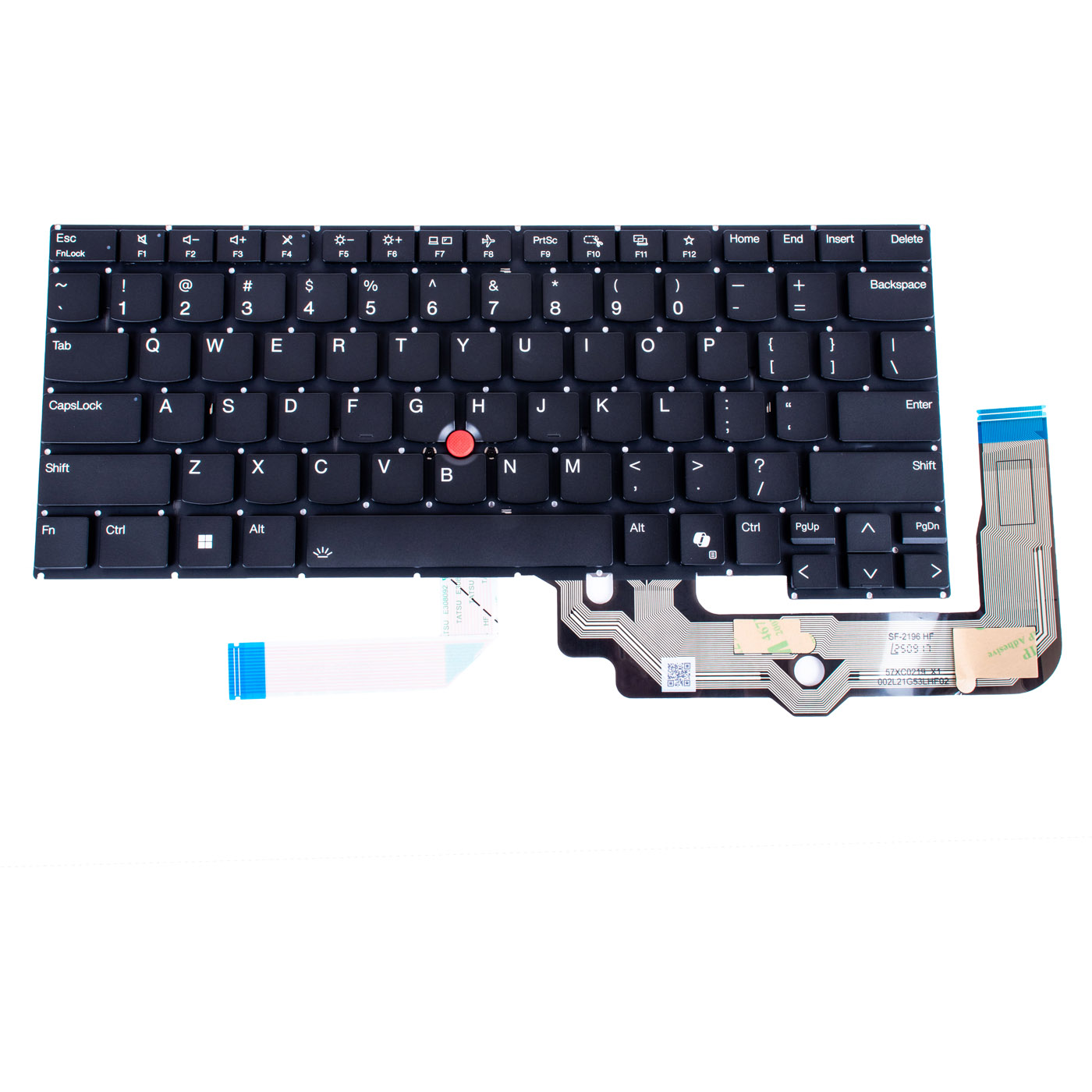
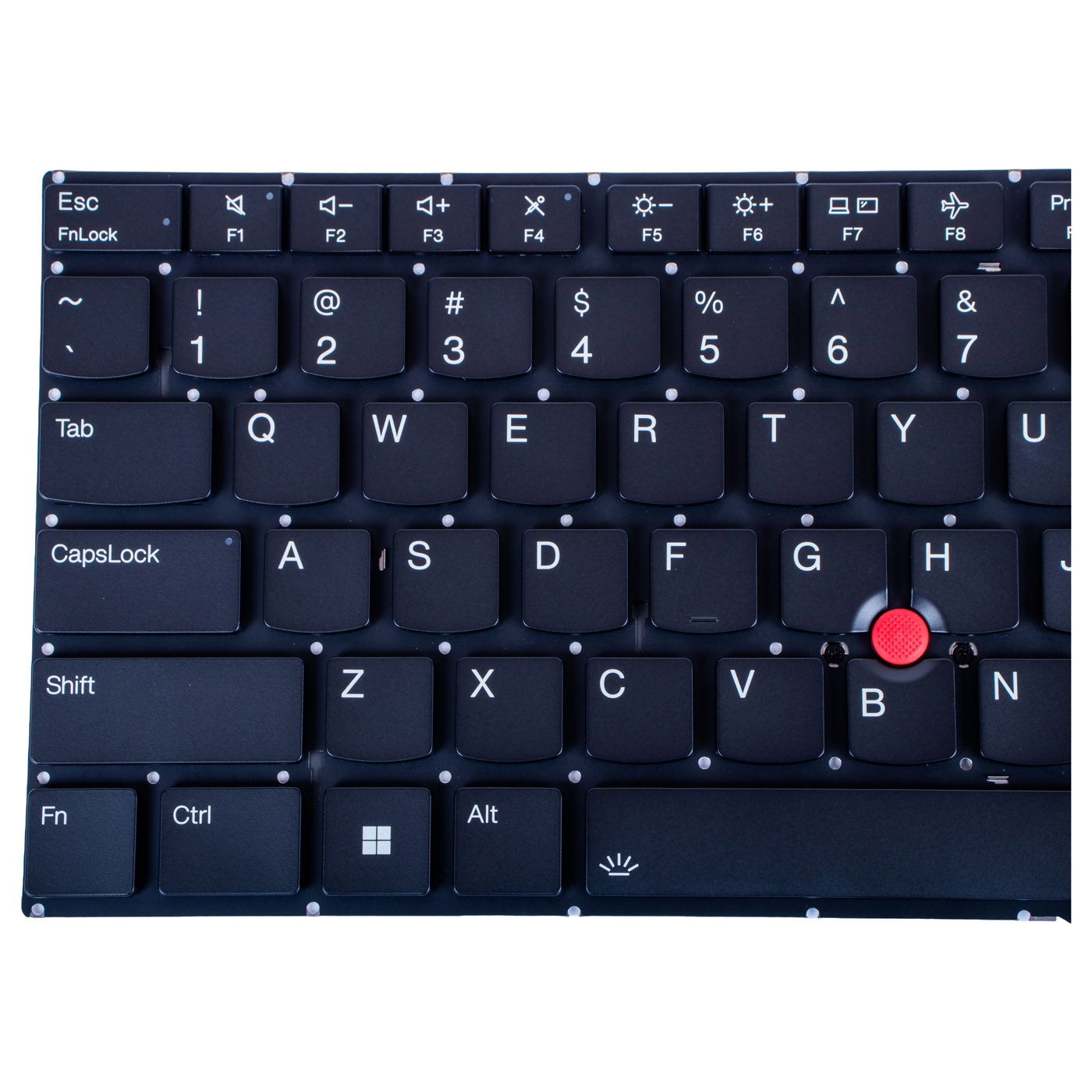
Genuine Lenovo backlit US QWERTY keyboard with TrackPoint designed for the Lenovo ThinkPad E14 Gen 6 laptop. Brand new part marked with number SN21A22036. Part number SN21A22036 guarantees full compatibility with the ThinkPad E14 Gen 6.⚙️ PRODUCT OVERVIEW
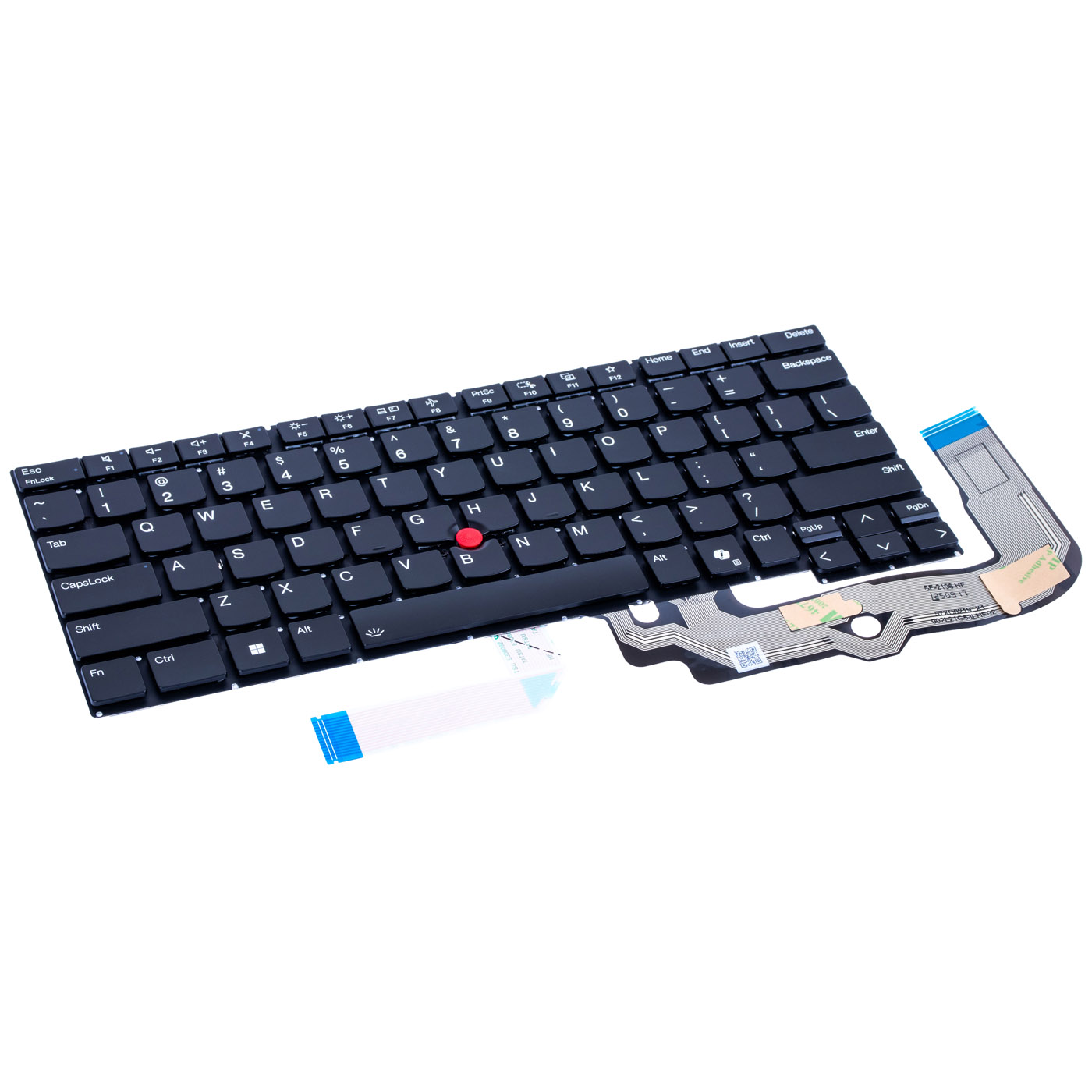
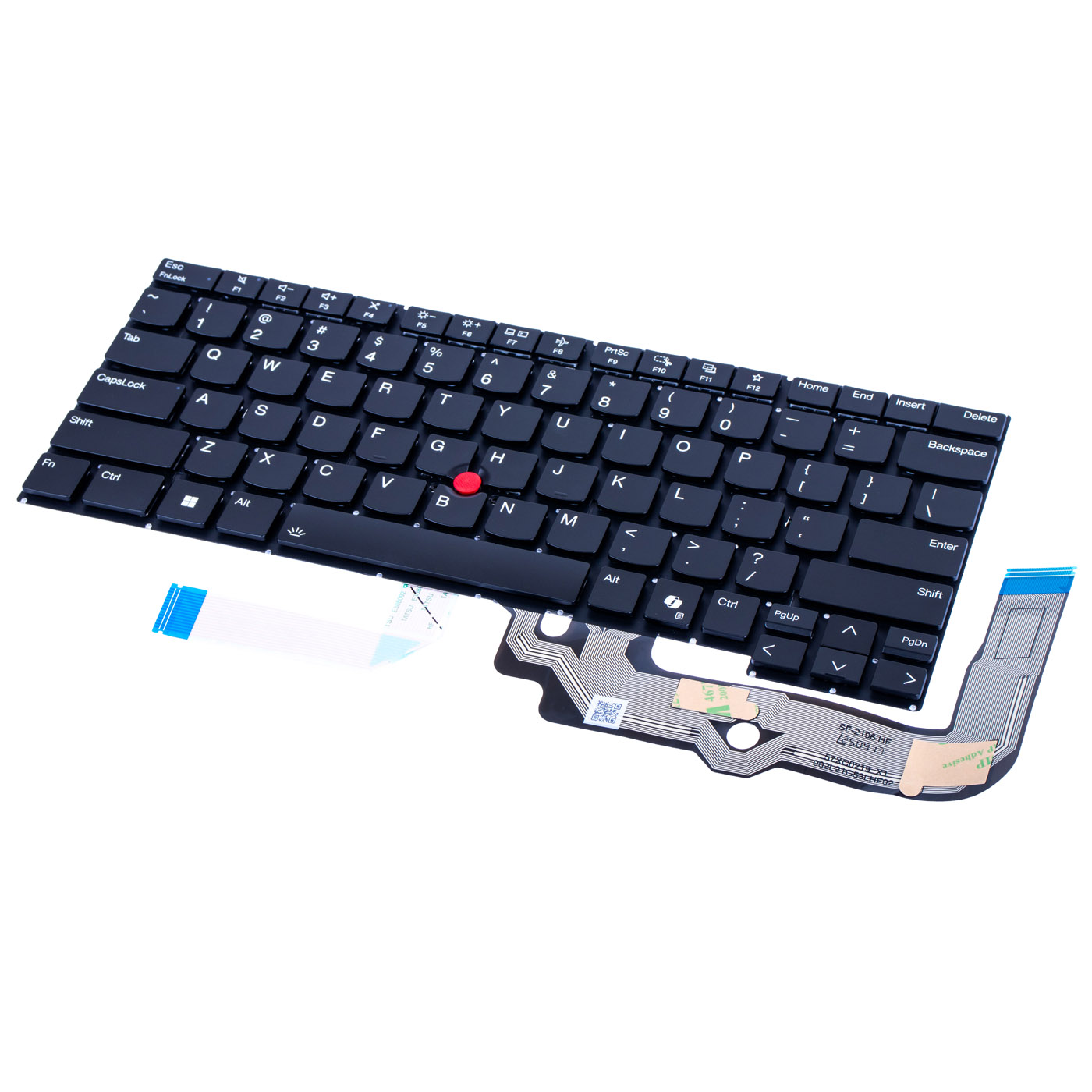
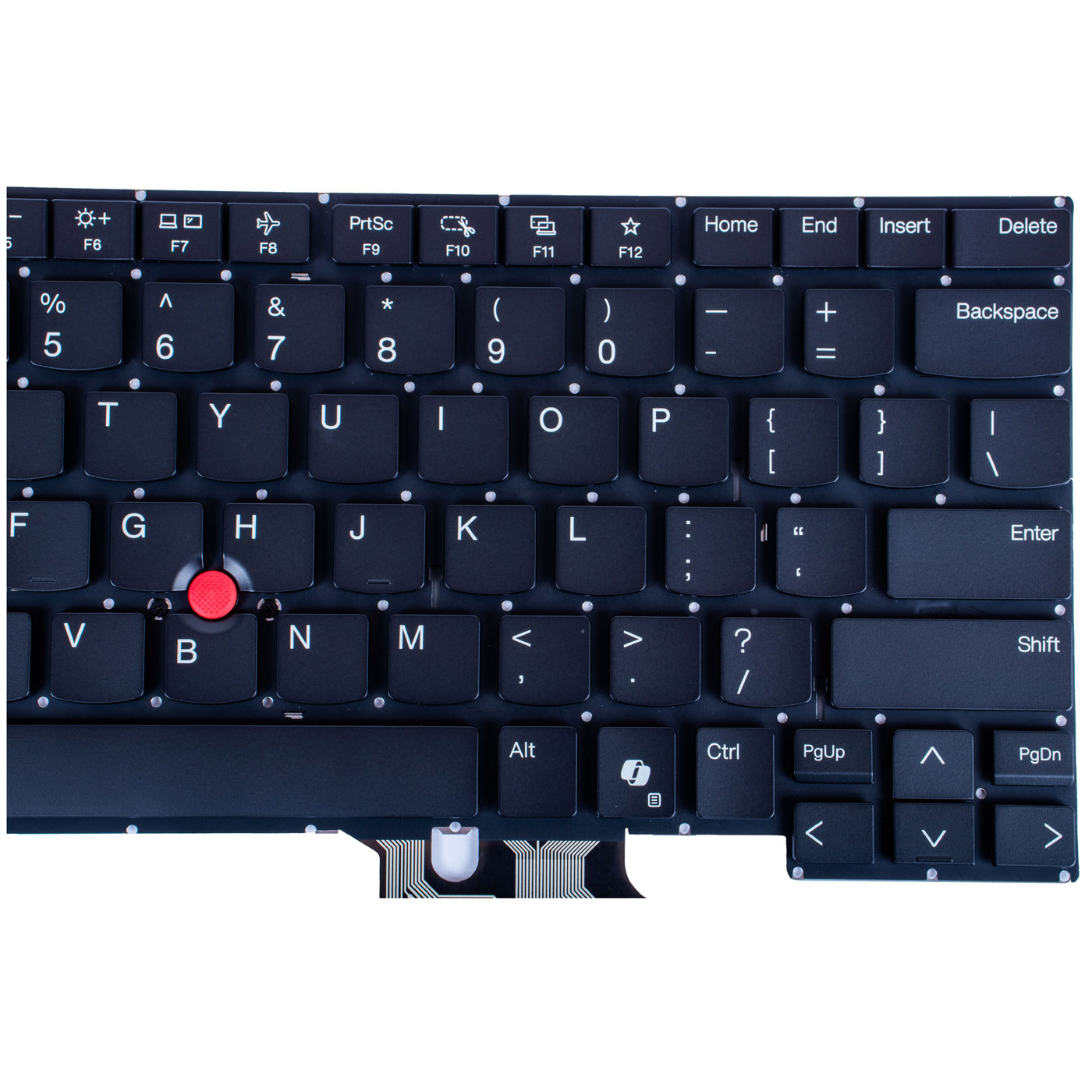
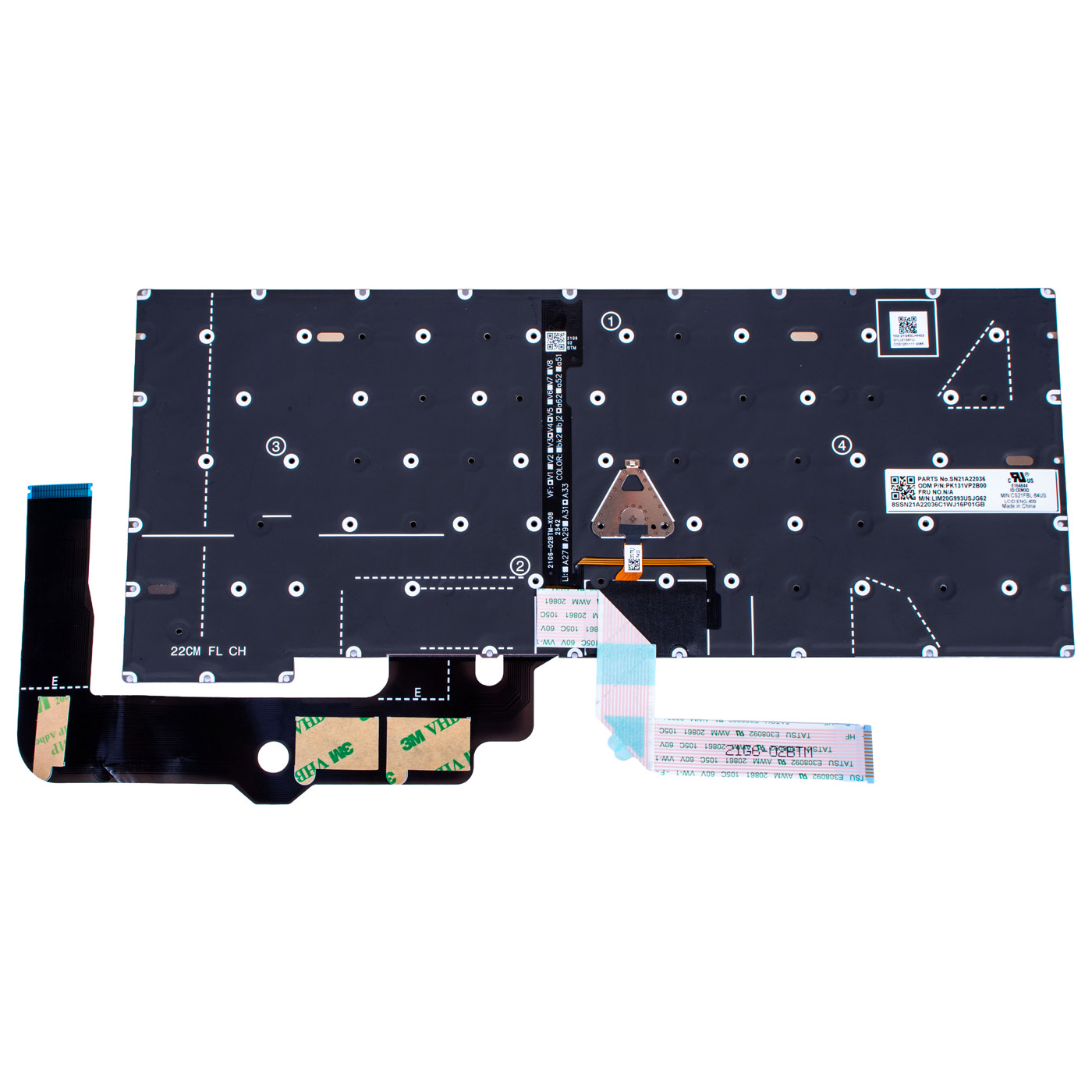
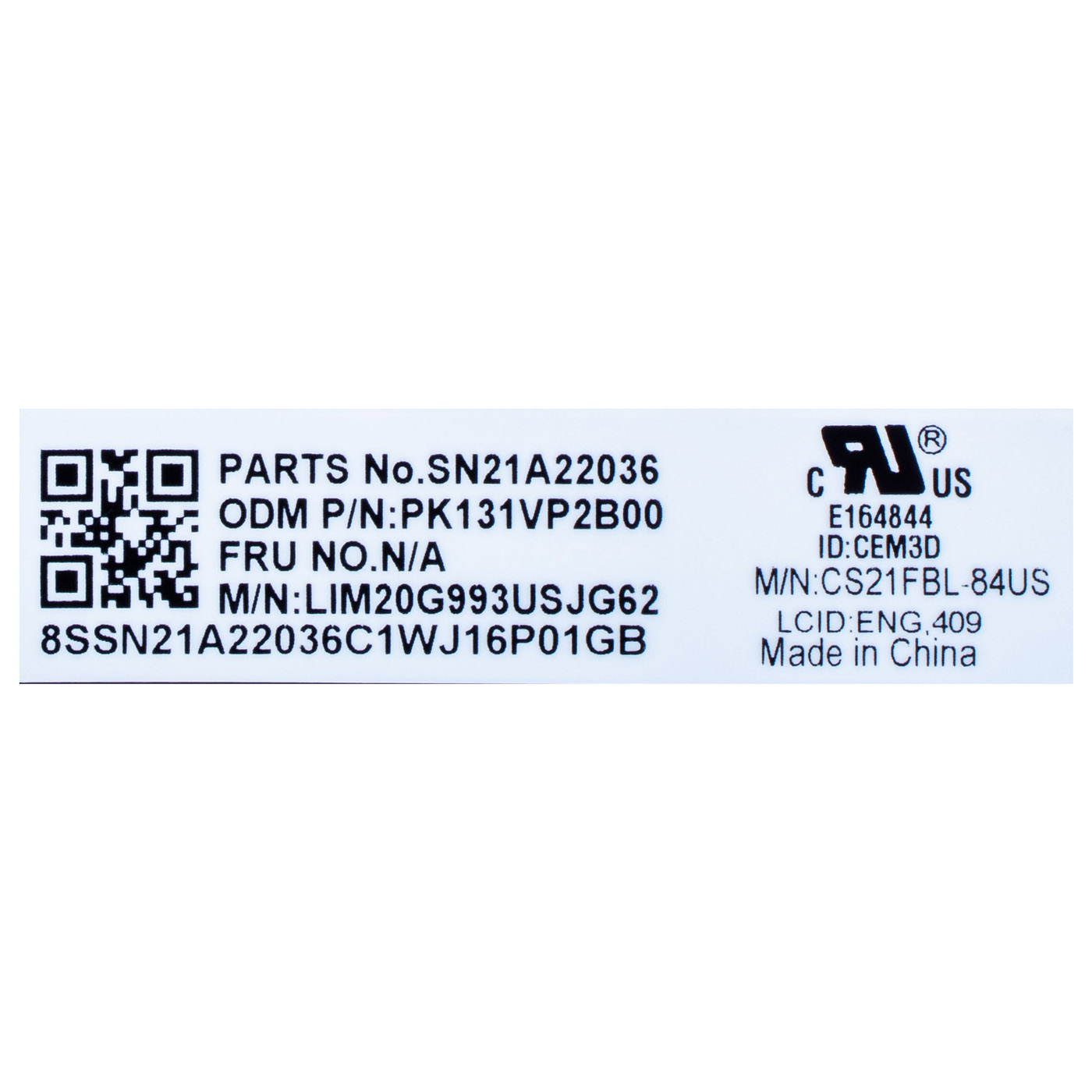
Black keyboard in US QWERTY layout with key backlighting, a red TrackPoint, a Copilot (AI) key between the right Alt and Ctrl and dedicated Home, End, Insert and Delete keys in the top row. Screenshots are taken with the F9 (PrtSc) key. The label shows the markings SN21A22036, PK131VP2B00 and LIM20G993USJG62.📋 TECHNICAL SPECIFICATIONS
Part name: Keyboard with TrackPoint, backlitBrand: Lenovo ThinkPad
Compatible model: Lenovo ThinkPad E14 Gen 6
Screen size: 14"
Keyboard layout: US QWERTY
Colour: Black
Backlight: Yes
TrackPoint: Yes
Copilot key: Yes
Label markings: SN21A22036, PK131VP2B00, LIM20G993USJG62, CS21FBL-84US
Condition: New
FRU: SN21A22036
Substitute part numbers: none
🌟 KEY BENEFITS
🔹 Genuine Lenovo part - perfect fit and reliability🔹 Key backlighting - type comfortably in the evening or in a dark room without hunting for letters
🔹 TrackPoint - move the cursor without taking your hands off the keyboard, which speeds up work in spreadsheets and documents
🔹 Copilot (AI) key - launch the Copilot assistant in Windows 11 with a single press
🔹 US QWERTY layout - the most common international layout, familiar from most laptops
🔹 Full compatibility - matched to the ThinkPad E14 Gen 6 under part number SN21A22036
🔢 PART NUMBERS
FRU: SN21A22036Substitute part numbers: none
Laptop model: Lenovo ThinkPad E14 Gen 6
🔍 HOW TO TELL IT APART FROM THE E14 GEN 5 KEYBOARD?
The E14 Gen 5 and E14 Gen 6 keyboards carry the same numbers on the label, but a few keys differ:• E14 Gen 6 (this keyboard): a Copilot (AI) key sits between the right Alt and Ctrl, and PrtSc is on F9
• E14 Gen 5: a separate PrtSc key sits where the Copilot key is, and F9, F10 and F11 handle notifications and answering and ending calls
Before ordering, check the key between the right Alt and Ctrl on your laptop.
❓ WHEN SHOULD YOU REPLACE THE KEYBOARD?
• Problem with keys that don't respond or need to be pressed several times• Problem with a liquid-damaged keyboard where keys stick or type on their own after a spill
• Problem with a backlight that no longer works, so you can't see the letters in the dark
• Problem with a broken key or a lost keycap
• Problem with a TrackPoint that doesn't move the cursor or makes it drift on its own
🔧 INSTALLATION PROCESS
In the ThinkPad E14 Gen 6 the keyboard is not screwed in. It is fixed to the palmrest with heat-staked plastic rivets. The standard repair is to replace the whole palmrest with the keyboard. Replacing the keyboard alone is possible, but it requires experience and precision.1. Turn off the laptop and disconnect the power supply and all external devices
2. Remove the screws securing the bottom cover and carefully take it off
3. Disconnect the battery from the system board
4. Remove the components covering the underside of the keyboard (including the battery, cooling assembly, system board and speakers) and disconnect the keyboard cables
5. Carefully remove the heat-staked rivets holding the old keyboard (by cutting or melting them) without damaging the posts and the palmrest
6. Take out the old keyboard, place the new one on the palmrest posts and fix it securely so it sits flat across its whole surface
7. Reinstall the components in reverse order and reconnect the keyboard cables
8. Reconnect the battery, refit the bottom cover, power on the laptop and test all keys, the backlight and the TrackPoint
Replacement by a technical service or a person experienced in laptop repairs is recommended.
🎯 PURPOSE
This keyboard is meant for repair shops and experienced users who want to replace only the keyboard in a ThinkPad E14 Gen 6 without buying the whole palmrest. A new keyboard restores full typing, backlighting and TrackPoint functionality. The exact appearance and condition of the item are shown in the photos.✅ COMPATIBILITY GUARANTEE
This keyboard has been carefully checked and matched to the Lenovo ThinkPad E14 Gen 6. We guarantee full compatibility under part number SN21A22036 and 100% functionality of the part. The product comes with a 12-month warranty. If there is any compatibility issue, we offer a hassle-free return within 14 days.📞 NEED HELP? CONTACT OUR EXPERTS!
Do you have questions about the compatibility of the keyboard with your ThinkPad E14? Our specialists will be happy to assist you. Contact us!📱 Phone: +48-601-415357
📧 Email: sklep@abcdeal.pl
🦁 ABCDEAL - Your Trusted Lenovo Parts Specialist
We have been specialising in delivering genuine Lenovo laptop parts for years. Our experience allows us to offer top-quality products that meet the expectations of even the most demanding customers. Trust the experts and restore your ThinkPad to full working order.🎯 Choose professionals - invest in quality!
By choosing a genuine keyboard for Lenovo ThinkPad E14 Gen 6 from our store, you invest in reliability and everyday typing comfort. Benefit from the experience of ABCDEAL specialists and restore your laptop to full working order.📦 Want to know more about shipping and return conditions? Click here
❓ Have additional questions? Check our FAQ
| Part Name | Keyboard US QWERTY backlit |
|---|---|
| Brand | Lenovo ThinkPad |
| Model | E14 6th generation |
| Type | US QWERTY |
| Size | 14" |
| Condition | New |
Szczegóły dotyczące zgodności produktu z przepisami
Osoba odpowiedzialna za produkt:ABCDEAL WOJCIECH ZAMARSKI
ul. Zawodzie 29 43-430 Ochaby Wielkie, Poland
email: biuro@abcdeal.pl
Producent:
Lenovo Group Limited
7th Floor, Building A, Lenovo Houhai
Center, No.3288 Houhaibin Road, Haizhu
Community, Yuehai Street, Nanshan district
Shenzhen 518000, China
email: lncontact@lenovonetapp.com
Information on the safety of product use.
ul. Zawodzie 29 43-430 Ochaby Wielkie, Poland
email: biuro@abcdeal.pl
Producent:
Lenovo Group Limited
7th Floor, Building A, Lenovo Houhai
Center, No.3288 Houhaibin Road, Haizhu
Community, Yuehai Street, Nanshan district
Shenzhen 518000, China
email: lncontact@lenovonetapp.com
Information on the safety of product use.
Ask for details